GSMArena.com GSMArena.com

Tip us

2.1m
180k
RSS

EV

Merch

Log in

Login

I forgot my password
Sign up
  • Home
  • News
  • Reviews
  • Videos
  • Featured
  • Phone Finder
  • Deals
  • Merch
  • Coverage
  • Contact
ADVERTISEMENT
GSMArena team, 16 August 2016

Thinking Big


Samsung Galaxy Note7 review: Thinking Big

  • Comments (296)
  • Galaxy Note7
  • Galaxy Note7 (USA)

8. Telephony and loudspeaker, text input, other apps
  1. 1. Introduction
  2. 2. Unboxing, 360° spin, hardware
  3. 3. Display, connectivity, battery
  4. 4. S Pen, Always on screen, Edge screen, iris scanner
  5. 5. User interface
  6. 6. Samsung Cloud, Game launcher
  7. 7. Performance
  8. 8. Telephony and loudspeaker, text input, other apps
  9. 9. Gallery, media players, audio quality
  10. 10. Camera
  11. 11. Conclusion
  12.  
  13. Samsung Galaxy Note7 specification
  14. Samsung Galaxy Note7 (USA) specification
  15. Review comments (296)

Samsung Android

Telephony and loudspeaker

The Samsung Galaxy Note7 is available as a single-SIM phone (like the unit we have), but there is a model with dual-SIM support with a hybrid slot.

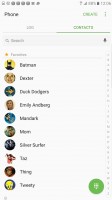
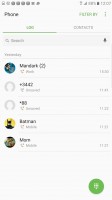
The dialer and the phonebook are pretty much the usual TouchWiz deal. There are no special dialer-specific tricks that the S Pen can do, but it's still quite useful for taking notes during a call.
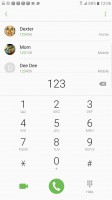
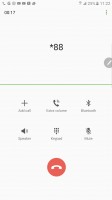
Dialer - Samsung Galaxy Note7 review In a call - Samsung Galaxy Note7 review Contacts - Samsung Galaxy Note7 review Call log - Samsung Galaxy Note7 review
Dialer • In a call • Contacts • Call log

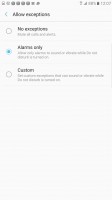
The Do Not Disturb mode can be put on an automated schedule. When it's on, only priority notifications can get through and you decide what counts as "priority" - it can be anything from calls from select contacts to reminders from key apps.
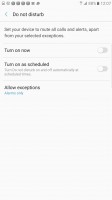
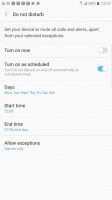
Do not disturb - Samsung Galaxy Note7 review Priority notifications - Samsung Galaxy Note7 review Exceptions - Samsung Galaxy Note7 review
Do not disturb • Priority notifications • Exceptions

The Samsung Galaxy Note7 scored a Good mark on our loudspeaker test, beating its predecessor (Average) and matching the Galaxy S7 edge. The single speaker produces clean sound even at full volume and performs evenly across different types of audio - music, hands-free calls, ringtones.

Speakerphone testVoice, dB Pink noise/ Music, dB Ringing phone, dB Overall score
Apple iPhone 6s Plus 65.8 65.1 64.6 Below Average
Samsung Galaxy A9 (2016) 65.5 72.2 65.2 Average
Samsung Galaxy Note5 65.3 64.6 73.5 Average
Samsung Galaxy S7 edge 70.0 69.1 71.8 Good
OnePlus 3 62.4 71.0 77.8 Good
Samsung Galaxy Note7 69.7 69.9 72.3 Good
Huawei P9 Plus (stereo) 66.9 70.0 76.9 Good
Huawei P9 Plus (regular) 71.7 73.7 81.3 Very Good
Microsoft Lumia 950 XL 74.9 75.7 84.3 Excellent

Text input

Writing on the Galaxy Note7 naturally features the S Pen. You can just leave your handwriting as-is or if you want to share your thoughts with others and you're worried about legibility, you can rely on the handwriting recognition instead.

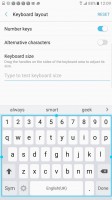
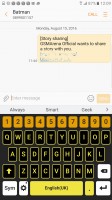
The Galaxy Note7 also features the latest version of the Samsung Keyboard. It's quite feature-packed, with a dedicated numbers row, a row above that for word suggestions and additional characters on each key (accessible via long-press).

Even when typing, the S Pen can be useful - you can move the cursor and select text with the accuracy of a mouse (doing the same with your finger is quite inaccurate).


Keyboard - Samsung Galaxy Note7 review Keyboard - Samsung Galaxy Note7 review
Keyboard

If that seems too tall, you can scale the keyboard down (or up, if you want bigger keys). The Space key used to be cramped on the S7 and even the bigger S7 edge, but it's big and easy to hit on the Note7.
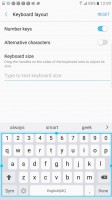
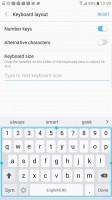
Keyboard size: Smallest - Samsung Galaxy Note7 review Keyboard size: Default - Samsung Galaxy Note7 review Keyboard size: Biggest - Samsung Galaxy Note7 review Keyboard size: High-contrast mode - Samsung Galaxy Note7 review
Keyboard size: Smallest • Default • Biggest • High-contrast mode

Additional typing tools include Swipe input, you can predefine keywords for particular pre-defined phrases and voice dictation.

Other apps

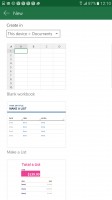
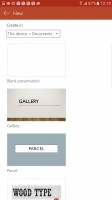
Samsung continues to bundle the Microsoft app package that includes Word, Excel, PowerPoint, OneNote and Skype.
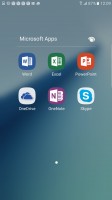
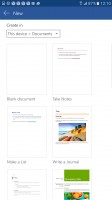
Microsoft app package - Samsung Galaxy Note7 review Microsoft app package - Samsung Galaxy Note7 review Microsoft app package - Samsung Galaxy Note7 review Microsoft app package - Samsung Galaxy Note7 review
Microsoft app package

Google Drive is pre-installed, however, the actual document editors are not (they are a free download, though).

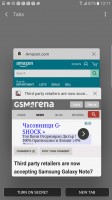
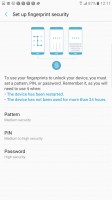
The Samsung-customized web browser features Web sign in - a feature that works as a password manager secured by your iris or fingerprint. This makes logins as simple as unlocking the phone and people can't peek over your shoulder to see your password.
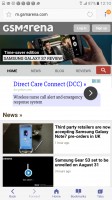
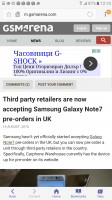
With the Samsung browser, your fingerprint is your password - Samsung Galaxy Note7 review With the Samsung browser, your fingerprint is your password - Samsung Galaxy Note7 review With the Samsung browser, your fingerprint is your password - Samsung Galaxy Note7 review With the Samsung browser, your fingerprint is your password - Samsung Galaxy Note7 review
With the Samsung browser, your fingerprint is your password

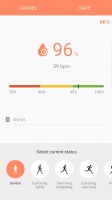
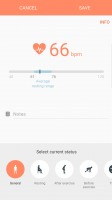
S Health is on board and it can fully utilize the heart rate and blood oxygen sensors. It also tracks walking/running/cycling and you can manually input water and coffee intake and so on.
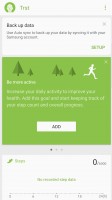
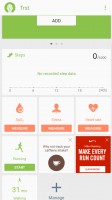
S health - Samsung Galaxy Note7 review S health - Samsung Galaxy Note7 review S health - Samsung Galaxy Note7 review S health - Samsung Galaxy Note7 review
S health

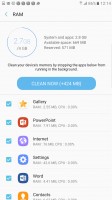
Smart Manager has been renamed Device maintenance. It still offers the same features and takes care of battery, RAM, Storage and Device security. This gives you tools to clean-up unnecessary files or track down apps which drain the battery or use too much RAM. There are buttons to do this one by one but also one big Optimize now button to do it all.
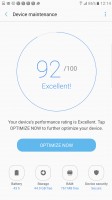
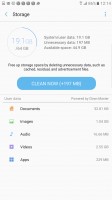
Device maintenance - Samsung Galaxy Note7 review Cleaning up the storage - Samsung Galaxy Note7 review Cleaning up the RAM - Samsung Galaxy Note7 review
Device maintenance • Cleaning up the storage • Cleaning up the RAM

The Device Security tab lets you activate Knox (protects the phone and OS from hacking but makes for longer boot times) and scan for malware. The My Knox app lets you separate work and corporate apps and access by creating a secure, isolated space on the phone, which becomes inaccessible as soon as Knox detects an unauthorized change in the OS.
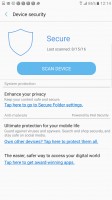
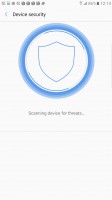
Knox security manager - Samsung Galaxy Note7 review Knox security manager - Samsung Galaxy Note7 review
Knox security manager

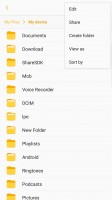
The My Files app is the default file browser. It features Google Drive integration, but no Samsung Cloud (again, that's for backups, not files). You can ZIP folders to make them easier to share as a single file.
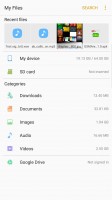
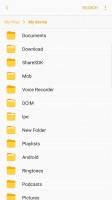
My Files - Samsung Galaxy Note7 review My Files - Samsung Galaxy Note7 review My Files - Samsung Galaxy Note7 review
My Files

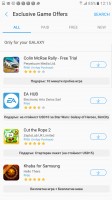
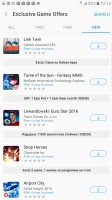
Finally, there's Galaxy Apps, Samsung's own app store. Galaxy Essentials is a good place to find great tools (like Kids Mode), but for general app shopping, you would probably be better off with Google Play.
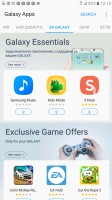
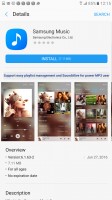
Galaxy Apps - Samsung Galaxy Note7 review Media apps no longer pre-installed - Samsung Galaxy Note7 review Galaxy exclusives - Samsung Galaxy Note7 review Galaxy exclusives - Samsung Galaxy Note7 review
Galaxy Apps • Media apps no longer pre-installed • Galaxy exclusives

Next Page » 9. Gallery, media players, audio quality
8. Telephony and loudspeaker, text input, other apps
  1. 1. Introduction
  2. 2. Unboxing, 360° spin, hardware
  3. 3. Display, connectivity, battery
  4. 4. S Pen, Always on screen, Edge screen, iris scanner
  5. 5. User interface
  6. 6. Samsung Cloud, Game launcher
  7. 7. Performance
  8. 8. Telephony and loudspeaker, text input, other apps
  9. 9. Gallery, media players, audio quality
  10. 10. Camera
  11. 11. Conclusion
  12.  
  13. Samsung Galaxy Note7 specification
  14. Samsung Galaxy Note7 (USA) specification
  15. Review comments (296)

Reviews Samsung Galaxy Note7 reviewPage 8
  • Comments (296)
  • Galaxy Note7
  • Galaxy Note7 (USA)

Phone finder

  • Samsung
  • Apple
  • Huawei
  • Nokia
  • Sony
  • LG
  • HTC
  • Motorola
  • Lenovo
  • Xiaomi
  • Google
  • Honor
  • Oppo
  • Realme
  • OnePlus
  • Nothing
  • vivo
  • Meizu
  • Ulefone
  • Alcatel
  • ZTE
  • RugOne
  • Umidigi
  • Fairphone
  • Oscal
  • Sharp
  • Micromax
  • Infinix
  • Asus
  • Tecno
  • Doogee
  • Blackview
  • Cubot
  • Oukitel
  • Itel
  • TCL

All brands Rumor mill

ADVERTISEMENT

Popular reviews

Oppo Find X10 Pro Max review
Apple iPhone 18 Pro Max review
Apple iPhone 18 Pro review
ADVERTISEMENT

ELECTRIC VEHICLES

2026 Volvo EX90 Twin Motor Performance real life range test with 21-inch wheels and summer tires 2026 Volvo EX90 Twin Motor Performance real life range test with 21-inch wheels and summer tires BYD is teasing its new Yangwang flagship destined for UAESvolt's 100 kWh semi-solid-state battery enters mass production
ADVERTISEMENT
Ads by Playwire

Home News Reviews Compare Coverage Glossary FAQ RSS Youtube Instagram TikTok Facebook Twitter

© 2000-2026 GSMArena.com Mobile version Android app Tools Contact us Merch store Privacy Terms of use