GSMArena.com GSMArena.com

Tip us

2.1m
180k
RSS

EV

Merch

Log in

Login

I forgot my password
Sign up
  • Home
  • News
  • Reviews
  • Videos
  • Featured
  • Phone Finder
  • Deals
  • Merch
  • Coverage
  • Contact
ADVERTISEMENT
GSMArena team, 16 August 2016

Thinking Big


Samsung Galaxy Note7 review: Thinking Big

  • Comments (296)
  • Galaxy Note7
  • Galaxy Note7 (USA)

5. User interface
  1. 1. Introduction
  2. 2. Unboxing, 360° spin, hardware
  3. 3. Display, connectivity, battery
  4. 4. S Pen, Always on screen, Edge screen, iris scanner
  5. 5. User interface
  6. 6. Samsung Cloud, Game launcher
  7. 7. Performance
  8. 8. Telephony and loudspeaker, text input, other apps
  9. 9. Gallery, media players, audio quality
  10. 10. Camera
  11. 11. Conclusion
  12.  
  13. Samsung Galaxy Note7 specification
  14. Samsung Galaxy Note7 (USA) specification
  15. Review comments (296)

Samsung Android

User interface

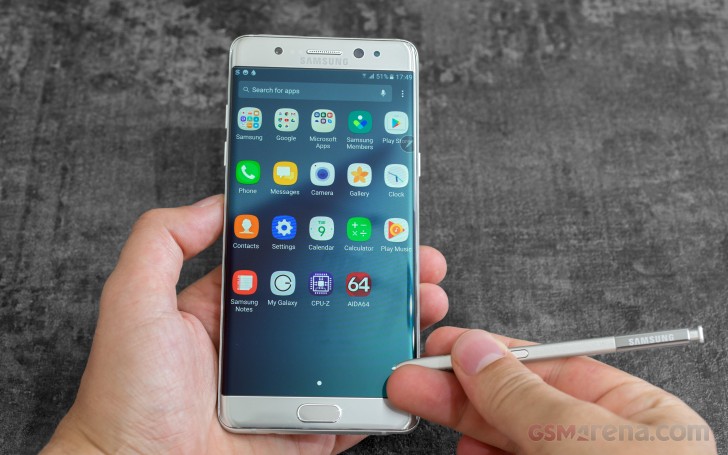
The Samsung Galaxy Note7 runs a TouchWiz-skinned Android 6.0.1 Marshmallow. An update to v7.0 Nougat is already planned, but it should take a few months.
Samsung Galaxy Note7 review

The fingerprint reader used on the Note7 is the same as the one on the Galaxy S7. It recognizes a finger in under a second - very fast, though not the fastest we've seen. All it takes to unlock the phone is to press the Home key and leave your finger for a moment longer while the fingerprint reader does its thing. Then there's the iris scanner too, when you get used to it, it can be as fast as the fingerprint reader.
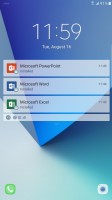
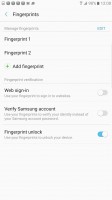
The lockscreen - Samsung Galaxy Note7 review Fingerprint protection - Samsung Galaxy Note7 review
The lockscreen • Fingerprint protection

The Galaxy Note7 brings some changes to the TouchWiz interface, but it's a collection of minor tweaks rather than a major redesign.
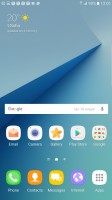
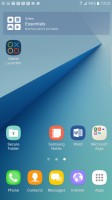
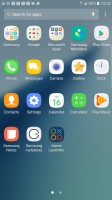
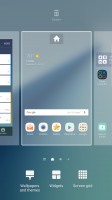
Homescreen - Samsung Galaxy Note7 review Homescreen - Samsung Galaxy Note7 review App drawer - Samsung Galaxy Note7 review Homescreen settings - Samsung Galaxy Note7 review
Homescreen • Homescreen • App drawer • Homescreen settings

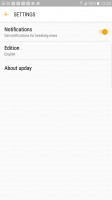
Depending on where you are in the world, your leftmost homescreen would be either the Flipboard-powered Briefing or Upday (this is the one we got on our international unit). The two do pretty much the same thing - they aggregate news according to a pre-defined list of interests.


Upday in action - Samsung Galaxy Note7 review Upday in action - Samsung Galaxy Note7 review Upday in action - Samsung Galaxy Note7 review Upday in action - Samsung Galaxy Note7 review
Upday in action

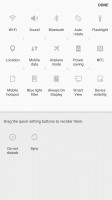
The Notification area has a revamped layout. The screen brightness slider is no longer visible on the first swipe. Instead, it has been moved next to the quick toggles.

Also here is a new search field. This isn't Google Now's search, instead, it searches for local files and apps as well as nearby devices for wireless connectivity.
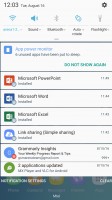
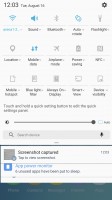
Notification area - Samsung Galaxy Note7 review Brightness slider moved, new search field - Samsung Galaxy Note7 review Modifying the notification area - Samsung Galaxy Note7 review
Notification area • Brightness slider moved, new search field • Modifying the notification area

The Galaxy Note7 user interface is fully themeable. We only got one theme pre-installed, but the Theme Store has more for you to download. By the way, there is an option to disable the app drawer, so you may want to give it a try.

Split-screen multitasking is supported on the Note7, and the 5.7" screen was born to do it. Even at half a screen, apps get plenty of room (Material design likes a lot of padding though). As always, only supported apps can work in split-screen (you'll recognize them by a button in the app switcher, next to the X). Also, Samsung's implementation is the most widely supported.

Floating app windows are supported for some apps, too. The precision allowed by the S Pen's tip (compared to your finger) makers using apps even in this downscaled state a breeze. Some hover features are a great help too, like hovering near the edge of an app scrolls its window in that direction (great for using a minimized web browser).
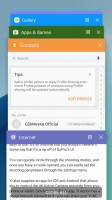
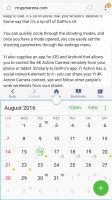
App switcher - Samsung Galaxy Note7 review Split-screen mode - Samsung Galaxy Note7 review Floating window - Samsung Galaxy Note7 review
App switcher • Split-screen mode • Floating window

Some cool gestures are available for the Galaxy Note7 - you can flip the phone for mute, swipe your palm for screenshot, double-tap the Home key for quick camera access, quick call, among others.

Our international Samsung Galaxy Note7 comes free of bloatware, but has a few Microsoft apps pre-installed (MS Office, OneDrive with 100GB for 2-years, Skype). You can disable them, but not completely delete them. The US model we received (T-Mobile) had a few extra carrier-specific apps and also Amazon's mobile app preinstalled.

Next Page » 6. Samsung Cloud, Game launcher
5. User interface
  1. 1. Introduction
  2. 2. Unboxing, 360° spin, hardware
  3. 3. Display, connectivity, battery
  4. 4. S Pen, Always on screen, Edge screen, iris scanner
  5. 5. User interface
  6. 6. Samsung Cloud, Game launcher
  7. 7. Performance
  8. 8. Telephony and loudspeaker, text input, other apps
  9. 9. Gallery, media players, audio quality
  10. 10. Camera
  11. 11. Conclusion
  12.  
  13. Samsung Galaxy Note7 specification
  14. Samsung Galaxy Note7 (USA) specification
  15. Review comments (296)

Reviews Samsung Galaxy Note7 reviewPage 5
  • Comments (296)
  • Galaxy Note7
  • Galaxy Note7 (USA)

Phone finder

  • Samsung
  • Apple
  • Huawei
  • Nokia
  • Sony
  • LG
  • HTC
  • Motorola
  • Lenovo
  • Xiaomi
  • Google
  • Honor
  • Oppo
  • Realme
  • OnePlus
  • Nothing
  • vivo
  • Meizu
  • Ulefone
  • Alcatel
  • ZTE
  • RugOne
  • Umidigi
  • Fairphone
  • Oscal
  • Sharp
  • Micromax
  • Infinix
  • Asus
  • Tecno
  • Doogee
  • Blackview
  • Cubot
  • Oukitel
  • Itel
  • TCL

All brands Rumor mill

ADVERTISEMENT

Popular reviews

Oppo Find X10 Pro Max review
Apple iPhone 18 Pro Max review
Apple iPhone 18 Pro review
ADVERTISEMENT

ELECTRIC VEHICLES

Toyota and Waymo team to deliver driverless taxis in Japan Toyota and Waymo team to deliver driverless taxis in Japan Here's how expensive Ford's upcoming Fathom electric truck will getCheap hatchbacks and Chinese partnerships are propping up the Stellantis EV strategy
ADVERTISEMENT
Ads by Playwire

Home News Reviews Compare Coverage Glossary FAQ RSS Youtube Instagram TikTok Facebook Twitter

© 2000-2026 GSMArena.com Mobile version Android app Tools Contact us Merch store Privacy Terms of use