Note for less
Lenovo K3 Note review: Note for less
Heavily retouched Android 5.0
The Lenovo K3 Note comes with Android 5.0 on board with a proprietary skin on top. Skin might be a too mild term though, as the interface is thoroughly reworked and Material design is nowhere to be found. Lenovo calls it Vibe OS, but unlike other manufacturers who are keen on stamping the name of their home-brewed overlay here and there, the K3 Note remains mum on the subject.
It goes without saying, that the interface is inspired by iOS in more ways than one, that's the way far-East makers do it. The lockscreen isn't necessarily one of those elements. The default layout consists of a clock widget with a date, and the operator name, which you can opt to hide. You can also display the owner's name, but it's a free text field, so you could type a motivational quote if that's your thing.
Unlocking works with an upward swipe, but you also get shortcuts to the dialer and camera. Their icon positioning in the bottom corners is nothing but a reminder, as you access those apps by side swipes form anywhere on the screen, not necessarily from the corners. You can also access the quick toggles straight from the lockscreen, but not the notifications, and you don't get the Lollipop style lockscreen notifications either.
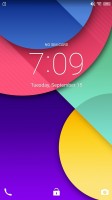
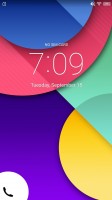
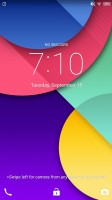
Default lockscreen
However, all that applies to the lockscreen of the pre-applied theme. It's an entirely customizable affair and different themes can have their own arrangement of the above elements, but also omit some altogether.
Themes come in all shapes and colors and have control on functionality, aside from looks. With the Windows XP theme, for example, you can only unlock the phone by swiping the power icon towards the Windows logo, and you get no additional shortcuts. Other themes offer you to swipe outwards from the center in one of three directions, each launching a different app or just unlocking.
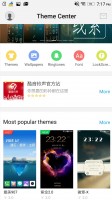
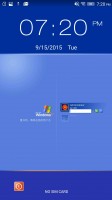
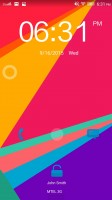
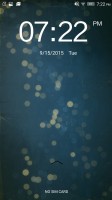
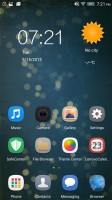
Themes
In the absence of an app drawer, the homescreens are where all your apps reside, and you can have a practically unlimited number of homescreens (okay, 18, but what would possess you to use all is beyond us). New ones can be added with ease, existing ones can be rearranged and an arbitrary one can be set as home-home.
You can have the wallpaper remain stationary of scroll with the homescreens (must be wider than 1080 pixels), screen transition effects can be selected, and you can choose whether to be able to cycle back to the first one after reaching the end or not. Once you get it all set up to your liking, you can lock the layout so you don't mess it up accidentally.
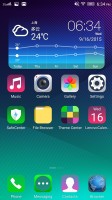
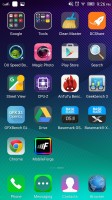
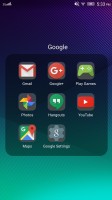
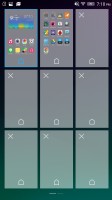
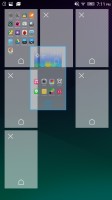
Homescreens
A nifty feature lets you assign one of four functions to each of three homescreen gestures. By default swiping up from an empty are pops up a num-pad keyboard that lets you search for apps smart-dial style, really handy if you do populate those 18 homescreens with apps.
Swiping down from an empty area can save you the trouble for reaching all the way up to the notification shade, and a double tap is best suited to locking the device.
The fourth function opens the settings menu, you'd otherwise evoke by tapping the left capacitive button, so it's somewhat redundant.
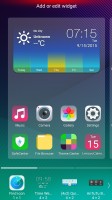
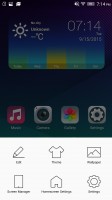
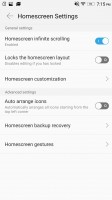
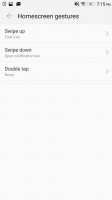
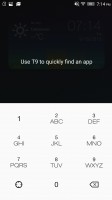
Homescreen settings
The notification shade works in a familiar fashion. Pull down once with one finger, and you get notifications only, pull down a second time and you get the entire list of quick toggles, with notifications squished below. A two-finger pull takes you straight to that state. There's no priority row of toggles that gets opened every time, it's none or all.
The task switcher is one of the more iOS-looking elements in the K3 Note's interface. It's evoked with a long press on the home button and displays a side-scrollable list of app thumbnails with their respective icons below. Swiping up closes the app, swiping down locks it, so that you don't close it when you use the "Kill all" button.
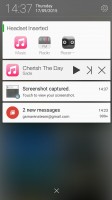
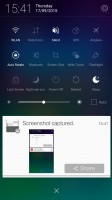
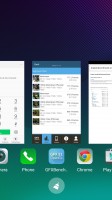
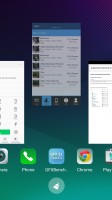
Notification area • task switcher


Tip us
2.1m 180k
RSS
EV
Merch
Log in I forgot my password Sign up