GSMArena.com GSMArena.com

Tip us

2.1m
180k
RSS

EV

Merch

Log in

Login

I forgot my password
Sign up
  • Home
  • News
  • Reviews
  • Videos
  • Featured
  • Phone Finder
  • Deals
  • Merch
  • Coverage
  • Contact
ADVERTISEMENT
GSMArena team, 26 October 2016

The brightest sound


ZTE Axon 7 review: The brightest sound

  • Comments (107)
  • User reviews
  • Axon 7

7. Multimedia apps and audio quality
  1. 1. Introduction
  2. 2. Hardware overview
  3. 3. Display, battery life, connectivity
  4. 4. User interface
  5. 5. Performance
  6. 6. Telephony, messaging, other apps
  7. 7. Multimedia apps and audio quality
  8. 8. Camera
  9. 9. Final words
  10.  
  11. ZTE Axon 7 specification
  12. User opinions and reviews
  13. Review comments (107)

ZTE Android Dual SIM

Gallery

The image gallery is also pretty straightforward. You get a Photos tab with a timeline of all your shots and a Gallery one, for organizing things. The gallery has some fun editing options that allow you to create collages from multiple images or apply filters, stickers and more.


Simple gallery - ZTE Axon 7 review Editing options - ZTE Axon 7 review Editing options - ZTE Axon 7 review
Simple gallery • Editing options

Hidden behind the three-dot menu on the top right is a GIF and Collage maker. The former is pretty straightforward and allows you to make custom GIF animations from up to 50 photos.


GIF Maker - ZTE Axon 7 review GIF Maker - ZTE Axon 7 review
GIF Maker

Music player

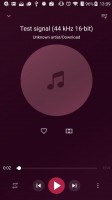
The Music player app offers the basic functionality and lacks features like automatic lyrics fetching or album art downloading. Nevertheless, its neatly designed user interface allows for easy navigation.
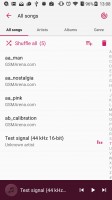
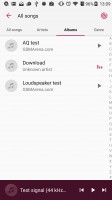
Music player app - ZTE Axon 7 review Music player app - ZTE Axon 7 review Music player app - ZTE Axon 7 review Music player app - ZTE Axon 7 review
Music player app

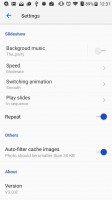
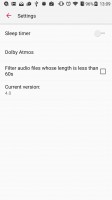
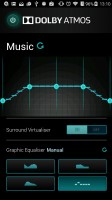
The player's setting's menu offers a sleep timer and a shortcut to the phone's Dolby Atmos settings menu. There, you have different profiles for different occasions - music, gaming, video and voice. There are also two custom profiles for you to fine tune.
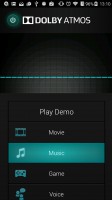
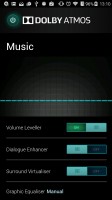
Dolby Atmos settings - ZTE Axon 7 review Dolby Atmos settings - ZTE Axon 7 review Dolby Atmos settings - ZTE Axon 7 review
Dolby Atmos settings

Video player

The video player is quite basic. It doesn't offer a lot of options except cropping a video and enabling the playback of the next one upon finishing the last. Nevertheless, it gets the job done and if you need more functionality, you could always download a third-party alternative.

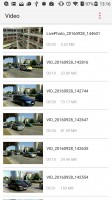
The video player is quite basic - ZTE Axon 7 review The video player is quite basic - ZTE Axon 7 review The video player is quite basic - ZTE Axon 7 review
The video player is quite basic

Audio starts off bright, gets mediocre with headphones

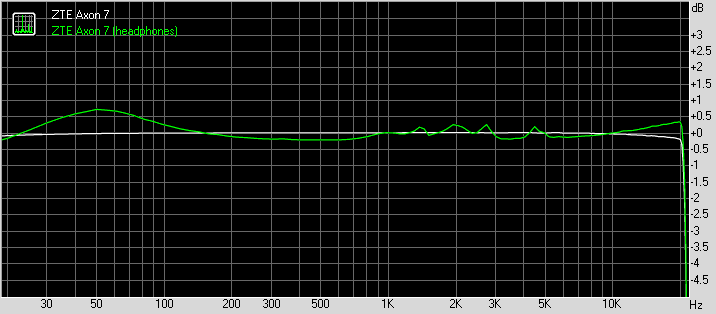
The ZTE Axon 7 delivered perfect clarity with an active external amplifier. The ZTE flagship has no weak points to its performance and had an output among the loudest around.

Unfortunately, degradation with headphones was quite pronounced with stereo crosstalk spiking, volume levels dropping to just above average and some intermodulation distortion creeping in. Frequency response got a little shaky too, so it’s really not a performance worth writing home about.

And now here go the results so you can do your comparison.

TestFrequency responseNoise levelDynamic rangeTHDIMD + NoiseStereo crosstalk
ZTE Axon 7+0.06, -0.10-92.492.30.00150.0093-80.9
ZTE Axon 7 (headphones attached)+0.03, -0.11-92.392.30.00110.012-77.0
Apple iPhone 7 Plus+0.10, -0.04-93.193.10.00150.0098-80.5
Apple iPhone 7 Plus (headphones attached)+0.10, -0.03-93.193.00.00130.015-76.8
LG V20+0.01, -0.03-93.093.10.0036 0.0075-93.7
LG V20 (headphones attached)+0.04, -0.09-92.492.40.051 0.105-57.5
Huawei Mate 8+0.01, -0.03-97.899.10.00540.0087-97.3
Huawei Mate 8 (headphones attached)+0.02, -0.09-97.397.90.0150.078-81.3

ZTE Axon 7 frequency response

You can learn more about the tested parameters and the whole testing process here.

Next Page » 8. Camera
7. Multimedia apps and audio quality
  1. 1. Introduction
  2. 2. Hardware overview
  3. 3. Display, battery life, connectivity
  4. 4. User interface
  5. 5. Performance
  6. 6. Telephony, messaging, other apps
  7. 7. Multimedia apps and audio quality
  8. 8. Camera
  9. 9. Final words
  10.  
  11. ZTE Axon 7 specification
  12. User opinions and reviews
  13. Review comments (107)

Reviews ZTE Axon 7 reviewPage 7
  • Comments (107)
  • User reviews
  • Axon 7

Phone finder

  • Samsung
  • Apple
  • Huawei
  • Nokia
  • Sony
  • LG
  • HTC
  • Motorola
  • Lenovo
  • Xiaomi
  • Google
  • Honor
  • Oppo
  • Realme
  • OnePlus
  • Nothing
  • vivo
  • Meizu
  • Ulefone
  • Alcatel
  • ZTE
  • RugOne
  • Umidigi
  • Fairphone
  • Oscal
  • Sharp
  • Micromax
  • Infinix
  • Asus
  • Tecno
  • Doogee
  • Blackview
  • Cubot
  • Oukitel
  • Itel
  • TCL

All brands Rumor mill

ADVERTISEMENT

Popular reviews

Oppo Find X10 Pro Max review
Apple iPhone 18 Pro Max review
Apple iPhone 18 Pro review
ADVERTISEMENT

ELECTRIC VEHICLES

Svolt's 100 kWh semi-solid-state battery enters mass production Svolt's 100 kWh semi-solid-state battery enters mass production Dodge brings its electric and twin-turbo Chargers to EuropeVolkswagen takes the slow road to hands-off driving in China
ADVERTISEMENT
Ads by Playwire

Home News Reviews Compare Coverage Glossary FAQ RSS Youtube Instagram TikTok Facebook Twitter

© 2000-2026 GSMArena.com Mobile version Android app Tools Contact us Merch store Privacy Terms of use