GSMArena.com GSMArena.com

Tip us

2.1m
180k
RSS

EV

Merch

Log in

Login

I forgot my password
Sign up
  • Home
  • News
  • Reviews
  • Videos
  • Featured
  • Phone Finder
  • Deals
  • Merch
  • Coverage
  • Contact
ADVERTISEMENT
GSMArena team, 26 October 2016

The brightest sound


ZTE Axon 7 review: The brightest sound

  • Comments (107)
  • User reviews
  • Axon 7

4. User interface
  1. 1. Introduction
  2. 2. Hardware overview
  3. 3. Display, battery life, connectivity
  4. 4. User interface
  5. 5. Performance
  6. 6. Telephony, messaging, other apps
  7. 7. Multimedia apps and audio quality
  8. 8. Camera
  9. 9. Final words
  10.  
  11. ZTE Axon 7 specification
  12. User opinions and reviews
  13. Review comments (107)

ZTE Android Dual SIM

MiFavor 4.0 on top of Malvavisco

That's Marshmallow in Spanish, if you're wondering, but we digress. ZTE's custom launcher doesn't change the Android looks as much as some of the other Chinese manufacturers like Xiaomi or Huawei. In fact, with MiFavor 4.0, the Axon 7 reminds us of the latest Sony offerings in terms of user experience.

That's because ZTE has slightly skinned the vanilla Android experience without messing too much about additional functionality. There's no split-screen view baked in (that's left for the Nubia brand) or a custom task switcher, for example.
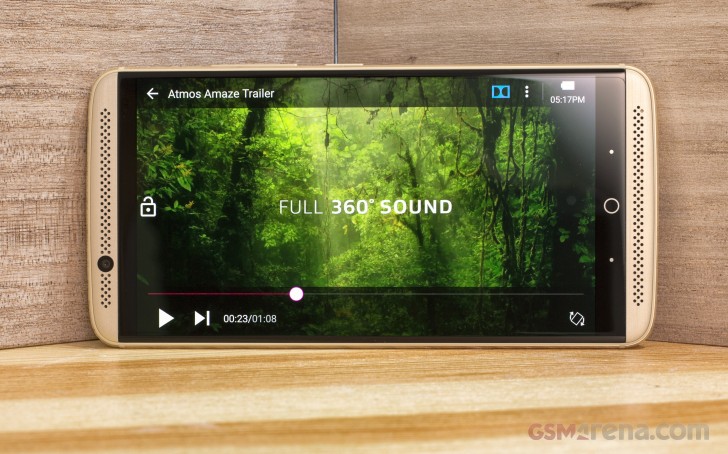
ZTE Axon 7 review

That's not to say that using the MiFavor 4.0 UI isn't a nice experience, right on the contrary. However, there are slight frustrations, which take away from the otherwise okay feel of the launcher.

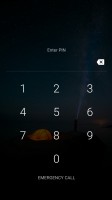
Let's start with the lockscreen. It's a typical Android affair with shortcuts to the dialer and camera, but for some reason there's absolutely no way to see pending notifications. For that to happen, you have to tap on the bell icon on the top left corner - it's quite frustrating, as waking the phone is often just about checking up on the new notifications and you have to go through an extra step to check them out.
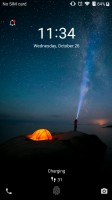
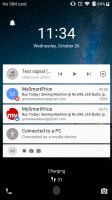
The lockscreen requires an additional step to check notifications - ZTE Axon 7 review The lockscreen requires an additional step to check notifications - ZTE Axon 7 review The lockscreen requires an additional step to check notifications - ZTE Axon 7 review
The lockscreen requires an additional step to check notifications

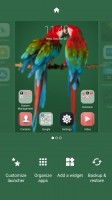
When you get past the lockscreen, you see a standard Android homescreen with a few customizable shortcuts docked at the bottom and visible on all panes. A pinch on the homescreen triggers the familiar menu for managing the launcher's look, widgets and apps.
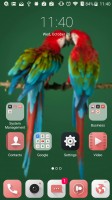
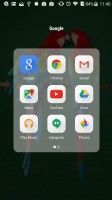
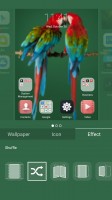
The homescreen - ZTE Axon 7 review Opening a folder - ZTE Axon 7 review Customizing the launcher - ZTE Axon 7 review
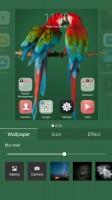
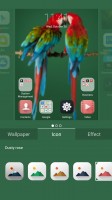
Customizing the launcher - ZTE Axon 7 review Customizing the launcher - ZTE Axon 7 review Customizing the launcher - ZTE Axon 7 review
The homescreen • Opening a folder • Customizing the launcher

You can change the look of the icons, control the blurriness of the background and change the effect of the swipe animation between homescreens. There are also predefined themes accessible from the Settings menu, but you can't download additional ones as for all we know, there is no Theme store.
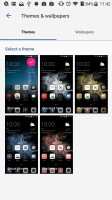
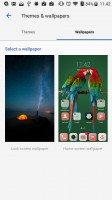
Limited theme options - ZTE Axon 7 review Limited theme options - ZTE Axon 7 review
Limited theme options

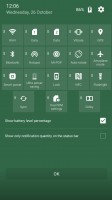
The notification area is unchanged from stock Android. You can move the toggles around or mass clear any pending notifications.
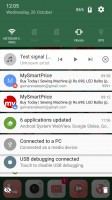
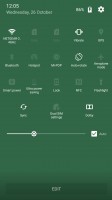
Standard notification area - ZTE Axon 7 review Standard notification area - ZTE Axon 7 review Standard notification area - ZTE Axon 7 review
Standard notification area

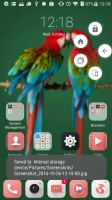
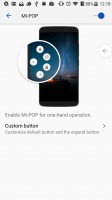
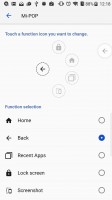
The Task switcher is also unchanged from stock Marshmallow. What's custom is the Mi-Pop shortcut button, which sits on top of the rest of the UI. Giving it a slight nudge would reveal custom shortcuts to different actions - going Home or Back, viewing Recent apps or even taking a screenshot.
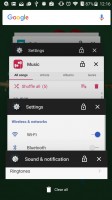
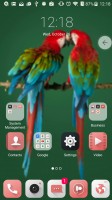
The default Task swicther - ZTE Axon 7 review Mi-Pop shortcut button - ZTE Axon 7 review Mi-Pop shortcut button - ZTE Axon 7 review Mi-Pop shortcut button - ZTE Axon 7 review Mi-Pop shortcut button - ZTE Axon 7 review
The default Task swicther • Mi-Pop shortcut button

The Settings menu is slightly customized by ZTE to offer some better organized options. There are also some interesting customizations like custom Gestures and motions setting. It allows you to answer a call by just lifting the phone and placing it to your ear or declining one by flipping the phone over. Features like that have been around for years on other phones but it's nice to have them here too.
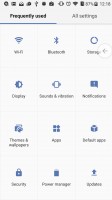
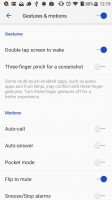
The Settings menu - ZTE Axon 7 review Gestures and - ZTE Axon 7 review
The Settings menu • Gestures and

Overall, the UI feels well made, but lacks the customization options that we've become accustomed to, especially from Chinese phone makers. We have some minor grudges with the MiFavor 4 UI, but overall it works just fine on a daily basis.

Next Page » 5. Performance
4. User interface
  1. 1. Introduction
  2. 2. Hardware overview
  3. 3. Display, battery life, connectivity
  4. 4. User interface
  5. 5. Performance
  6. 6. Telephony, messaging, other apps
  7. 7. Multimedia apps and audio quality
  8. 8. Camera
  9. 9. Final words
  10.  
  11. ZTE Axon 7 specification
  12. User opinions and reviews
  13. Review comments (107)

Reviews ZTE Axon 7 reviewPage 4
  • Comments (107)
  • User reviews
  • Axon 7

Phone finder

  • Samsung
  • Apple
  • Huawei
  • Nokia
  • Sony
  • LG
  • HTC
  • Motorola
  • Lenovo
  • Xiaomi
  • Google
  • Honor
  • Oppo
  • Realme
  • OnePlus
  • Nothing
  • vivo
  • Meizu
  • Ulefone
  • Alcatel
  • ZTE
  • RugOne
  • Umidigi
  • Fairphone
  • Oscal
  • Sharp
  • Micromax
  • Infinix
  • Asus
  • Tecno
  • Doogee
  • Blackview
  • Cubot
  • Oukitel
  • Itel
  • TCL

All brands Rumor mill

ADVERTISEMENT

Popular reviews

Oppo Find X10 Pro Max review
Apple iPhone 18 Pro Max review
Apple iPhone 18 Pro review
ADVERTISEMENT

ELECTRIC VEHICLES

BYD is teasing its new Yangwang flagship destined for UAE BYD is teasing its new Yangwang flagship destined for UAE Svolt's 100 kWh semi-solid-state battery enters mass productionDodge brings its electric and twin-turbo Chargers to Europe
ADVERTISEMENT
Ads by Playwire

Home News Reviews Compare Coverage Glossary FAQ RSS Youtube Instagram TikTok Facebook Twitter

© 2000-2026 GSMArena.com Mobile version Android app Tools Contact us Merch store Privacy Terms of use