GSMArena.com GSMArena.com

Tip us

2.1m
180k
RSS

EV

Merch

Log in

Login

I forgot my password
Sign up
  • Home
  • News
  • Reviews
  • Videos
  • Featured
  • Phone Finder
  • Deals
  • Merch
  • Coverage
  • Contact
ADVERTISEMENT
GSMArena team, 28 September 2011

Ray of light


Sony Ericsson Xperia ray review: Ray of light

  • Comments (104)
  • User reviews
  • Xperia ray

5. Messaging and text input
  1. 1. Introduction
  2. 2. Unboxing, 360-degree spin, design and construction
  3. 3. User interface: Android 2.3.3 Gingerbread
  4. 4. Phonebook and telephony
  5. 5. Messaging and text input
  6. 6. Pics and videos, music player, FM radio, audio quality
  7. 7. Still and video camera
  8. 8. Connectivity, web browser, organizer, GPS, Android market
  9. 9. Conclusion
  10.  
  11. Sony Ericsson Xperia ray specification
  12. User opinions and reviews
  13. Review comments (104)

Sony Ericsson Android Touch UI

Sound messaging

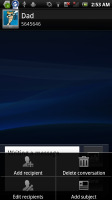
All SMS/MMS communication is organized into threads. Each thread is laid out as an IM chat session, the latest message at the bottom. You can manage individual messages (forward, copy, delete) and even lock them (against deletion).

You can use search to locate a specific message in all conversations. You can also activate delivery reports.

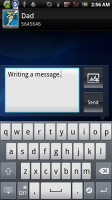
Sony Ericsson Xperia ray Sony Ericsson Xperia ray Sony Ericsson Xperia ray Sony Ericsson Xperia ray
The messaging app

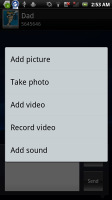
You can add multimedia (photos, videos, sounds, etc.), which will convert the message to an MMS.

Moving on to email, the Gmail app supports batch operations, which allow multiple emails to be archived, labeled or deleted. The app supports multiple Gmail accounts, but there’s no unified inbox for other email services.

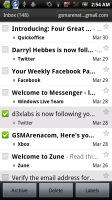
Sony Ericsson Xperia ray Sony Ericsson Xperia ray Sony Ericsson Xperia ray Sony Ericsson Xperia ray
Gmail app supports batch operations and multiple (Gmail) accounts

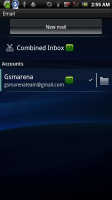
The generic email app can do that however. It can handle multiple POP or IMAP inboxes and you have access to the messages in the original folders that are created online.
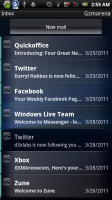
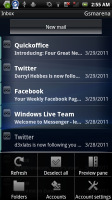
Sony Ericsson Xperia ray Sony Ericsson Xperia ray Sony Ericsson Xperia ray
The standard email app

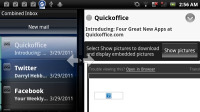
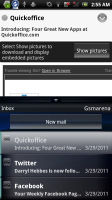
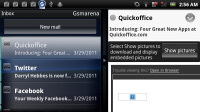
A preview pane splits the screen in half - one side lists the emails, while the other shows the currently selected email.

This works both in portrait and landscape and you can easily drag the separator between the two areas to make one bigger. Unfortunately, this feature works much better on a tablet than on the Xperia ray's small screen.
Sony Ericsson Xperia ray Sony Ericsson Xperia ray Sony Ericsson Xperia ray
The preview pane

Google Talk handles the Instant Messaging department. The GTalk network is compatible with a variety of popular clients like Pidgin, Kopete, iChat and Ovi Contacts.

Text input is a little cramped

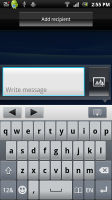
As for text input, the Xperia ray offers a pretty standard keyboard. By default, the portrait mode keyboard is multitap, but you can switch to QWERTY too. Though the tall, narrow screen makes typing on a portrait QWERTY harder than on most phones - at least you have spell correction to sort out minor typos.
Sony Ericsson Xperia ray Sony Ericsson Xperia ray
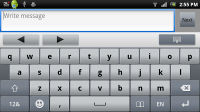
Both of Xperia ray’s keyboards are pretty comfy

Flipping the phone to landscape however tells a whole new story. The on-screen keyboard takes more than most the screen and leaves only two lines for text. It does give you large, easy to tap buttons though.

Haptic feedback can be enabled for the keyboard, which helps improve accuracy.

One addition to the keyboard is a row on top that gives you left/right arrows to move the cursor and a hide keyboard button. You also get the usual "handle" to move the cursor when you tap in the text field. Another tap and hold brings up the copy/cut options.
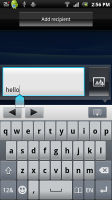
Sony Ericsson Xperia ray
Text positioning

Next Page » 6. Pics and videos, music player, FM radio, audio quality
5. Messaging and text input
  1. 1. Introduction
  2. 2. Unboxing, 360-degree spin, design and construction
  3. 3. User interface: Android 2.3.3 Gingerbread
  4. 4. Phonebook and telephony
  5. 5. Messaging and text input
  6. 6. Pics and videos, music player, FM radio, audio quality
  7. 7. Still and video camera
  8. 8. Connectivity, web browser, organizer, GPS, Android market
  9. 9. Conclusion
  10.  
  11. Sony Ericsson Xperia ray specification
  12. User opinions and reviews
  13. Review comments (104)

Reviews Sony Ericsson Xperia ray reviewPage 5
  • Comments (104)
  • User reviews
  • Xperia ray

Phone finder

  • Samsung
  • Apple
  • Huawei
  • Nokia
  • Sony
  • LG
  • HTC
  • Motorola
  • Lenovo
  • Xiaomi
  • Google
  • Honor
  • Oppo
  • Realme
  • OnePlus
  • Nothing
  • vivo
  • Meizu
  • Ulefone
  • Alcatel
  • ZTE
  • RugOne
  • Umidigi
  • Fairphone
  • Oscal
  • Sharp
  • Micromax
  • Infinix
  • Asus
  • Tecno
  • Doogee
  • Blackview
  • Cubot
  • Oukitel
  • Itel
  • TCL

All brands Rumor mill

ADVERTISEMENT

Popular reviews

Oppo Find X10 Pro Max review
Apple iPhone 18 Pro Max review
Apple iPhone 18 Pro review
ADVERTISEMENT

ELECTRIC VEHICLES

Volkswagen takes the slow road to hands-off driving in China Volkswagen takes the slow road to hands-off driving in China XPeng sends Mona L05 to customers abroad ahead of Chinese launchAudi announces major restructuring of China operations with brand split
ADVERTISEMENT
Ads by Playwire

Home News Reviews Compare Coverage Glossary FAQ RSS Youtube Instagram TikTok Facebook Twitter

© 2000-2026 GSMArena.com Mobile version Android app Tools Contact us Merch store Privacy Terms of use