GSMArena.com GSMArena.com

Tip us

2.1m
180k
RSS

EV

Merch

Log in

Login

I forgot my password
Sign up
  • Home
  • News
  • Reviews
  • Videos
  • Featured
  • Phone Finder
  • Deals
  • Merch
  • Coverage
  • Contact
ADVERTISEMENT
GSMArena team, 28 September 2011

Ray of light


Sony Ericsson Xperia ray review: Ray of light

  • Comments (104)
  • User reviews
  • Xperia ray

3. User interface: Android 2.3.3 Gingerbread
  1. 1. Introduction
  2. 2. Unboxing, 360-degree spin, design and construction
  3. 3. User interface: Android 2.3.3 Gingerbread
  4. 4. Phonebook and telephony
  5. 5. Messaging and text input
  6. 6. Pics and videos, music player, FM radio, audio quality
  7. 7. Still and video camera
  8. 8. Connectivity, web browser, organizer, GPS, Android market
  9. 9. Conclusion
  10.  
  11. Sony Ericsson Xperia ray specification
  12. User opinions and reviews
  13. Review comments (104)

Sony Ericsson Android Touch UI

User interface - Xperia-infused Gingerbread

The Sony Ericsson Xperia ray makes no changes to the software borrowed from the Arc and the Neo. What it means is you get Android 2.3.3 Gingerbread with a very polished custom skin and a nice package of apps.

We have a video of the user interface in action, which is a good starting point.

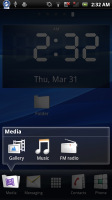
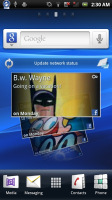
The Xperia ray has a five pane homescreen (you can't add or delete panes), with four docked shortcuts (two on either side of the launcher shortcut). Those are visible on all five homescreen panes and are user configurable: they can be either single icons or folders with multiple items in them.
Sony Ericsson Xperia ray Sony Ericsson Xperia ray Sony Ericsson Xperia ray
The Sony Ericsson Xperia ray UI

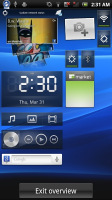
The homescreen also does a neat trick called Overview mode. Pinch to zoom out on any of the 5 homescreen panes and a new screen opens up with a cool transition. All your widgets gather there and you can click the one you want and go to its screen.

In terms of functionality, it’s similar to the HTC Leap view or what Samsung do in TouchWiz. However widgets here are not crammed in small hard-to-read screens. Instead, they’re all shuffled on a single screen, so they can better use the space and remain as big as possible.
Sony Ericsson Xperia ray
The Overview mode helps you find the widget you are looking for

The Xperia ray has some custom-made Sony Ericsson widgets in addition to the standard set. Those include the Timescape widget (there's a dedicated app too) and a Mediascape-like widget for photos and videos (the actual app isn't there anymore, the standard gallery is back).

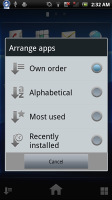
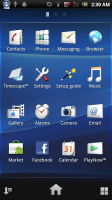
The app launcher puts shortcuts in the bottom corners. They let you sort your icons within the grid. You can either go for the automatic options (alphabetical, most used or recently installed) or you can manually shuffle the icons.

Creating folders is simple, using the iOS logic (and visual layout). You drag one icon over another and a pop-up prompts you to select an icon and a name for the folder you’re about to set up.
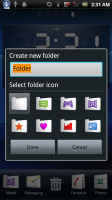
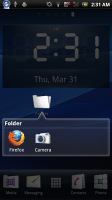
Sony Ericsson Xperia ray Sony Ericsson Xperia ray Sony Ericsson Xperia ray
There are different sorting options for the app drawer • Creating folders is possible too

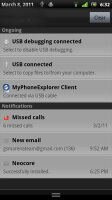
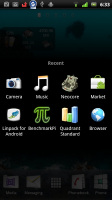
The lockscreen is standard Xperia fare. Which means you get notifications for Facebook events too. The standard notification area and task switcher are of course present and accounted for.
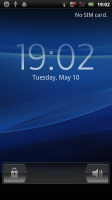
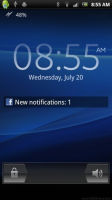
Sony Ericsson Xperia ray Sony Ericsson Xperia ray Sony Ericsson Xperia ray
The lockscreen features Facebook integration • The standard notification area and task switcher

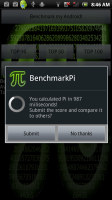
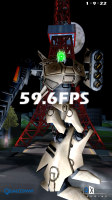
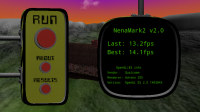
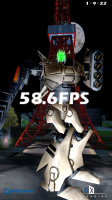
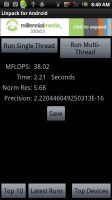
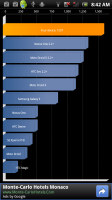
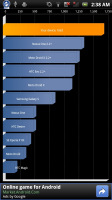
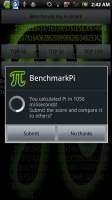
The Snapdragon chipset has been around for a while and we know what to expect from it in terms of performance. Sony Ericsson already used this setup in several of their phones and the Xperia ray is on par with the Arc and the Neo. The results are virtually identical, within the usual benchmark margin of error. Looking back at some of our other benchmarks, the Xperia ray even manages to outperform old high-enders like the Samsung Galaxy S.
Sony Ericsson Xperia ray Sony Ericsson Xperia ray Sony Ericsson Xperia ray
Sony Ericsson Xperia ray Sony Ericsson Xperia ray
Sony Ericsson Xperia ray (1GHz CPU, 512MB RAM, Adreno 205, Android 2.3)
Sony Ericsson Xperia ray Sony Ericsson Xperia ray Sony Ericsson Xperia ray Sony Ericsson Xperia ray
Sony Ericsson Xperia Arc (1GHz CPU, 512MB RAM, Adreno 205, Android 2.3)
Next Page » 4. Phonebook and telephony
3. User interface: Android 2.3.3 Gingerbread
  1. 1. Introduction
  2. 2. Unboxing, 360-degree spin, design and construction
  3. 3. User interface: Android 2.3.3 Gingerbread
  4. 4. Phonebook and telephony
  5. 5. Messaging and text input
  6. 6. Pics and videos, music player, FM radio, audio quality
  7. 7. Still and video camera
  8. 8. Connectivity, web browser, organizer, GPS, Android market
  9. 9. Conclusion
  10.  
  11. Sony Ericsson Xperia ray specification
  12. User opinions and reviews
  13. Review comments (104)

Reviews Sony Ericsson Xperia ray reviewPage 3
  • Comments (104)
  • User reviews
  • Xperia ray

Phone finder

  • Samsung
  • Apple
  • Huawei
  • Nokia
  • Sony
  • LG
  • HTC
  • Motorola
  • Lenovo
  • Xiaomi
  • Google
  • Honor
  • Oppo
  • Realme
  • OnePlus
  • Nothing
  • vivo
  • Meizu
  • Ulefone
  • Alcatel
  • ZTE
  • RugOne
  • Umidigi
  • Fairphone
  • Oscal
  • Sharp
  • Micromax
  • Infinix
  • Asus
  • Tecno
  • Doogee
  • Blackview
  • Cubot
  • Oukitel
  • Itel
  • TCL

All brands Rumor mill

ADVERTISEMENT

Popular reviews

Oppo Find X10 Pro Max review
Apple iPhone 18 Pro Max review
Apple iPhone 18 Pro review
ADVERTISEMENT

ELECTRIC VEHICLES

Volkswagen takes the slow road to hands-off driving in China Volkswagen takes the slow road to hands-off driving in China XPeng sends Mona L05 to customers abroad ahead of Chinese launchAudi announces major restructuring of China operations with brand split
ADVERTISEMENT
Ads by Playwire

Home News Reviews Compare Coverage Glossary FAQ RSS Youtube Instagram TikTok Facebook Twitter

© 2000-2026 GSMArena.com Mobile version Android app Tools Contact us Merch store Privacy Terms of use