S-class coupe
Samsung Galaxy Tab S 8.4 review: S-class coupe
Contacts
The Galaxy Tab S 8.4 comes in Wi-Fi-only and LTE flavors. The latter is capable of voice telephony and will come with a pre-installed Phone app. The Wi-Fi model that we got for reviewing only has the Contacts app, which serves the other methods of communicating - IM and email.
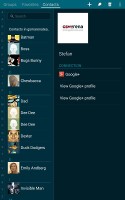
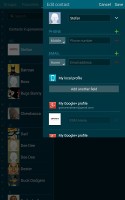
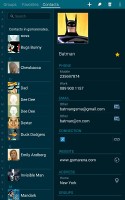
The phonebook
As usual, the Contacts app syncs automatically with Google and your social networks, while you can choose which contacts to display. You can do everything a phone book should be capable of - edit a contact, import/export, join contacts, send or print name cards, get friends via social services, etc.
Messaging and text input
The two email clients we are used to see on Samsung devices are onboard - the Gmail app provided by Google and the Email client courtesy of Samsung. Both have a split-screen interface, support multiple accounts, bulk actions and folder view.
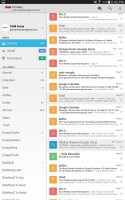
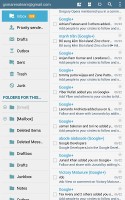
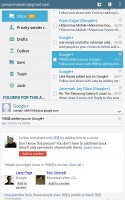
Gmail and Samsung's email client
The default Samsung Email app supports POP3, IMAP and Microsoft Exchange. It also offers a useful Magazine widget, which will probably see lots of use if you are into email.
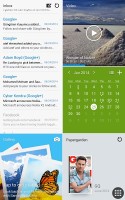
The Magazine widget is really neat
Google Hangouts is the default IM client out of the box. Naturally, you can install Samsung ChatON as well.
The Samsung QWERTY keyboard occupies about half of the screen in landscape and about a third of screen in portrait view. There are two additional keyboard layouts to try out. You can opt for the small floating keyboard and a split keyboard.
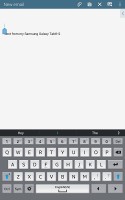
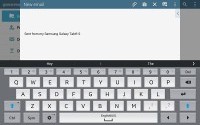
The QWERTY keyboard
In the Samsung Galaxy Tab S 8.4, the manufacturer has added a Del button which sits right on top of the usual backspace. The newcomer is quite useful while editing text.
Choosing the split keyboard allows you to quickly thumb-type while holding the tablet with both hands. It also leaves much more room for text, especially in the email client where the compose interface is in a popup that fits right between the two halves of the keyboard.
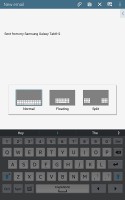
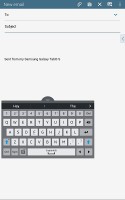
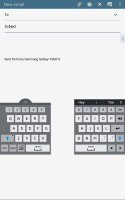
Keyboard modes
Several other options are available to make text input easier, including various options for predictive text and auto correction. Swipe input is also supported or if you disable it, you can swipe left and right across the keyboard to move the cursor. The large keyboard does have arrow keys though.
File manager
My Files app organizes your files into categories - Images, Videos, Music, Documents, downloaded apps, recent files and even Dropbox files. Those categories are always visible on the top of the screen, while the bottom part is split between folders and their content (with a complete tree view, similar to Windows Explorer).
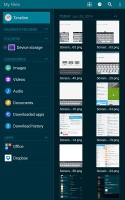
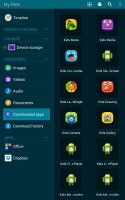
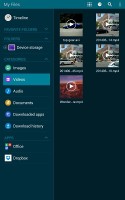
The file manager
The file manager app is easily accessible at all times - there is a shortcut located at the bottom left of all homescreens.
My Files app can move, copy, lock and rename files in bulk, even send multiple files to another phone. It will browse the memory card and the large internal storage (it can't access the system drive). More advanced functions include handling ZIP files and connecting to FTP servers.


Tip us
2.1m 180k
RSS
EV
Merch
Log in I forgot my password Sign up