A-game
Samsung Galaxy A8 review: A-game
Gallery
The TouchWiz gallery has been borrowed from the Galaxy flagships, the app itself borrows from iOS and HTC. The default view shows photos grouped based on time. Thumbnails are shown on a clean white background and you can change their size with a pinch zoom.
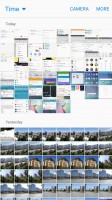
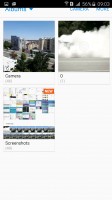
Gallery
Editing tools include simple things like cropping and making collages, you can go into the Photo editor for more advanced editing options (note that you have to download it, it wasn't pre-installed). There's no support for online galleries though.
The Share button allows you to send a photo to a device over DLNA, to a TV using screen mirroring or to a wireless printer. Samsung also has a special feature to send profile photos and high-resolution images to your contacts as a sort of mini social network. For non-Samsung devices, recipients get a link over text message, the link expires after a certain period.

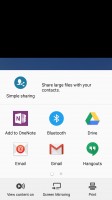


Editing a photo • sharing a photo
Music player
Samsung's TouchWiz music player was one of the most feature-rich apps and the most recent version balances simplicity with features very well.
You can browse your music collection by the usual criteria including Folder view. The Now playing screen lets transfer playback to a Bluetooth or a DLNA device.
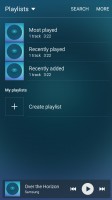
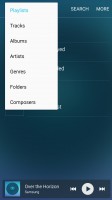
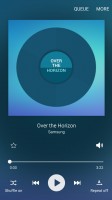
The music player interface has been greatly simplified
SoundAlive shows two dials - one changes the balance between bass and treble, the other between instrumental and vocals. You can tap the Details button for a manual 7-band equalizer. Audiophiles should know 16-bit and 24-bit FLAC audio works out of the box.
Adapt Sound is available to automatically tune the equalizer based on your headphones and your listening preferences. Additional options include SoundAlive+ (creates a surround sound effect) and Tube Amp. There's also Smart volume to balance the volume between tracks and playback speed if you want to slow down or speed up the playback (useful for audio books we guess).
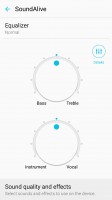
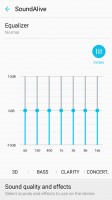
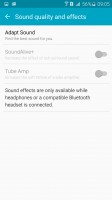
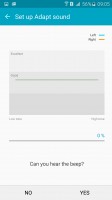
The new, simlper SoundAlive • 7-band equalizer • Adapt Sound and other options
The Samsung Galaxy A8 features an FM radio, a rarity on Galaxy phones these days. It can record radio broadcast (subject to local laws) and provides an alternative to your music collection or internet "radio".
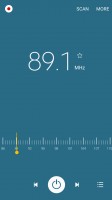
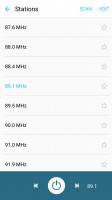
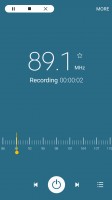

FM radio with broadcast recording
Video player
The video player is similar to the gallery. It can play videos in a small pop-up window or you send the video to DLNA players or use screen mirroring. Alternative you can beam just the audio over Bluetooth, the Play audio only option is useful for music videos - playback continues, while you use the phone as normal.
The video player supports all kinds of video file types and codecs, up to 4K 2160p encoded with the new H.265/HEVC codec. As usual, multi-channel audio (AC-3, DTS) is not supported out of the box.


Browsing videos
There are extensive subtitle settings with adjustable font and text size, text color, edge and background. Multiple presets are available and you can make your own. There are built-in video editing options including trimming and video rotation.
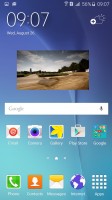
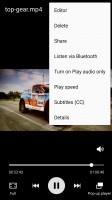
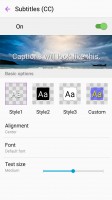
Subtitles and other settings
Audio output is solid
The Samsung Galaxy A8 aced the active external amplifier part of our audio quality test. It posted excellent scores with no weaknesses to be spotted and had loud output to go with that.
Plugging in our standard set dropped the volume a bit but it still remained above average, while the only major issue we detected was the rather big spike in stereo crosstalk. It all remained great elsewhere though, so the overall showing is certainly pleasing.
Anyway, here go the results so you can do your comparisons.
| Test | Frequency response | Noise level | Dynamic range | THD | IMD + Noise | Stereo crosstalk |
| Samsung Galaxy A8 | +0.03, -0.07 | -95.9 | 92.3 | 0.0049 | 0.0099 | -89.9 |
| Samsung Galaxy A8 (headphones) | +0.16, -0.19 | -89.3 | 89.7 | 0.019 | 0.204 | -53.4 |
| OnePlus 2 | +0.01, -0.03 | -94.2 | 92.8 | 0.0023 | 0.0086 | -94.3 |
| OnePlus 2 (headphones) | +0.65, -0.21 | -93.8 | 92.6 | 0.014 | 0.470 | -50.9 |
| Samsung Galaxy S6 | +0.01, -0.04 | -95.6 | 92.8 | 0.0024 | 0.0094 | -94.5 |
| Samsung Galaxy S6 (headphones) | +0.02, -0.05 | -92.6 | 91.9 | 0.0025 | 0.042 | -83.4 |
| LG G4 | +0.04, -0.07 | -93.4 | 93.3 | 0.0021 | 0.050 | -92.6 |
| LG G4 (headphones) | +0.93, -0.13 | - 91.4 | 91.9 | 0.013 | 0.244 | -50.4 |
| HTC One M9 | +0.02, -0.06 | -94.8 | 93.0 | 0.0049 | 0.026 | -93.7 |
| HTC One M9 (headphones) | +0.03, - 0.05 | -93.7 | 92.7 | 0.0082 | 0.030 | -91.6 |
| +0.06, -0.02 | -94.0 | 93.9 | 0.0012 | 0.0065 | -73.4 | |
| +0.11, -0.06 | -93.8 | 93.8 | 0.0022 | 0.099 | -65.1 |
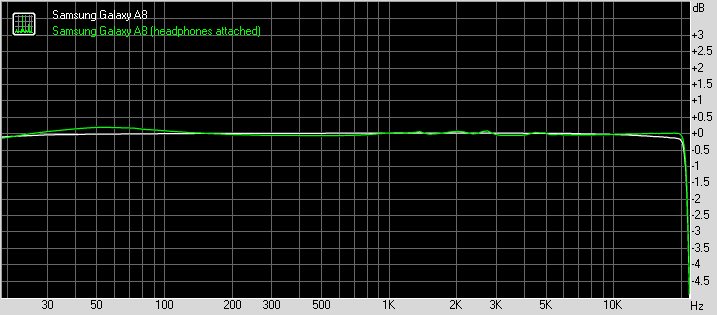
OnePlus 2 frequency response
You can learn more about the tested parameters and the whole testing process here.


Tip us
2.1m 180k
RSS
EV
Merch
Log in I forgot my password Sign up