A-game
Samsung Galaxy A8 review: A-game
User interface
Samsung Galaxy A8 comes with Android 5.1.1 Lollipop and the latest incarnation of TouchWiz. The Galaxy A7 had to start from 4.4 KitKat early this year and still isn't on 5.1, so the A8 got the premium treatment.
If you have read our Galaxy S6 or Galaxy Note5 reviews you wouldn't find many differences. The Galaxy A8 comes with themes, Multi Window and very few unwanted pre-installed apps.
The lockscreen follows Android trends with a list of notifications and a couple of shortcuts - dialer and camera. Samsung is proud that the Galaxy A8 can launch its camera in 0.9 seconds (1.7s if the phone was locked). It works with the same double-press gesture as on the Galaxy S6 and launches just as fast.
The added weather info on the lockscreen is perhaps not standard Android, but it's useful enough.
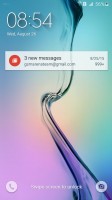
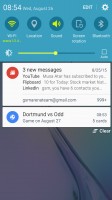
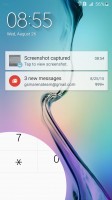
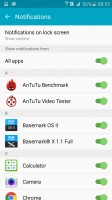
The lockscreen shows notifications, but can hide them from prying eyes too
The lockscreen can be secured with a fingerprint. The reader on the Home button is easy to use (put your finger on it and hold a second) and accurate. You can have the lockscreen hide notifications' content for privacy reasons or disable notifications from specific apps altogether.
Private mode is also available and secured with a fingerprint. It can take photos, videos and other files and securely lock them locked away. You can also activate Samsung KNOX, the company's premium security feature (it's off by default as it "introduces a very small change in performance which adds one second to device boot up time").
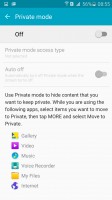
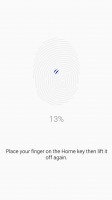
Private mode is best protected with a fingerprint
The Samsung Galaxy A8 is invited to the theme store. The preloaded themes aren't that great, but the store has been progressively getting more variety lately. Themes can change the wallpaper and icons, but also some Samsung apps (dialer, contacts, messages) and the notification area. We wish there was a search function though finding a material theme wasn't too hard.
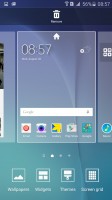
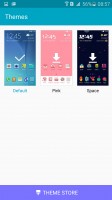
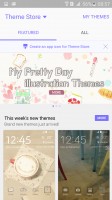
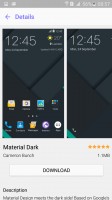
Extensive theme support
The homescreen is quite normal. You get the optional Briefing pane on the left, which pulls info from a selection of news sources on topics you find interesting. It's basically Flipboard in disguise. There's an option to change the screen grid between 4x4, 4x5 and 5x5, the smallest one is the default.
The notification area has one scrollable row of quick toggles with some have text underneath, like the name of the Wi-Fi network you are connected to. The only way to view all toggles is to hit the edit button.
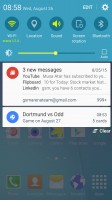
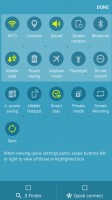
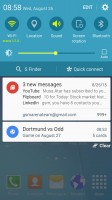
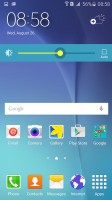
The notification area looks the same but doesn't work the same • changing the brightness
The brightness slider is below the toggles. The S Finder and Quick connect buttons are available, but turned off by default so they don't take up space.
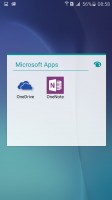
The Samsung Galaxy A8 comes with a page and a bit of icons in its app drawer. Samsung tucked away Google's mandatory apps in a folder and placed its home-brewed alternatives up front. You can disable apps you don't want (but can't uninstall the TouchWiz ones).
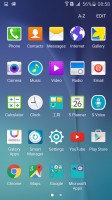
Pre-installed apps
Samsung has partnered with Microsoft so you get OneDrive (you get 100GB free as a gift), the only other MS app we found was OneNote. Samsung is showing some restraint but a good 6.6GB of the 32GB total is reserved for the system, with some more going to the pre-installed apps, so overall, the 32GB model is perfectly usable without microSD expansion.
Multi Window is part of the app switcher. TouchWiz uses the Lollipop-style 3D rolodex of apps, but next to the X button is a button that opens the app across half the screen. The other half is filled in with a similar rolodex with only apps that support Multi Window.
Not all work with it, but Samsung and Google apps are available for split-screen use.
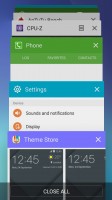
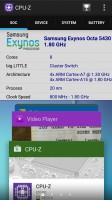
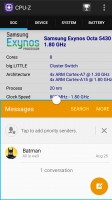
App switcher • Multi Window • launching apps into Multi Window
Another way to launch Multi Window is to long press the App switcher key. If the current app supports Multi Window it will shrink to half the screen, the other half will be taken up by the icons of supported apps. If not, you just get the list of apps.
S Voice is pre-installed but doesn't get in the way. Long-press on the Home button launches Google Now, while a double-press launches the camera. You have to specifically tap the S Voice shortcut, so no more accidental launches.
The Setting menu features Quick settings - a selection of the most used options you can use. Below that is the full list, though we prefer using the search function as the extensive features that Samsung has provided can be hard to track down among menus and submenus.
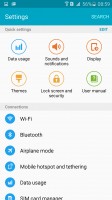
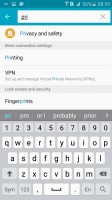
The Setting menu makes it easy to navigate the many options it offers
The TouchWiz software on the new Samsung Galaxy A8 is smooth and with no slowdowns. We experienced some stability issues (a couple of benchmarks crashed), so we'll be on the lookout for a software update that improves stability.


Tip us
2.1m 180k
RSS
EV
Merch
Log in I forgot my password Sign up