Selfielicious
Oppo F3 review: Selfielicious
ColorOS 3.0
Just like its bigger brother, the Oppo F3 runs ColorOS 3.0, based on Android 6.0 Marshmallow. The level of customization runs deep within the ROM, making its pretty far off from the standard Google-developed mobile experience. Units sold outside of China still come with the full Google suite, which means plenty of doubled apps provided by Oppo and Google.
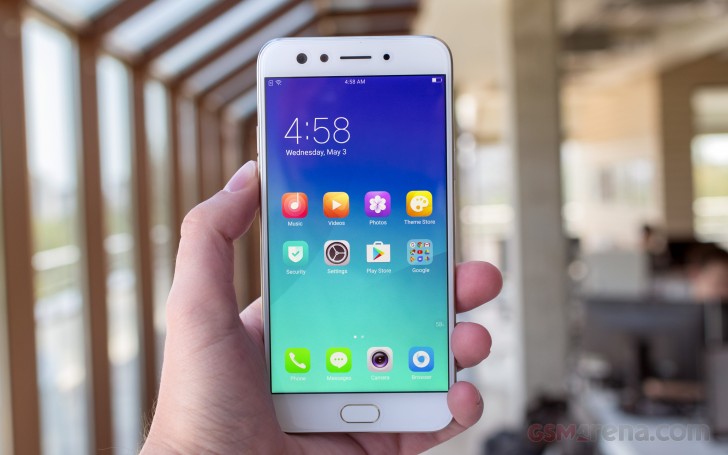
The OS isn't the most bloated, but we wouldn't call it a "lean installation" either. It comes pre-loaded with social networking apps, a document editor and few minor-footprint apps. Even Chrome is not alone; an Opera-powered app is the default web browser out of the box. In total, you have access to just under 48GB of the 64GB of built-in storage.
We expected a pretty identical setup to the F3 Plus, perhaps minus a few little changes here and there, mostly dictated by the major change in chipset choice. However, even though both handsets report identical OS versions, we found quite a few features missing from the F3. We'll make sure to point them out during our overview.
The user interface is the familiar mash-up of Android and iOS. There's no app drawer on the default launcher. Instead, every app you install gets dumped onto the homescreen. That's fine, most of the time- until you start installing apps you rarely use or installing apps just for their widgets. Then you may need to create a junk folder to drop off all the app shortcuts you don't need.
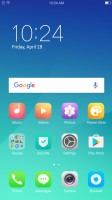
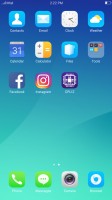
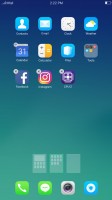
The homescreen houses all installed apps
The Lockscreen features a constantly changing slideshow of images. You can subscribe to several different channels (e.g. photos of nature or cars or others) or provide your own imagery. The set of photos will be updated periodically, but only over a Wi-Fi connection, so it doesn't eat into you mobile data plan.
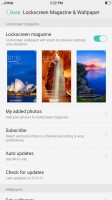


Lockscreen settings • Subscribing to different photo streams • The lockscreen
Once you set up the fingerprint reader - and you'll want to do that as otherwise the Home button can't wake the phone - you'll rarely see the lockscreen anyway. You could wake the phone with the Home button when the fingerprint reader is not set up, but that requires a few consecutive taps and you might as well double tap the screen (a configurable option).
Oppo generally has a good track record when it comes to fingerprint readers. That being said, the one on the F3 Plus proved a bit disappointing, mainly since it was slow to react. One of the few things the F3 does better than its bigger sibling is handle fingerprint authentication. This time around, the reader is just as snappy and reliable as the one on the R9s and both are excellent overall. It can secure more than the lockscreen - the phone can encrypt individual files or even whole apps, and make them accessible only with the correct fingerprint (or a Pattern lock as a fallback).
Interestingly enough, the option to launch a specific app or place a call by scanning a particular fingerprint is missing from the F3, while the F3 Plus has it.
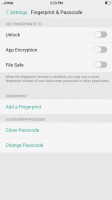
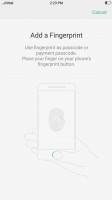
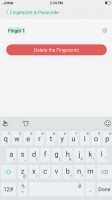
Setting up the fingerprint reader
The wallpaper on the homescreen doesn't change as the lockscreen wallpaper does, but you can still spruce up the place with Themes. The Theme Store features whole themes and just wallpapers, sorted into categories (including free and paid ones). Themes change the icon pack, the lockscreen wallpaper and some even change the clock on the lockscreen.
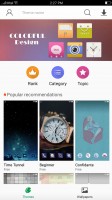
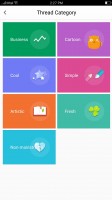


Theme Store • Categories • A kid-friendly theme
Extra font support is another interesting omission from the Oppo F3 OS. Apparently, the F3's ROM is on a different software branch from the F3 Plus's. On the F3 Plus you can download extra fonts (FlipFont type) for the UI straight from the Play Store. In contrast, the regular F3 only offers font size adjustment.
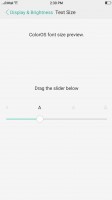
You can only adjust text size on the F3
There are at least a few things wrong with the notification shade. When you pull it down, you always see the toggles first. If you want the notifications, you have to swipe right to get to them. We would have much preferred to have the notifications as the default view or at least have options for an alt-pull - either two-finger pull or pulling from the left/right side of the screen.
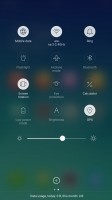
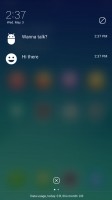
You get the toggles first • And have to swipe to see the notifications
Also, actionable notifications don't work at all. ColorOS just doesn't display the quick control options. And the quick toggles area has no automatic brightness toggle. The F3 still supports the option, but it is buried under display settings, so you have to manually navigate to it.
Oppo drew inspiration from Apple, and so you have app-specific settings menus. However, that is no reason to make many options nearly inaccessible. And even if you do remember to look for certain things within the settings menu and not the app itself, there is no search option there to help you. You just have to learn where everything is by heart.
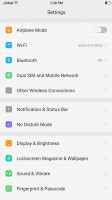
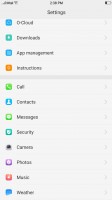
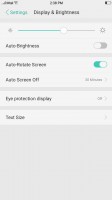
The settings structure in really inconvenient
On a more positive note, though, we do like the Screen-off gestures. They are simple commands done on a black screen - O to start the camera, V for the flashlight, several symbols to control the music player and a few custom options.
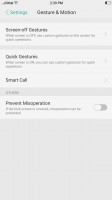
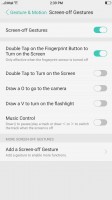
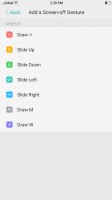
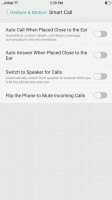
Screen-off gestures allow you to control the phone without waking it
Simple Mode is yet another F3 Plus feature that oddly didn't make the cut on the regular F3.
Even with the less powerful CPU, the Oppo F3 still delivers perfectly fluent UI interaction. 4GB of RAM is enough to facilitate pretty heavy multi-tasking and switching between apps. However, it remains to be seen how well the MT6750T handles itself under intense benchmark loads.


Tip us
2.1m 180k
RSS
EV
Merch
Log in I forgot my password Sign up