Iconic once again
Nokia Lumia 930 review: Iconic once again
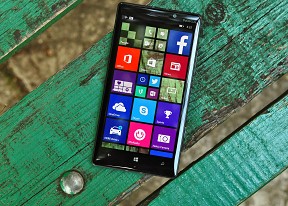
Windows Phone 8.1 user interface
The Nokia Lumia 930 is the latest smartphone to come with Windows Phone 8.1 out of box. The update has already rolled out to Windows Phone 8 devices, and represents the latest that Microsoft has to offer in a mobile OS.
Windows Phone 8.1 brings a plethora of new features and UI improvements, while Lumia Cyan build on that and delivers Nokia's exclusive apps such as the Nokia Camera, Creative Studio, Storyteller, plus it adds some additional options on selected Lumia smartphones, such as Miracast Wireless Display support and Dolby Surround Sound capturing.
Before we dig into details, here comes our traditional UI walkthrough to get you warmed up.
Let's start our tour with the lockscreen. The Lumia 930 doesn't offer Glance screen option, which is surprising for a phone of this caliber. Nokia has gone with a cheaper type of AMOLED panel to keep the costs down of the Lumia 930, and it is one that doesn't support Glance. Still, you get the double-tap to unlock option, thanks to the Windows Phone 8.1 update.
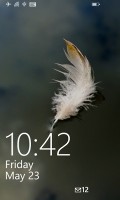
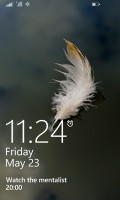
The Lockscreen
Once you unlock your Lumia 930, you'll get to the familiar interface with resizable live tiles.
Under Windows Phone 8.1, you can now select a background image to make some of your live tiles look more uniform. This looks great, except that not all live tiles are transparent, which can detract from the overall effect.
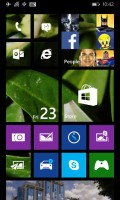
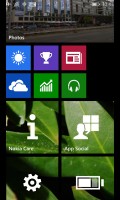
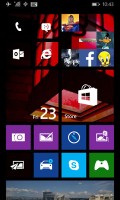
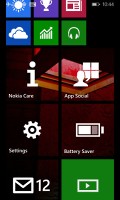
The Start background
The Windows Phone 8 GDR 3 update introduced the option to pack even more tiles on a row, but the decision for the tile count was only available to the manufacturer. With WP 8.1 you can make up your own mind by going to Settings->Start + Theme and selecting or deselecting the "Show more Tiles" option. In this way, depending on the size of the tiles, you can have up to six in a row instead of merely four.
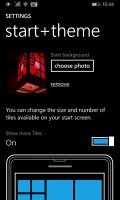
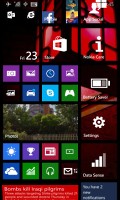
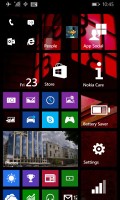
Customizing the Live Tiles count
One of the major novelties brought by Windows Phone 8.1 is a unified notification center. Microsoft calls this the Action Center and you access it by pulling down from the top of the screen, just like on Android.
The Action Center lets you access quick toggles as well as various app notifications. You can swipe individual notifications off the screen or you can click the dedicated clean all key to remove them all at once. Sliding down the Action Center also reveals a battery percentage indicator below the battery icon, as well as the date and carrier network below the clock and reception icons, respectively.
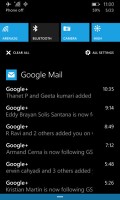
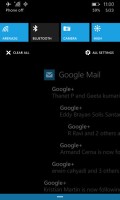
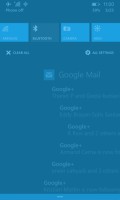
The Action Center
The four toggles at the top are fully customizable. The available options include Airplane mode, Bluetooth, brightness, camera, internet sharing, location, project my screen, quiet hours, rotation lock, VPN, Wi-Fi, and more.
The different toggles have different actions, however: a tap on the Wi-Fi button will get you to the Wi-Fi settings menu, while a double-tap on the Bluetooth - won't. It's a somewhat confusing inconsistency and detracts from the overall usability of the toggle system.
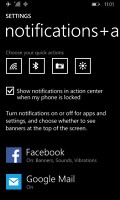
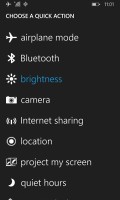
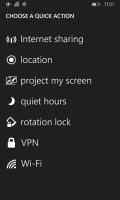
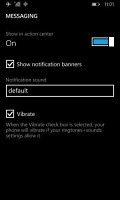
Customizing the notifications • choosing a quick action button
Just like on iOS, here you can customize the notifications - you can choose whether banners, sounds and vibration are available for each notification type.
Microsoft chose Apple's way of handling apps running in background - most of the apps are suspended upon hitting the Windows key and will be resumed once you bring them back. There are others, of course, such as Navigation, Cortana and Battery apps, which will continue to run in background unless you specifically kill them.
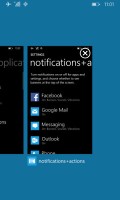
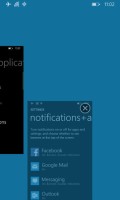
Multi-tasking
Quiet Hours mode is pretty much the same as Apple's DND mode - it can be set to block calls and messages over pre-defined time interval, plus it can also go on automatically during events you have marked in your calendar. Just like its competing services, Quiet Hours supports the so-called Inner Circle - the notifications from your Inner Circle will always break through. There is also an option to allow calls from people who call you more than two times in less than three minutes.
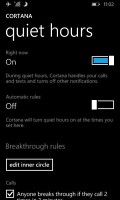
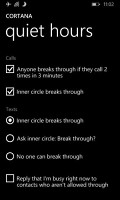
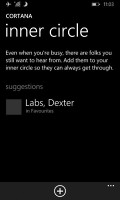
Quiet Hours
The synchronization options have been upgraded as well. You can now sync your settings (theme, app settings and data, Internet Explorer tabs and passwords) and push them across all other devices. The service isn't as powerful as on Android or iOS, but it does most of the important stuff and is another step in the right direction.
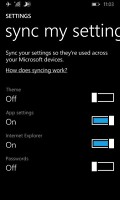
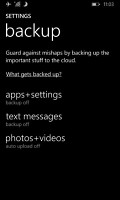
Sync settings
Windows Phone 8.1 doesn't offer a full-featured and system-wide file manager out of the box but Microsoft allow you to download their newly released Files app, which would service the purpose of accessing the storage memory and manage all files stored there regardless of which app they are meant for.
Windows Phone, just like iOS and Android, offers Find My Phone option. If you lose your phone, you can log into WindowsPhone.com with your Microsoft ID and try to locate your phone from there. Ring, lock and wipe options are available as well.


Tip us
2.1m 180k
RSS
EV
Merch
Log in I forgot my password Sign up