M for Midranger
Motorola Moto M review: M for Midranger
Who needs a gallery when there's Google Photos
Google Photos is your gallery app on the Moto M, just like on the Moto Z Play. Unlike more premium offerings, though, the Moto M doesn't come with any freebies like full-res photo storage.
Pinch zoom changes the size of thumbnails, but the search field is pure sci-fi - type in some date, or a place, a person or just the general contents of the photo you are looking for (e.g. 'swimming pool' or 'bottle' or 'note') and it sifts through years of photos in a moment. The more photos you accumulate over time, the smarter Google's search gets. It's not flawless right now.
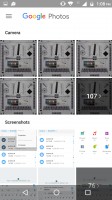
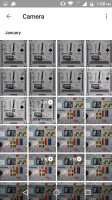
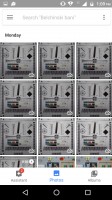
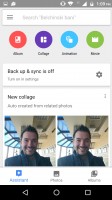
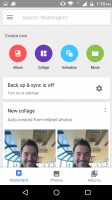
Google Photos
Sometimes Google Photos will also decide to bundle photos together in a themed album, from, let's say, a particular outing or event. Or even apply some automatic filters for you. The results vary in quality, but are typically quite good, especially for something you put zero effort into.
All of these auto features can be triggered manually, of course. From the editing you can hit Auto to fix the colors and contrast, you can auto-level a photo or just add filters.
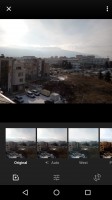
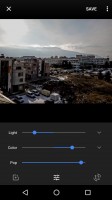

Manual editing options
Video Player
There's no video player as such, but you can use Google Photos to view videos. That's mostly for ones from your camera as if you want "advanced" features like subtitles you're out of luck.

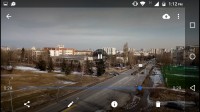
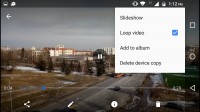
Basic video player from Google Photos
Google Play Music does what it says on the tin
Play Music works as a generic music player, but it's also a streaming app. Google boasts access to 35 million for the paid service and if you're worried about data usage, you can just make your favorite albums available offline.
Better still, Google is also generous enough to let you upload your own MP3 files (up to 50,000 songs) to its servers and then stream those through the app.
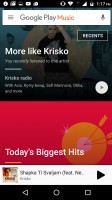

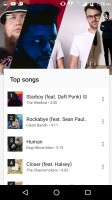
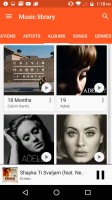
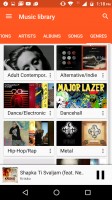
Google Play Music is built around music streaming
Still, if you prefer to listen to your own music library locally, then Play Music will assist you in loading tracks from your computer or a USB drive if you happen to have one.
The equalizer carries a Dolby Atmos branding and offers presets for different styles of music as well as other sound enhancement algorithms.
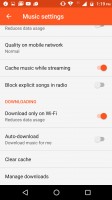
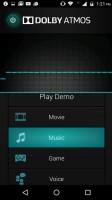
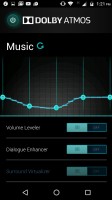
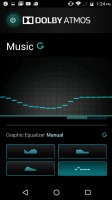
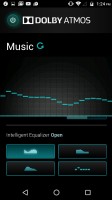
You can cache streamed music • Dolby Atmos equalizer
FM Radio
One of the best bits about non-flagships is that they usually tend to have an FM radio receiver. This one does too. The app can auto scan for all available stations and store them in memory, only it can't read RDS data, so you need to name them yourself. Or at least the favorite ones. There's a recorder too.
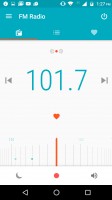
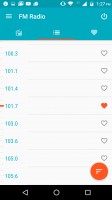
FM Radio app receives the sound, not the data
Audio output pleasingly clean, disappointingly quiet
The Motorola Moto M showed some impressively clean output with an active external amplifier with no weak results in its row. However, even here, the volume level was below average, and that didn’t bode well for the second part of the test.
And indeed, volume dropped even further when headphones came into play so it’s one of the quietest devices around meaning you can't hope to hook up big, high-impedance headphones to it.
The clarity remains pretty good though with stereo crosstalk and intermodulation distortion the only affected readings - both very mildly at that.
| Test | Frequency response | Noise level | Dynamic range | THD | IMD + Noise | Stereo crosstalk |
| Motorola Moto M | +0.02, -0.11 | -90.5 | 90.3 | 0.0033 | 0.012 | -91.4 |
| Motorola Moto M (headphones) | +0.38, -0.12 | -90.5 | 90.7 | 0.0030 | 0.219 | -61.8 |
| Lenovo K6 Note | +0.04, -0.09 | -92.7 | 93.0 | 0.011 | 0.020 | -86.8 |
| Lenovo K6 Note (headphones) | +0.08, -0.10 | -92.3 | 93.1 | 0.012 | 0.086 | -75.2 |
| Xiaomi Redmi Note 4 | +0.02, -0.10 | -94.5 | 90.9 | 0.0019 | 0.0086 | -94.9 |
| Xiaomi Redmi Note 4 (headphones) | +0.37, -0.25 | -92.2 | 89.6 | 0.0087 | 0.274 | -53.6 |
| Meizu m2 note | +0.08, -0.05 | -93.1 | 92.7 | 0.0079 | 0.013 | -92.4 |
| Meizu m2 note (headphones) | +0.40, -0.62 | -86.9 | 88.0 | 0.145 | 0.529 | -50.8 |
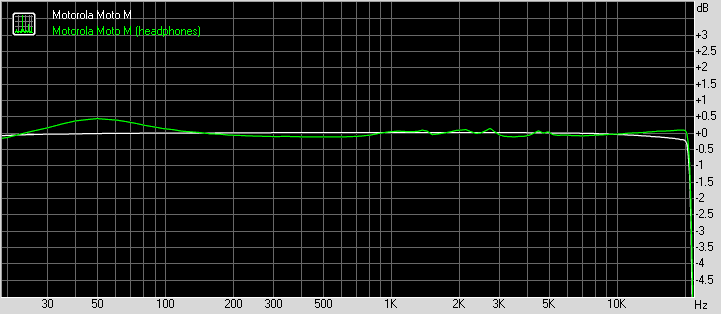
Motorola Moto M frequency response
You can learn more about the tested parameters and the whole testing process here.


Tip us
2.1m 180k
RSS
EV
Merch
Log in I forgot my password Sign up