GSMArena.com GSMArena.com

Tip us

2.1m
180k
RSS

EV

Merch

Log in

Login

I forgot my password
Sign up
  • Home
  • News
  • Reviews
  • Videos
  • Featured
  • Phone Finder
  • Deals
  • Merch
  • Coverage
  • Contact
ADVERTISEMENT
GSMArena team, 13 January 2017

M for Midranger


Motorola Moto M review: M for Midranger

  • Comments (73)
  • User reviews
  • Moto M

4. User interface
  1. 1. Introduction
  2. 2. 360-degree spin, hardware overview
  3. 3. Display, connectivity, battery life
  4. 4. User interface
  5. 5. Performance
  6. 6. Telephony, loudspeaker, text input, apps
  7. 7. Multimedia apps, audio quality
  8. 8. Camera
  9. 9. Conclusion
  10.  
  11. Motorola Moto M specification
  12. User opinions and reviews
  13. Review comments (73)

Motorola Lenovo Android Dual SIM

Vanilla Marshmallow, zero Moto

The Moto M ships with a near-stock version of Android Marshmallow. It's also getting none of the Moto niceties we saw on the Moto Z like the Moto screen notifications or hand gestures.
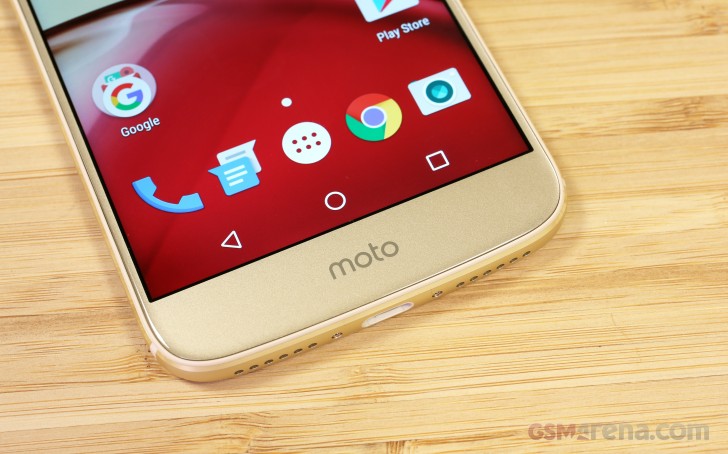
Motorola Moto M review

The lockscreen is plain Android. This means time and date, notifications and two shortcuts - Camera and Voice search.

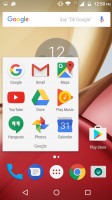
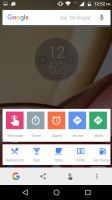
Behind the lockscreen is the Google Now launcher. The left pane is your Google Now view with all relevant info cards. If you choose to enable it, that is. To the right are standard homescreens. Swiping up from any interface brings up the Now on tap feature - now more content-aware and smarter than ever.
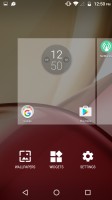
Lockscreen - Motorola Moto M review Homescreen - Motorola Moto M review Folder view - Motorola Moto M review Homescreen settings - Motorola Moto M review Google Now on tap - Motorola Moto M review
Lockscreen • Homescreen • Folder view • Homescreen settings • Google Now on tap

There's the usual app drawer too - the Moto M hasn't fallen victim to the all-too-common practice to omit the app drawer in favor of a single-tiered interface.
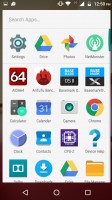
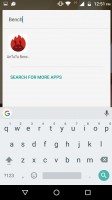
App drawer - Motorola Moto M review Search is not too good - Motorola Moto M review
App drawer • Search is not too good

The Notification area shows notifications on the first swipe and then Quick toggles upon a second swipe. You can also do a two-finger swipe to get straight to the Quick toggles. This is the vanilla Android setup, and it is gaining popularity as many phones stick close to AOSP and even skinned ones like Xperias do not change it.

This includes the brightness slider that lacks an Auto toggle. You have to go into the settings menu if you want to enable/disable automatic brightness.

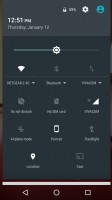
Notification area - Motorola Moto M review Quick toggles - Motorola Moto M review
Notification area • Quick toggles

The app switcher is the usual 3D rolodex. Google has been considering adding split-screen multitasking for ages (since Lollipop), and it's made it natively to Nougat, but not here, though.
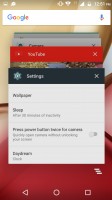
Task switcher - Motorola Moto M review
Task switcher

Unlike the rest of the Motos that have the functionality, the Moto M comes with a rear-mounted fingerprint sensor. The software team has figured that mandates a two-step instruction on where to find it - a bit extreme, we think.
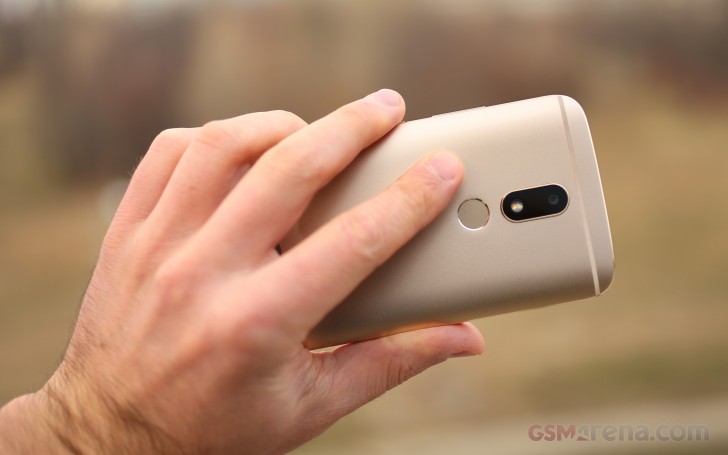
Motorola Moto M review

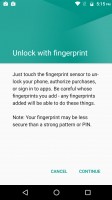
Once you've managed to locate it, it's the usual repetitive tapping until the phone has mapped your entire fingerprint. It's smooth sailing from then on - the recognition works nearly flawlessly and is quick and accurate.
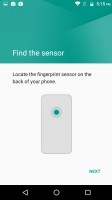
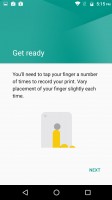
Fingerprint reader settings - Motorola Moto M review Fingerprint reader settings - Motorola Moto M review Fingerprint reader settings - Motorola Moto M review Fingerprint reader settings - Motorola Moto M review

Fingerprint reader settings

Next Page » 5. Performance
4. User interface
  1. 1. Introduction
  2. 2. 360-degree spin, hardware overview
  3. 3. Display, connectivity, battery life
  4. 4. User interface
  5. 5. Performance
  6. 6. Telephony, loudspeaker, text input, apps
  7. 7. Multimedia apps, audio quality
  8. 8. Camera
  9. 9. Conclusion
  10.  
  11. Motorola Moto M specification
  12. User opinions and reviews
  13. Review comments (73)

Reviews Motorola Moto M reviewPage 4
  • Comments (73)
  • User reviews
  • Moto M

Phone finder

  • Samsung
  • Apple
  • Huawei
  • Nokia
  • Sony
  • LG
  • HTC
  • Motorola
  • Lenovo
  • Xiaomi
  • Google
  • Honor
  • Oppo
  • Realme
  • OnePlus
  • Nothing
  • vivo
  • Meizu
  • Ulefone
  • Alcatel
  • ZTE
  • RugOne
  • Umidigi
  • Fairphone
  • Oscal
  • Sharp
  • Micromax
  • Infinix
  • Asus
  • Tecno
  • Doogee
  • Blackview
  • Cubot
  • Oukitel
  • Itel
  • TCL

All brands Rumor mill

ADVERTISEMENT

Popular reviews

Oppo Find X10 Pro Max review
Apple iPhone 18 Pro Max review
Apple iPhone 18 Pro review
ADVERTISEMENT

ELECTRIC VEHICLES

Volkswagen takes the slow road to hands-off driving in China Volkswagen takes the slow road to hands-off driving in China XPeng sends Mona L05 to customers abroad ahead of Chinese launchAudi announces major restructuring of China operations with brand split
ADVERTISEMENT
Ads by Playwire

Home News Reviews Compare Coverage Glossary FAQ RSS Youtube Instagram TikTok Facebook Twitter

© 2000-2026 GSMArena.com Mobile version Android app Tools Contact us Merch store Privacy Terms of use