E for Evolved
Motorola Moto E (2nd Gen) review: E for Evolved
User interface
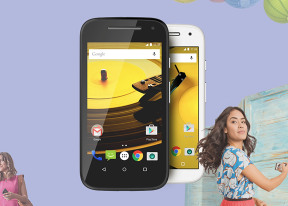
Motorola Moto E (2nd Gen) boots the Android 5.0.2 Lollipop, which introduces a brand new Material design and a new ART runtime. Motorola prefers vanilla Android UI and adds just minor improvements and thus is able to provide timely firmware updates. Before we continue, you may want to check our video walkthrough below.
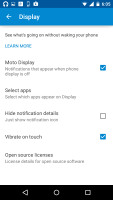
Motorola has a new cool way to display notifications without waking up the screen. The feature is called Notifications at a Glance and is very similar to Lumia's Glance screen but it's even cooler.
Whenever the phone registers you're taking it out of the pocket or picking it up from a table, it lights up a clock on the locked screen, flanked by icons for any missed notifications. Tapping and holding such an icon reveals more information and details. All this happens without waking up the phone.
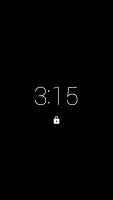
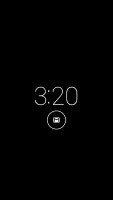
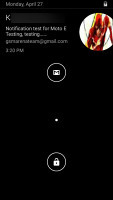
The Glance screen • Interactions on the Glance screen
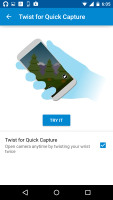
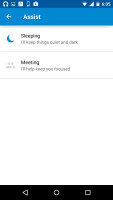
The other two exclusive Moto features include quickly twisting your wrist to activate the camera and activating dedicated sound profiles at night or when you're in a meeting.
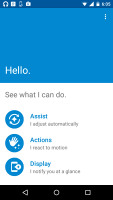
The Moto app
The homescreen is the usual Android affair - you change wallpapers, add/remove homescreens, use widgets, create shortcuts. The leftmost pane is reserved for Google Now. All the apps are stored into a comfy app drawer, sorted alphabetically. There is no option for custom order.
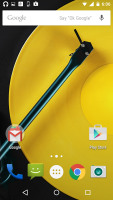
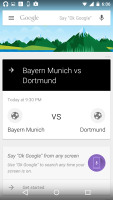
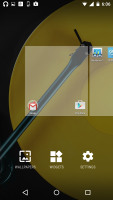
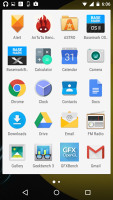
The homescreen • app drawer
One finger swipe from the top of the homescreen will open the notification area, which features a cleaner look in Android 5.0 Lollipop. Additional swipe reveals quick toggles that include Wi-Fi, Bluetooth, Airplane mode, screen auto-rotate, flashlight, location on/off, and the option to cast the screen. Of course, you can also adjust the brightness of the screen and go into the settings menu too.
The app switcher has a neat card interface that allows you to select the app you need by swiping up or down. You can close apps by swiping left or right, or by hitting the dedicated button on the top right corner of each card. Each Chrome tab now appear as a card, too.
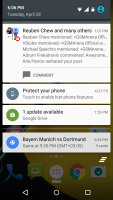
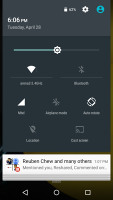
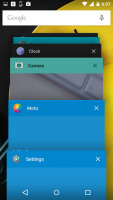
Notification area • Task Switcher
Finally, Google Now is summoned by an upward swipe from the virtual Home key. It is also available as a homescreen - the leftmost one.
Web browser and other apps
Google Chrome is unsurprisingly the default browser in the Moto E (2nd Gen). Its design was updated recently, so it matches to overall look and feel of Android 5.0 Lollipop.
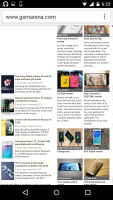
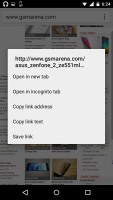
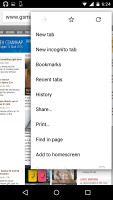
Google Chrome
One of Chrome's strengths is its ability to seamlessly sync with the desktop version, using nothing but your Google account. This allows you to open an article on your PC and finish reading it on your mobile phone. It also syncs your bookmarks and favorite sites.
The Moto app gives access to setting up the Motorola exclusive features, which include the Glance notifications, the time-specific sound profiles and the wrist twisting camera launch gesture.
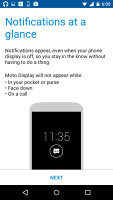
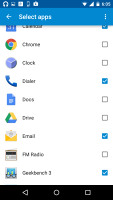
The Moto app • Glance settings
The usual organizing tools are present as well - there is the massively updated Google Calendar, a neat Calculator, and Clock (alarms, world clock, timer, stopwatch). A proper File Manager app is missing though so you'd have to download one off the Play Store.
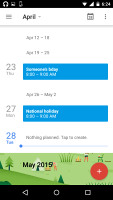
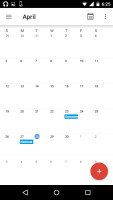
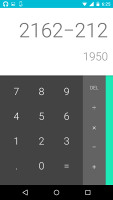
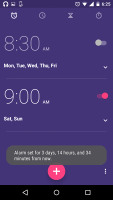
Calendar • Calculator • Clock
Google Docs and Sheets handle creating and editing office documents. The apps sync with Google Drive and can work while offline as well - files will sync with the cloud when your device goes online again.
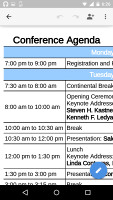
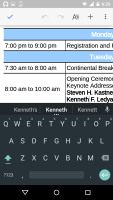
Google Docs
Motorola provides another two Moto exclusive apps - Motorola Alert and Moto Migrate. The Migrate app will help you transfer contacts, messages and multimedia from other Android devices or iPhones.
The Alert app allows you to select your emergency contacts, input ready-to-go messages and in case something happens you can call your contacts, share your GPS location, or ask them to follow you. The latter will allow your Moto E to share your location at specified interval.
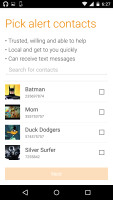
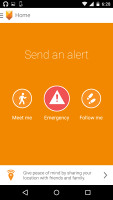
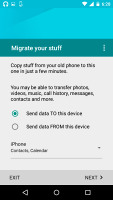
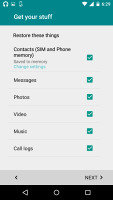
Motorola Migrate • Motorola Alert


Tip us
2.1m 180k
RSS
EV
Merch
Log in I forgot my password Sign up