Motorola Edge+ review
Android 10, lightly Moto-modded
Motorola has settled on a mostly stock Android experience for its smartphones, even the ones that aren't part of the Android One program. Even so, there's a an extensive list of custom features nicely bundled in the Moto App.
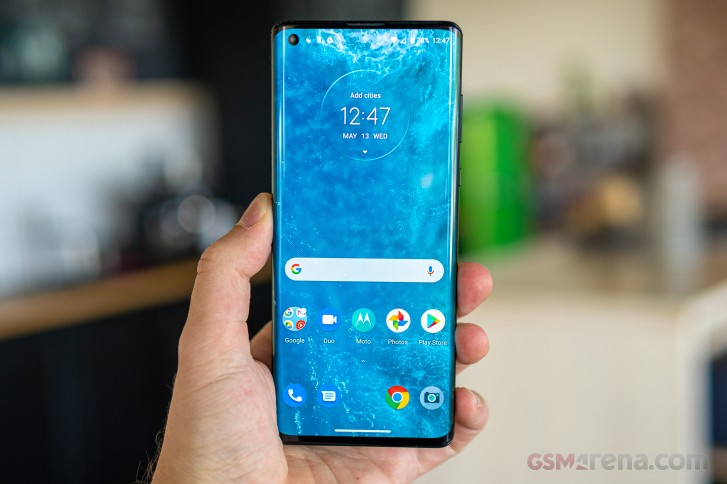
Moto Actions are an assortment of clever ways for interacting with the phone - including a karate chop for toggling the flashlight on or off, twist motion to launch the camera app, three-finger screenshot gesture, accelerometer-based ringtone silencing.





Moto app • Actions
Moto Display is a bit more feature rich on the Edge+ than on your average Moto. Edge Touch is an action bar on the side which you can use in a number of ways - swipe in for customizable shortcuts, swipe down for access to the notification shade and quick toggles, swipe up for the task switcher and app drawer. Double tapping the bar, on the other hand, can be set up to do one of two things - it will either switch back and forth between the two last used apps, or it will disable the display edges thus shrinking the usable app area within the flat portion so that text doesn't spill to the sides making it difficult to read. You could argue that disabling the edges on a phone that makes a big deal out of its edges is somewhat counterintuitive, but the option is there if you want to use it. You can adjust the bar's location along the height of the phone as well as pick the left or right edge, but you can't have both.
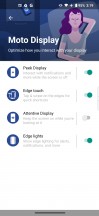
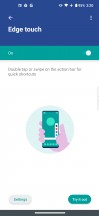
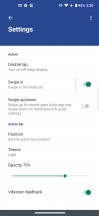

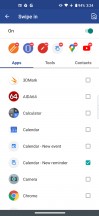
Moto Display: Edge Touch
Edge lights is a set of features that will light up the curved sides of the display for calls and notifications, as well as when charging the phone. You can set those to only be active when the screen is facing down for maximum coolness effect. This is when the bundled case with its raised top and bottom lips comes in handy.
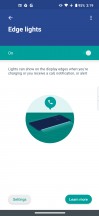
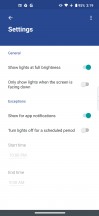

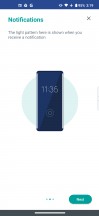
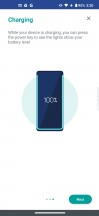
Moto Display: Edge Lights
The other two features in this category aren't Edge exclusives. Peek Display, the not-always-on display, will show notifications and let you interact with them right there on the lock screen plus it will wake up when you pick up your phone. The 'Attentive display' will keep the screen on as long as you are looking at it.
There's a brand new Personalization feature that lets you customize the look and feel of your Moto. You can play around with the size and layout of the icons on the homescreen, change the system font, and pick an accent color for the quick toggles.
Moto Gametime is the company's set of tools for enhancing mobile gaming and now it offers a cool new feature - you can add virtual triggers on the edge, which you can use in popular action games. Another standout capability is the option to have two additional software buttons (Left and Right), which you can assign in-game actions to and position anywhere on the display.
If you turn on Immersive mode, it will filter out calls and notifications for you, while the Performance section allows you to turn off adaptive brightness, disable the edge portions of the display and turn on audio enhancements.
An optional in-game floating icon called Toolkit gives you quick toggles for calls and notifications, access to your choice of two messaging apps as well as access to the full Gametime settings.
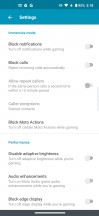
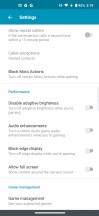
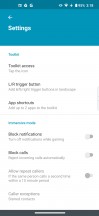

Moto Gametime
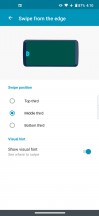
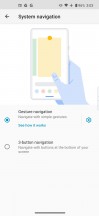
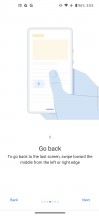
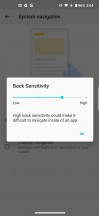
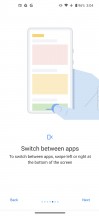
Gestures are the means of choice for navigation on the Edge+. It's a relatively custom implementation with a single elongated bar on the bottom of the screen. Swiping upwards takes you to the home screen, a swipe up with a pause brings out the recent apps menu while swiping further up brings up the app drawer. You can quickly switch between recently used apps by swiping sideways on the bar. Sadly, you can't hide it and it's there, eating up screen estate at all times, except for full-screen videos and games. If you want Back, then just swipe in from the edge of the screen - that gesture's sensitivity is adjustable too, though we didn't find any issues with the default 3/4 setting.
If, on the other hand, you want to have the classic three-button navigation bar, Motorola still gives you the option to switch to it from Settings.

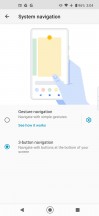
System navigation
All of these aside, the rest is pretty much Android 10 as Google intended it to be.


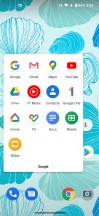
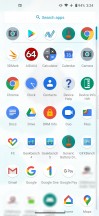
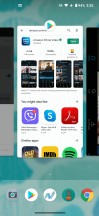
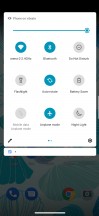
Lockscreen • Homescreen • Folder view • App drawer • Task switcher • Quick toggles
Synthetic benchmarks
The Motorola Edge+ has the Snapdragon 865 inside, in true top-tier fashion. There are no RAM and storage configurations other than the 12GB/256GB one we have here for review and that too makes a flagship statement. Let's see how it ranks next to other flagships.
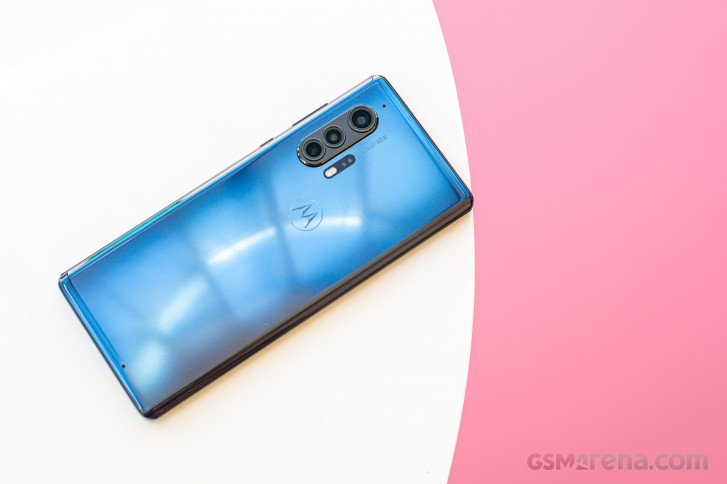
Rather nicely, in fact. That is to say, it posts virtually identical single-core results in Geekbench as the rest of the Snapdragon 865 crew and places around the middle of the (still tightly spaced) pack in multi-core.
GeekBench 5.1 (single-core)
Higher is better
-
Apple iPhone 11 Pro Max
1332 -
nubia Red Magic 5G
929 -
vivo iQOO 3 5G
928 -
Realme X50 Pro
911 -
Motorola Edge+
910 -
Galaxy S20 Ultra 5G (60Hz, 1440p)
910 -
LG V60 ThinQ 5G (new run)
910 -
Xiaomi Mi 10 Pro 5G
905 -
Galaxy S20 Ultra 5G (120Hz, 1080p)
904 -
OnePlus 8 Pro (120Hz, 1440p)
902 -
Oppo Find X2 Pro (120Hz, 1440p)
900 -
Huawei P40 Pro
780 -
Motorola Edge
586
GeekBench 5.1 (multi-core)
Higher is better
-
Apple iPhone 11 Pro Max
3503 -
vivo iQOO 3 5G
3402 -
nubia Red Magic 5G
3387 -
OnePlus 8 Pro (120Hz, 1440p)
3374 -
Xiaomi Mi 10 Pro 5G
3331 -
Motorola Edge+
3295 -
LG V60 ThinQ 5G (new run)
3289 -
Oppo Find X2 Pro (120Hz, 1440p)
3269 -
Huawei P40 Pro
3197 -
Realme X50 Pro
3175 -
Galaxy S20 Ultra 5G (60Hz, 1440p)
2728 -
Galaxy S20 Ultra 5G (120Hz, 1080p)
2697 -
Motorola Edge
1862
Antutu places the Edge+ a notch below the Android overachievers, but still comfortably ahead of an Exynos-powered Galaxy S20 Ultra or a Huawei P40 Pro.
AnTuTu 8
Higher is better
-
Xiaomi Mi 10 Pro 5G
595246 -
Oppo Find X2 Pro (120Hz, 1440p)
593717 -
Realme X50 Pro
592447 -
vivo iQOO 3 5G
575601 -
Motorola Edge+
574155 -
OnePlus 8 Pro (120Hz, 1440p)
573276 -
nubia Red Magic 5G
557056 -
Apple iPhone 11 Pro Max
536883 -
Galaxy S20 Ultra 5G (60Hz, 1440p)
528631 -
LG V60 ThinQ 5G (new run)
527612 -
Galaxy S20 Ultra 5G (120Hz, 1080p)
514485 -
Huawei P40 Pro
496356 -
Motorola Edge
305989
The Moto pulls ahead in the GPU tests topping charts in GFXBench left and right. It's not a huge advantage, just the odd frame per second, but Edge+ is consistently ever so slightly better.
GFX 3.1 Manhattan (1080p offscreen)
Higher is better
-
Apple iPhone 11 Pro Max
120 -
Motorola Edge+
89 -
Oppo Find X2 Pro (120Hz, 1440p)
87 -
nubia Red Magic 5G
86 -
vivo iQOO 3 5G
86 -
Xiaomi Mi 10 Pro 5G
86 -
OnePlus 8 Pro (120Hz, 1440p)
86 -
Realme X50 Pro
86 -
LG V60 ThinQ 5G (new run)
86 -
Galaxy S20 Ultra 5G (120Hz, 1080p)
85 -
Galaxy S20 Ultra 5G (60Hz, 1440p)
85 -
Huawei P40 Pro
75 -
Motorola Edge
34
GFX 3.1 Manhattan (onscreen)
Higher is better
-
Motorola Edge+
83 -
Xiaomi Mi 10 Pro 5G
75 -
Galaxy S20 Ultra 5G (120Hz, 1080p)
74 -
vivo iQOO 3 5G
61 -
Realme X50 Pro
60 -
Apple iPhone 11 Pro Max
60 -
nubia Red Magic 5G
59 -
LG V60 ThinQ 5G (new run)
59 -
Huawei P40 Pro
52 -
Oppo Find X2 Pro (120Hz, 1440p)
43 -
OnePlus 8 Pro (120Hz, 1440p)
43 -
Galaxy S20 Ultra 5G (60Hz, 1440p)
42 -
Motorola Edge
32
GFX 3.1 Car scene (1080p offscreen)
Higher is better
-
Apple iPhone 11 Pro Max
67 -
Motorola Edge+
52 -
Oppo Find X2 Pro (120Hz, 1440p)
51 -
nubia Red Magic 5G
51 -
vivo iQOO 3 5G
51 -
OnePlus 8 Pro (120Hz, 1440p)
51 -
Galaxy S20 Ultra 5G (120Hz, 1080p)
51 -
Galaxy S20 Ultra 5G (60Hz, 1440p)
51 -
Realme X50 Pro
51 -
LG V60 ThinQ 5G (new run)
51 -
Xiaomi Mi 10 Pro 5G
50 -
Huawei P40 Pro
44 -
Motorola Edge
19
GFX 3.1 Car scene (onscreen)
Higher is better
-
Apple iPhone 11 Pro Max
57 -
Motorola Edge+
48 -
Realme X50 Pro
45 -
LG V60 ThinQ 5G (new run)
44 -
Galaxy S20 Ultra 5G (120Hz, 1080p)
43 -
vivo iQOO 3 5G
42 -
Xiaomi Mi 10 Pro 5G
42 -
nubia Red Magic 5G
41 -
Huawei P40 Pro
31 -
Oppo Find X2 Pro (120Hz, 1440p)
25 -
Galaxy S20 Ultra 5G (60Hz, 1440p)
25 -
OnePlus 8 Pro (120Hz, 1440p)
24 -
Motorola Edge
18
Aztek Vulkan High (onscreen)
Higher is better
-
Motorola Edge+
32 -
Realme X50 Pro
30 -
Xiaomi Mi 10 Pro 5G
29 -
vivo iQOO 3 5G
28 -
Galaxy S20 Ultra 5G (120Hz, 1080p)
26 -
Oppo Find X2 Pro (120Hz, 1440p)
17 -
OnePlus 8 Pro (120Hz, 1440p)
17 -
Galaxy S20 Ultra 5G (60Hz, 1440p)
14 -
Motorola Edge
12
Aztek OpenGL ES 3.1 High (onscreen)
Higher is better
-
Motorola Edge+
33 -
Galaxy S20 Ultra 5G (120Hz, 1080p)
32 -
Realme X50 Pro
31 -
vivo iQOO 3 5G
29 -
Xiaomi Mi 10 Pro 5G
29 -
Galaxy S20 Ultra 5G (60Hz, 1440p)
19 -
Oppo Find X2 Pro (120Hz, 1440p)
18 -
OnePlus 8 Pro (120Hz, 1440p)
17 -
Motorola Edge
12
In 3DMark the Edge+ edges ahead once more in the OpenGL version of the benchmark. In the Vulkan-based test it's tied at the top with the Red Magic 5G and the iQOO 3, still a notch above the rest.
3DMark SSE OpenGL ES 3.1 1440p
Higher is better
-
Motorola Edge+
7409 -
vivo iQOO 3 5G
7261 -
nubia Red Magic 5G
7250 -
Realme X50 Pro
7221 -
Oppo Find X2 Pro (120Hz, 1440p)
7159 -
OnePlus 8 Pro (120Hz, 1440p)
7127 -
Galaxy S20 Ultra 5G (120Hz, 1080p)
6713 -
Galaxy S20 Ultra 5G (60Hz, 1440p)
6593 -
Huawei P40 Pro
6062 -
Huawei Mate 30 Pro
4432 -
Motorola Edge
3004
3DMark SSE Vulkan 1440p
Higher is better
-
nubia Red Magic 5G
6678 -
vivo iQOO 3 5G
6675 -
Motorola Edge+
6666 -
Oppo Find X2 Pro (120Hz, 1440p)
6526 -
Realme X50 Pro
6472 -
OnePlus 8 Pro (120Hz, 1440p)
6425 -
Galaxy S20 Ultra 5G (120Hz, 1080p)
6308 -
Galaxy S20 Ultra 5G (60Hz, 1440p)
6249 -
Huawei P40 Pro
5637 -
Huawei Mate 30 Pro
4233 -
Motorola Edge
2801
The Motorola Edge+ does heat up after repeated benchmark runs, quite significantly so. It manages to maintain near-peak performance in the process, however, so that's nice. The 90Hz display, near-stock Android, and heaps of RAM also ensure that it delivers a fluid experience at all times.


Tip us
2.1m 180k
RSS
EV
Merch
Log in I forgot my password Sign up