Motorola Moto G Pro / G Stylus review
Squeaky clean Android One
The Moto G Pro is part of the Android One family, which is supposed to ensure swift updates whenever the next Android version gets out. That's not always the case, though, but there's another advantage of the Android One devices, and that's the pure, clutter-less Android experience. In case you are looking for a vanilla Android smartphone, this one will deliver. It's also important to note that the US variant called Moto G Stylus is not part of the Android One program.
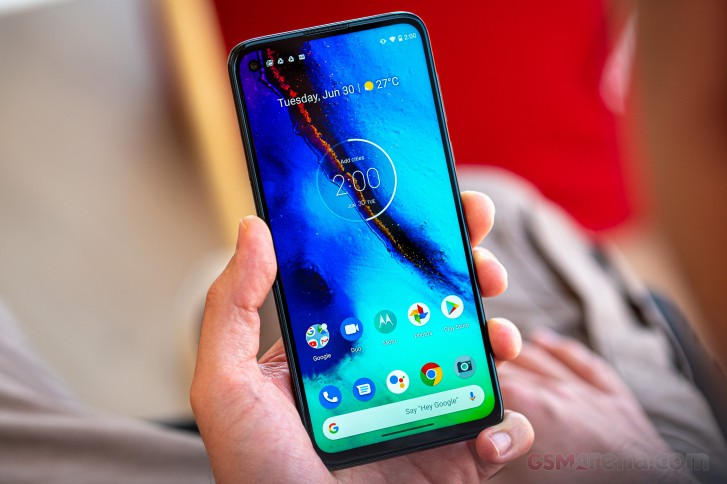
Still, Motorola did add a couple of customizations and features to the clean Android as it usually does. Once you setup the phone and open up the general settings menu, you will be prompted with two messages on the top - one will take you to a menu to choose your preferred navigation method and also explaining the new gestures while the other takes you through the neatly organized Moto-specific features.
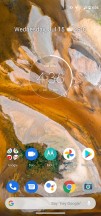
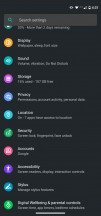
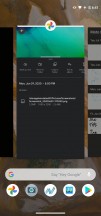
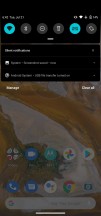
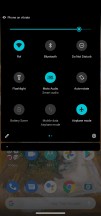
Home screen, general settings, recent apps, notification shade
The gestures are the usual ones from Google with the back gesture executed from either side of the display. There's also a slider for the back gesture sensitivity that determines how close to the edge you have to get for the system to register a back gesture. Or, you know, you can always stick to the good ol' software navigation buttons.


Moto options
Back to the advanced Moto features now. They are split into several categories with the Moto actions one being the biggest one. Among the usual ones like launching the camera with a twisting motion of the wrist or turning on the flashlight with a double karate chop motion, there's one fairly new addition to the list and that's the one-handed mode, which you can activate with a single swipe from the center of the screen.
Two other screen-off gestures that are worth mentioning, although not new, are the lift-to-unlock and the media controls. If you have the face recognition unlock method set up, you can pick up the phone from the desk and once you raise it, the screen will turn on and the front-facing camera will start scanning for your face. That's a quick and easy way to unlock the device. Whereas the volume rocker can act as a media control button when the screen is off. That's probably the only OEM that lets you do that and we really like it.
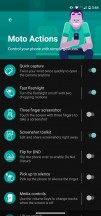
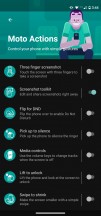
Moto Actions
The Moto Display section holds two more options - one called Attentive display, which you've probably guessed what that means. The screen will stay on and won't dim while you are looking at it. Assuming you are reading an article, you won't have to touch the display to prevent it from turning off.
Peek Display, on the other hand, is all about the locked screen. It lets you interact with notifications and even reply to messages from the locked screen. The UI is reminiscent of an Always-on display and you can check real quick if you have a notification or just see the time by tapping on the display or moving the phone altogether. The apps and notifications that let you interact with them will appear in small circles in the lower half of the display. It's a really neat feature if you want to do a quick reply or dismiss a notification without having to unlock the phone. And, of course, there's an option to ask for credentials when sending a reply to someone.
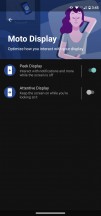
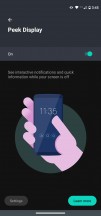
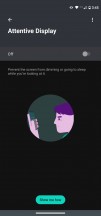
Moto Display
Speaking of the display, Motorola finally fixed its Dark Mode. Now all settings menus are in dark gray and the notification shade as well. Previous iterations of the software didn't change the color of the settings menus for some reason so it's good to see the Dark Mode up and running as it should. Sady, you won't be gaining any battery life in the process as this is an LCD panel. It will be much easier on your eyes at night, though.
Stylus pen options and software
Don't expect a lot of customizations surrounding the stylus pen. Once you pull it out, a small bubble will appear on the right side of the screen. This bubble contains four shortcuts. One will let you do a quick note with the usual customizations regarding the writing, the other one is Google Keep, the third one takes a screenshot and the fourth takes to to the Moto Note app where you will find all your previous notes.
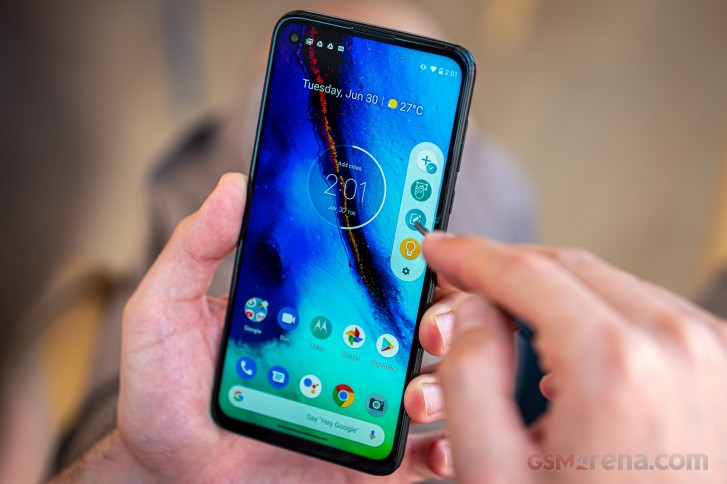
Unfortunately, there's no way to add more shortcuts to the said bubble but you can set a specific app to launch when you pull out the pen.
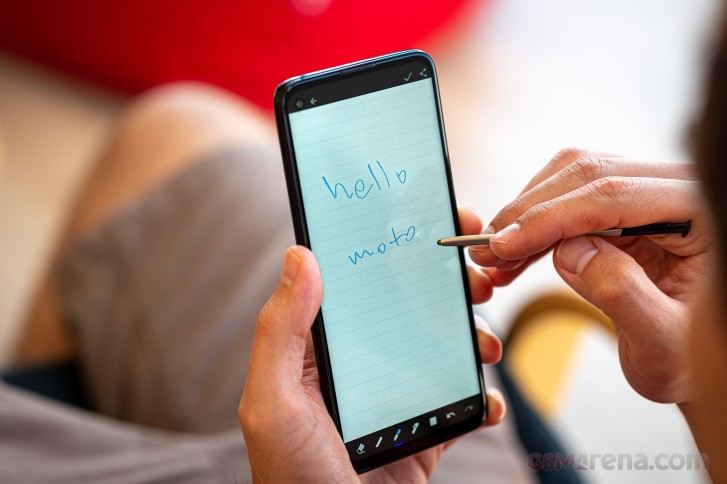
The pen itself works fine and consistently. Sure, it's nothing like the Galaxy Note's pen in terms of usability and accuracy, but we don't expect it to. It's definitely a useful tool for anyone looking for a budget, productivity-oriented smartphone.
Performance
The Moto G Pro comes with last year's Snapdragon 665 chipset based on the 11nm manufacturing process. The chip employs an octa-core CPU with 4x 2.0 GHz Kryo 260 Gold cores and 4x 1.8 GHz Kryo 260 Silver cores while the GPU-intensive tasks are handled by the Adreno 610.
There's only one memory configuration available, and that's 4GB of RAM with 128GB of internal storage. The latter seems to be more than sufficient considering that microSD card support is also at hand.
Additionally, the chipset is borderline acceptable at this price because there are a couple of alternatives with more powerful and newer Snapdragon 700-series chipsets. Here's how it holds against the similarly-priced competition.
GeekBench 4.4 (multi-core)
Higher is better
-
Xiaomi Mi 10 Lite 5G
7963 -
Realme 6
7815 -
Realme 6 Pro
7027 -
Xiaomi Mi Note 10 Lite
6639 -
Motorola One Zoom
5802 -
Motorola Moto G Pro
5687 -
Samsung Galaxy M31
5487
GeekBench 4.4 (single-core)
Higher is better
-
Xiaomi Mi 10 Lite 5G
2863 -
Realme 6 Pro
2643 -
Realme 6
2606 -
Xiaomi Mi Note 10 Lite
2429 -
Motorola One Zoom
2084 -
Motorola Moto G Pro
1516 -
Samsung Galaxy M31
1510
GeekBench 5.1 (multi-core)
Higher is better
-
Xiaomi Mi 10 Lite 5G
1927 -
Realme 6
1726 -
Motorola One Fusion+
1705 -
Xiaomi Mi Note 10 Lite
1694 -
Realme 6 Pro
1666 -
Motorola One Zoom
1534 -
Motorola Moto G Pro
1385 -
Samsung Galaxy M31
1315
GeekBench 5.1 (single-core)
Higher is better
-
Xiaomi Mi 10 Lite 5G
616 -
Realme 6 Pro
565 -
Realme 6
548 -
Motorola One Fusion+
542 -
Xiaomi Mi Note 10 Lite
521 -
Motorola One Zoom
509 -
Samsung Galaxy M31
349 -
Motorola Moto G Pro
311
AnTuTu 8
Higher is better
-
Xiaomi Mi 10 Lite 5G
318117 -
Realme 6
288931 -
Realme 6 Pro
268785 -
Motorola One Fusion+
267980 -
Xiaomi Mi Note 10 Lite
253271 -
Samsung Galaxy M31
195284 -
Motorola One Zoom
180000 -
Motorola Moto G Pro
173611
GFX 3.1 Manhattan (1080p offscreen)
Higher is better
-
Xiaomi Mi 10 Lite 5G
38 -
Realme 6
31 -
Xiaomi Mi Note 10 Lite
30 -
Realme 6 Pro
30 -
Motorola One Fusion+
27 -
Samsung Galaxy M31
16 -
Motorola One Zoom
15 -
Motorola Moto G Pro
13
GFX 3.1 Manhattan (onscreen)
Higher is better
-
Xiaomi Mi 10 Lite 5G
32 -
Realme 6 Pro
27 -
Realme 6
27 -
Xiaomi Mi Note 10 Lite
26 -
Motorola One Fusion+
25 -
Samsung Galaxy M31
14 -
Motorola One Zoom
13 -
Motorola Moto G Pro
12
GFX 3.1 Car scene (1080p offscreen)
Higher is better
-
Xiaomi Mi 10 Lite 5G
21 -
Realme 6 Pro
18 -
Realme 6
18 -
Xiaomi Mi Note 10 Lite
17 -
Motorola One Fusion+
16 -
Samsung Galaxy M31
10 -
Motorola One Zoom
8.1 -
Motorola Moto G Pro
7.1
GFX 3.1 Car scene (onscreen)
Higher is better
-
Xiaomi Mi 10 Lite 5G
17 -
Realme 6 Pro
16 -
Realme 6
16 -
Xiaomi Mi Note 10 Lite
15 -
Motorola One Fusion+
14 -
Samsung Galaxy M31
9.2 -
Motorola One Zoom
7.1 -
Motorola Moto G Pro
6.6
3DMark SSE OpenGL ES 3.1 1440p
Higher is better
-
Xiaomi Mi 10 Lite 5G
3294 -
Realme 6
2570 -
Realme 6 Pro
2506 -
Xiaomi Mi Note 10 Lite
2467 -
Samsung Galaxy M31
1599 -
Motorola Moto G Pro
1127 -
Motorola One Zoom
972


Tip us
2.1m 180k
RSS
EV
Merch
Log in I forgot my password Sign up