GSMArena.com GSMArena.com

Tip us

2.1m
180k
RSS

EV

Merch

Log in

Login

I forgot my password
Sign up
  • Home
  • News
  • Reviews
  • Videos
  • Featured
  • Phone Finder
  • Deals
  • Merch
  • Coverage
  • Contact
ADVERTISEMENT
GSMArena team, 10 August 2016

Base line


Lenovo Vibe K5 review: Base line

  • Comments (49)
  • User reviews
  • Vibe K5

4. User interface
  1. 1. Introduction
  2. 2. 360-degree spin, hardware overview
  3. 3. Display, connectivity, battery life
  4. 4. User interface
  5. 5. Performance
  6. 6. Telephony, loudspeaker, text input
  7. 7. Multimedia apps, FM radio, audio quality
  8. 8. Camera
  9. 9. Browsers, other apps
  10. 10. Conclusion
  11.  
  12. Lenovo Vibe K5 specification
  13. User opinions and reviews
  14. Review comments (49)

Lenovo Android Dual SIM

User interface

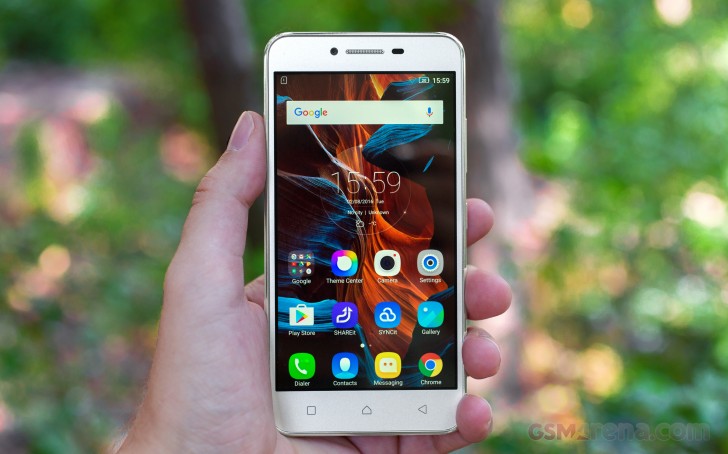
The Lenovo Vibe K5 runs on a heavily customized Android 5.1. It's named Vibe OS, but you won't find that advertised throughout the interface like other makers do. The overlay isn't too consistent, and there are hints of Material design here and there, mixed up with remnants of older concepts.
Lenovo Vibe K5 review

The lockscreen is a rather standard affair. The default layout consists of a clock widget with a date, followed by a list of notifications. You also get shortcuts for quick access to the dialer and camera.


Default lockscreen - Lenovo Vibe K5 review Default lockscreen - Lenovo Vibe K5 review
Default lockscreen

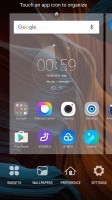
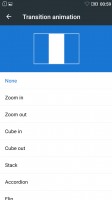
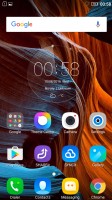
In typical fashion for a droid coming out of China, there's no app drawer - all your apps reside on the homescreens. New ones can be added with ease, existing ones can be rearranged and any homescreen tab can be set as default home. Screen transition effects can be selected, and you can choose whether to be able to cycle back to the first one after reaching the end or not.

Homescreens - Lenovo Vibe K5 review Homescreens - Lenovo Vibe K5 review Homescreens - Lenovo Vibe K5 review Homescreens - Lenovo Vibe K5 review
Homescreens

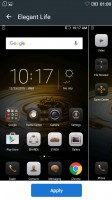
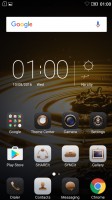
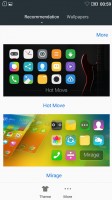
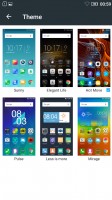
There's a wide selection of themes available too, complete with icon packs, and these can change the vibe of the Vibe K5 completely. Some of them look better than others with non-system icons - the more customized the theme, the more out of place Google Chrome looks, for example.
Themes - Lenovo Vibe K5 review Themes - Lenovo Vibe K5 review Themes - Lenovo Vibe K5 review Themes - Lenovo Vibe K5 review
Themes

The capacitive keys below the display are Recent tasks/Home/Back, left to right. The recent tasks one doubles as a context menu button and that's a bit odd in truly Material design apps, which have the three-dot menu in the top right. Making things even less intuitive, the context menu and the three-dot menu often contain different options.

Thanks to the ambiguous nature of the left capacitive key, getting to the recent tasks requires a long press, instead of a tap. Naturally, that adds an extra bit of waiting to an action you'd be doing constantly. There's a "Clear all" button, in the diagonally opposite top right corner, so you'd be stretching your thumbs a bit.

Additionally, there's a task manager that gives you more detailed information on what resources each app is using.
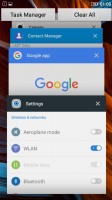
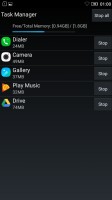
Recent apps - Lenovo Vibe K5 review Task manager - Lenovo Vibe K5 review
Recent apps • Task manager

The notification shade works in two stages. Pull down once with one finger, and you get notifications only, pull down a second time and you get the entire list of quick toggles, with notifications squished below. There's no priority row of toggles that gets opened on the first pull, it's none or all.
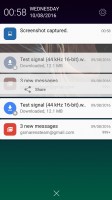
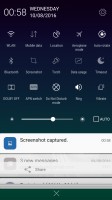
Notification area - Lenovo Vibe K5 review Notification area - Lenovo Vibe K5 review

Notification area

Next Page » 5. Performance
4. User interface
  1. 1. Introduction
  2. 2. 360-degree spin, hardware overview
  3. 3. Display, connectivity, battery life
  4. 4. User interface
  5. 5. Performance
  6. 6. Telephony, loudspeaker, text input
  7. 7. Multimedia apps, FM radio, audio quality
  8. 8. Camera
  9. 9. Browsers, other apps
  10. 10. Conclusion
  11.  
  12. Lenovo Vibe K5 specification
  13. User opinions and reviews
  14. Review comments (49)

Reviews Lenovo Vibe K5 reviewPage 4
  • Comments (49)
  • User reviews
  • Vibe K5

Phone finder

  • Samsung
  • Apple
  • Huawei
  • Nokia
  • Sony
  • LG
  • HTC
  • Motorola
  • Lenovo
  • Xiaomi
  • Google
  • Honor
  • Oppo
  • Realme
  • OnePlus
  • Nothing
  • vivo
  • Meizu
  • Ulefone
  • Alcatel
  • ZTE
  • RugOne
  • Umidigi
  • Fairphone
  • Oscal
  • Sharp
  • Micromax
  • Infinix
  • Asus
  • Tecno
  • Doogee
  • Blackview
  • Cubot
  • Oukitel
  • Itel
  • TCL

All brands Rumor mill

ADVERTISEMENT

Popular reviews

Oppo Find X10 Pro Max review
Apple iPhone 18 Pro Max review
Apple iPhone 18 Pro review
ADVERTISEMENT

ELECTRIC VEHICLES

2026 Volvo EX90 Twin Motor Performance real life range test with 21-inch wheels and summer tires 2026 Volvo EX90 Twin Motor Performance real life range test with 21-inch wheels and summer tires BYD is teasing its new Yangwang flagship destined for UAESvolt's 100 kWh semi-solid-state battery enters mass production
ADVERTISEMENT
Ads by Playwire

Home News Reviews Compare Coverage Glossary FAQ RSS Youtube Instagram TikTok Facebook Twitter

© 2000-2026 GSMArena.com Mobile version Android app Tools Contact us Merch store Privacy Terms of use