GSMArena.com GSMArena.com

Tip us

2.1m
180k
RSS

EV

Merch

Log in

Login

I forgot my password
Sign up
  • Home
  • News
  • Reviews
  • Videos
  • Featured
  • Phone Finder
  • Deals
  • Merch
  • Coverage
  • Contact
ADVERTISEMENT
GSMArena team, 01 July 2016

Lenovated


Moto G4 review: Lenovated

  • Comments (90)
  • User reviews
  • Moto G4

4. User interface
  1. 1. Introduction
  2. 2. 360° spin, hardware
  3. 3. Display, connectivity, battery life
  4. 4. User interface
  5. 5. Performance
  6. 6. Telephony, loudspeaker, messaging
  7. 7. Multimedia, audio quality
  8. 8. Camera
  9. 9. Final words
  10.  
  11. Motorola Moto G4 specification
  12. User opinions and reviews
  13. Review comments (90)

Lenovo Motorola Android

User interface

The Moto G4 comes with Android 6.0.1 Marshmallow out of the box, unlike previous-gen Motos (even some 2016 models), which launched with Lollipop before a quick upgrade to Marshmallow.
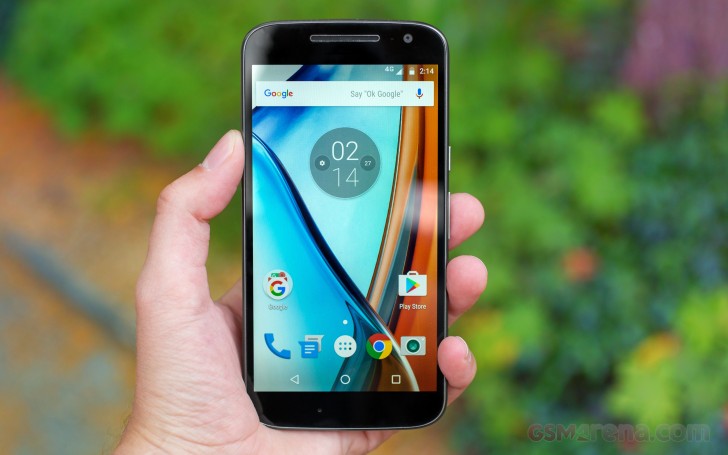
Moto G4 review

The software is some of the purest Android this side of the Nexus line and with remarkably little bloatware. Well, the camera app is a custom app, but it brings a few extra features on top of the usual Google Camera, so we don't mind the upgrade. The rest of the pre-installed apps include Google Play Music, Google Photos, Google Hangouts, you get the idea - all stock Android software.

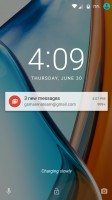
There's also the Moto app, which is a simple configuration screen. It can set up the Active Display - turn it on or off, block select apps from spamming and disable it for a given time period (so you can turn it off at night).

It's not an always on display like Samsung and LG offer, but it comes on when a new notification arrives, when you pick the phone or when you double-tap the screen.
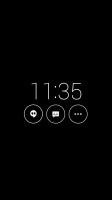
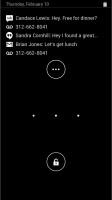
Moto Screen - Moto G4 review Tapping on a notification reveals more info - Moto G4 review The stock lockscreen - Moto G4 review
Moto Screen • Tapping on a notification reveals more info • The stock lockscreen

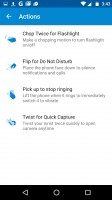
The app also enables the two usual Moto gestures - chop twice to turn on the flashlight (and again to turn it off) and twist your writs twice to quick launch the camera. There's no notification LED, though, so you do have to interact with the phone to see if there's anything new after the initial display.

There are also a couple of gestures for the ringer - flip for Do Not Disturb and pick up to stop ringing.
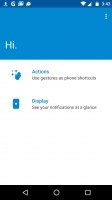
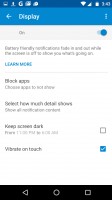
The Moto app lets you tweak the added Moto features - Moto G4 review The Moto app lets you tweak the added Moto features - Moto G4 review The Moto app lets you tweak the added Moto features - Moto G4 review
The Moto app lets you tweak the added Moto features

Other than the Moto Screen, the lockscreen is plain Android. This means time and date, notifications and two shortcuts - Camera and Voice search.

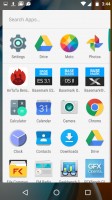
Behind the lockscreen is the Google Now launcher. The left pane is your Google Now view with all relevant info cards. To the right are standard homescreens.
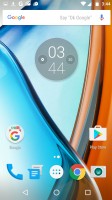
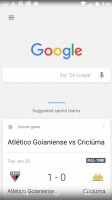
Google Now launcher - Moto G4 review Google Now pane - Moto G4 review The app drawer - Moto G4 review
Google Now launcher • Google Now pane • The app drawer

The Notification area shows notifications on the first swipe and then Quick toggles upon a second swipe. You can also do a two-finger swipe to get straight to the Quick toggles. This is the vanilla Android setup and it is gaining popularity as many phones stick close to AOSP and even skinned ones like Xperias do not change it.

This includes the brightness slider that lacks an Auto toggle. You have to go into the settings menu if you want to enable/disable automatic brightness.
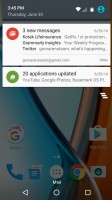
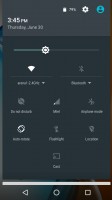
Notification area - Moto G4 review Quick toggles - Moto G4 review
Notification area • Quick toggles

The app switcher is the usual 3D rolodex with a searchbar on top. Google has been considering adding split-screen multitasking for ages (since Lollipop), but it never gets past the beta stage of the latest Android (it's in the Android N preview, let's see if it survives this time).
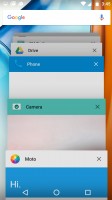
App switcher - Moto G4 review

App switcher

Next Page » 5. Performance
4. User interface
  1. 1. Introduction
  2. 2. 360° spin, hardware
  3. 3. Display, connectivity, battery life
  4. 4. User interface
  5. 5. Performance
  6. 6. Telephony, loudspeaker, messaging
  7. 7. Multimedia, audio quality
  8. 8. Camera
  9. 9. Final words
  10.  
  11. Motorola Moto G4 specification
  12. User opinions and reviews
  13. Review comments (90)

Reviews Moto G4 reviewPage 4
  • Comments (90)
  • User reviews
  • Moto G4

Phone finder

  • Samsung
  • Apple
  • Huawei
  • Nokia
  • Sony
  • LG
  • HTC
  • Motorola
  • Lenovo
  • Xiaomi
  • Google
  • Honor
  • Oppo
  • Realme
  • OnePlus
  • Nothing
  • vivo
  • Meizu
  • Ulefone
  • Alcatel
  • ZTE
  • RugOne
  • Umidigi
  • Fairphone
  • Oscal
  • Sharp
  • Micromax
  • Infinix
  • Asus
  • Tecno
  • Doogee
  • Blackview
  • Cubot
  • Oukitel
  • Itel
  • TCL

All brands Rumor mill

ADVERTISEMENT

Popular reviews

Apple iPhone 18 Pro Max review
Apple iPhone 18 Pro review
Galaxy Tab S12 Ultra review
ADVERTISEMENT

ELECTRIC VEHICLES

Volkswagen takes the slow road to hands-off driving in China Volkswagen takes the slow road to hands-off driving in China XPeng sends Mona L05 to customers abroad ahead of Chinese launchAudi announces major restructuring of China operations with brand split
ADVERTISEMENT
Ads by Playwire

Home News Reviews Compare Coverage Glossary FAQ RSS Youtube Instagram TikTok Facebook Twitter

© 2000-2026 GSMArena.com Mobile version Android app Tools Contact us Merch store Privacy Terms of use