The doppelganger
HTC Desire 820 & Desire 820 dual SIM review: The doppelganger
User interface
Android 4.4.2 KitKat with Sense 6
The HTC Desire 820 runs Android 4.4.2 KitKat, with HTC's own Sense UI layer on top, matching the One (M8) and the Desire 816. HTC Sense 6 is feature-rich and offers a smooth and fluent user experience.
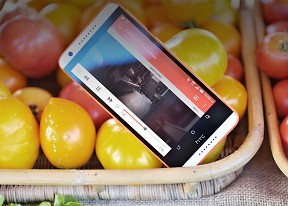
Here you can see a quick video of the Sense 6, running on the Desire 820.
The lockscreen features a clock with weather info plus four shortcut slots. Missed calls and incoming messages are duly displayed, too, of course. Widgets are optional and disabled by default.
Swiping up the unlock button gives you three different options. Swiping up takes you to the last app you used, while swiping to the left or to the right will take you to the homescreen or BlinkFeed respectively.
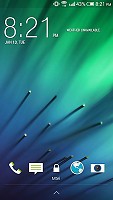
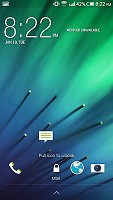
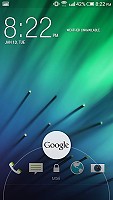
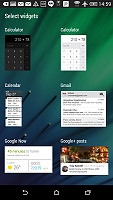
HTC Sense 6 lockscreen with optional widgets
Unlike the HTC One (M8), the Desire 820 phablet cannot be unlocked with a swipe or double tap, meaning you have to reach for the power/lock key.
This generation of HTC products features on-screen buttons with the classic arrangement of Back, Home and App switcher. HTC's custom scheme of only Back and Home key has been dropped (and we don't miss it).
The leftmost homescreen pane of the Desire 820 is once again reserved for HTC BlinkFeed. It aggregates content from your social networks, as well as from over a thousand news sources. You can pick the topics you're interested in and BlinkFeed will automatically pull relevant content. You can also search for specific content.
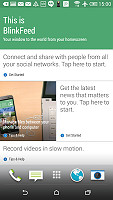
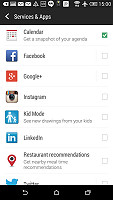
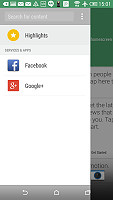
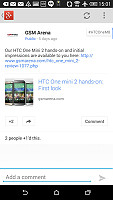
BlinkFeed combines social updates with news articles
Homescreens are fully customizable with links and widgets. If you don't find BlinkFeed particularly useful and don't want it lingering on the front you can do away with it just like any other widget.
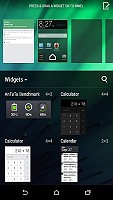
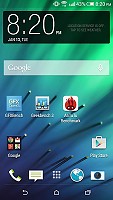
BlinkFeed panel can be fully removed • regular homescreens are available too
The notification area features quick toggles similar to those of vanilla Android. They can be accessed via the dedicated button or with a two-finger swipe. The toggles can't be reordered or hidden, but a long press brings out the relevant Settings page, just like in Samsung's TouchWiz. Some (like the Brightness toggle) are multi stage so you tap them several times until you reach the desired mode and often have a more precise slider option in the settings area.
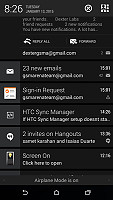
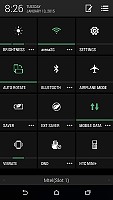
Power toggles made it to the notification area
Note that the status bar on top of the screen is normally semi-transparent or black, but select HTC apps change its color to match their own highlight color, similar to iOS. This doesn't seem to work with third-party apps though.
The default layout of the app drawer is a 4 x 5 grid of app icons. A 3 x 4 mode is also available but that's a waste of a 5.5" screen. You can sort app icons alphabetically, chronologically or manually and you can hide the ones you don't need but can't uninstall (bloatware).
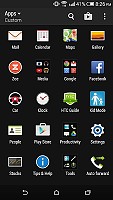
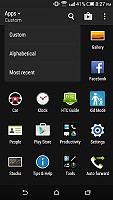
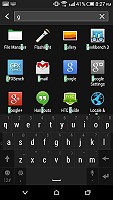
The app drawer • sorting options • searching
HTC has remodeled the task switching interface - recent apps are displayed in a 3 x 3 grid of thumbnails. This allows more apps to fit on the screen but since there's no scrolling, a total of 9 is all the recent apps you'll see. This does not limit multitasking, but you can easily lose track of older open applications.
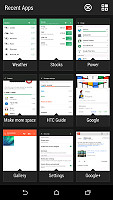
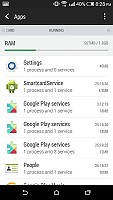
Custom app switcher complete with a shortcut for the Running apps screen
HTC Sense has a dedicated Car mode screen, which can be preset to launch automatically when the phablet connects to your car's Bluetooth.
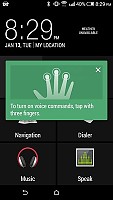
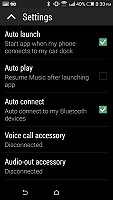
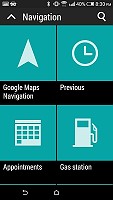
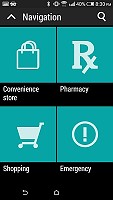
Car mode with big, easy to hit buttons
HTC Desire 820 also has a built-in restricted access Kid mode. It is an app that lets you set up a profile for each of your kids - with a photo and birthdate - and pick which apps they can have access to.
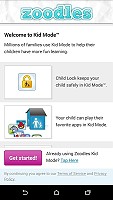
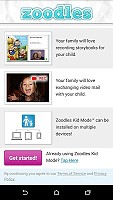
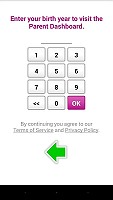
Kid Mode


Tip us
2.1m 180k
RSS
EV
Merch
Log in I forgot my password Sign up