Tanking up
Asus Zenfone Max review: Tanking up
Phonebook covers the basics, adds some
The Zenfone Max uses a combined interface for the phonebook and dialer. Out of the box it's laid out across five tabs - Telephone (dialer), Favorites, Contacts, Groups and Call Guard, for managing blocked numbers.
You can however edit the tabs and remove ones you don't use for a less cluttered interface. You can also add another tab, dubbed VIP for those among your contacts with a special status. Out of the six possible tabs you can have up to five at a time, and Telephone and Contacts cannot be removed, for rather obvious reasons.
Side-swiping lets you switch between those without needing to reach for the top, welcome on a sizeable 5.5-inch device.
You can display all your available contacts, or limit the list to the ones in your Google account, either of your SIM cards or the phone's internal memory. You also get quick access to a specific letter from the alphabet as well as a search box with voice search capability.
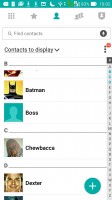
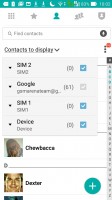
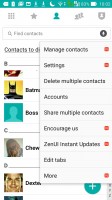

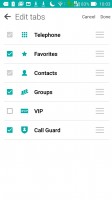
Contacts
Opening a single contact gives a quick glimpse over the available means of communication with that person. Tapping on the pencil in top right corner reveals the usual myriad of options for editing with virtually every detail getting a dedicated field.

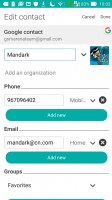
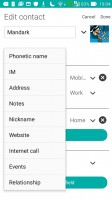
Contact editing
Telephony
There's no separate call log tab, instead it's combined with the dialer, and sits underneath the num pad. That one can be easily hidden though with a tap on the icon in bottom left. The call log gives you an option to show the calls by categories or all of them together, as well as a dedicated list for the VIP calls.
It's a dual-SIM smartphone, and as such the Zenfone Max offers a choice of options on how to handle the two cards. Within the settings menu you can enable/disable each of the SIMs, and also assign a name for easier distinction. Obviously, you can specify which one is used for different tasks such as voice calls or data transfer. Otherwise you'll get two call buttons below the num pad.
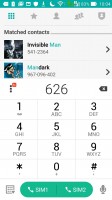
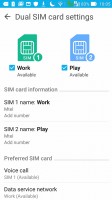
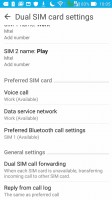
Dialer • Dual SIM settings
The Asus Zenfone Max posted an Average score in our loudspeaker test, on par with what we got from the Zenfone Selfie.
| Speakerphone test | Voice, dB | Ringing | Overall score | |
| 62.9 | 61.7 | 67.7 | Below Average | |
| 66.3 | 66.2 | 65.9 | Below Average | |
| 66.5 | 64.6 | 71.7 | Average | |
| 63.2 | 66.1 | 75.7 | Average | |
| 65.9 | 66.1 | 75.7 | Average | |
| 66.5 | 66.6 | 75.8 | Good | |
| 74.7 | 66.6 | 72.3 | Good | |
| 69.8 | 66.6 | 82.7 | Very Good | |
| 72.8 | 71.3 | 81.9 | Very Good | |
| 75.7 | 73.5 | 79.5 | Excellent | |
| 75.7 | 73.5 | 80.7 | Excellent |
Messaging and text input
The generic Messaging app on the Zenfone Max offers straightforward texts with Asus's take on design, and works well. You can attach a picture or a video or a number of other items and that automatically turns it into an MMS message.
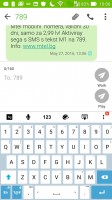
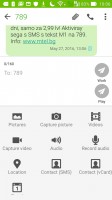
Messaging app
There's a single keyboard installed on the Zenfone Max, dubbed Asus Keyboard. It's not lacking in functionality and has a separate number row, which is handy, while still allowing for plenty of usable screen estate. Secondary symbols are also available, for quick punctuation or old-school emoticons without changing the entire layout.
It comes in five sizes, but Tall takes up more than half the screen and is a bit excessive. Most users will likely stick with Normal or even move the slider towards Short, which still provides adequate size.
It's Swype-enabled, although the solution comes from a competing company and is called Trace input, but the concept is the same. Flick input lets you change between upper and lower case simply by taping on the key and flicking it up for uppercase and down for lowercase - a nifty feature, saving you a tap on the dedicated button. Trace and Flick can't work together, though.
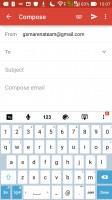
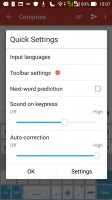
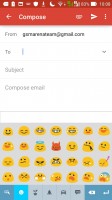
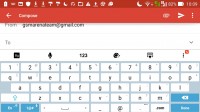
Asus Keyboard


Tip us
2.1m 180k
RSS
EV
Merch
Log in I forgot my password Sign up