Assembly line
Asus Memo Pad 7 ME176C review: Assembly line
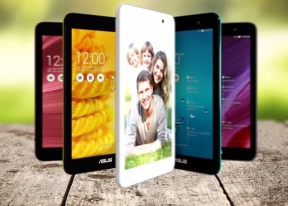
Android KitKat with custom Asus overlay
The Asus Memo Pad 7 ME176C runs on Android 4.4.2 KitKat with a large range of customizations from Asus. Not content with merely serving up the applications found in Google's vanilla KitKat build, Asus has thrown in a wide range of in-house applications such as the photo editor, music player, and more.
Here's a quick look at the user interface of the Asus Memo Pad 7:
The interface features the traditional Android lockscreen, showing the time and date alongside weather information. There's a few shortcuts to the camera, email app, and web browser, alongside a Google Now shortcut from the bottom.
On the right side, there's a look at the latest reminders from Asus' What's Next application, which shows upcoming events, reminders, weather info, and more. You can also choose from a selection of third-party and Android widgets, scrollable across the top half of the screen.
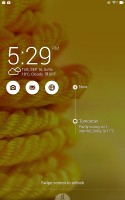
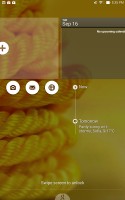
The standard lockscreen
Beyond the lockscreen is the Android homescreen with four customizable shortcuts docked at the bottom. Despite the ample space available, you cannot add more icons beyond these four, but there is folder support. There are preloaded Asus and Google folders, which contain a selection of applications from the respective companies - custom Asus apps in one, default Google apps in the other.
Rotating the tablet in landscape orientation will shift the shortcut dock to the right, while the on-screen contextual buttons remain at the bottom.
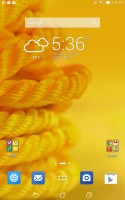
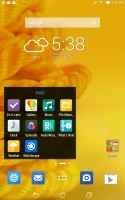
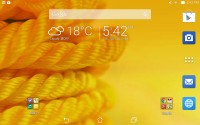
Folder options and landscape orientation on the homescreens
A pinch zoom lets you rearrange your homescreens, as well as select a default homescreen and add additional ones - up to nine total. Unlike on other launchers, this interface is not integrated with the widget/app menu.
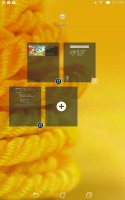
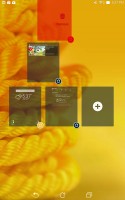
You can have a total of nine homescreen panes
There is an elegant notification area that only takes up as much space as there are notifications, rather than wasting the whole screen. Removing notifications is done with a sideways swipe or through the 'Clear all' button. Notifications can be expanded through the usual two-finger swipe.
You can access quick toggles and brightness slider from this interface as well - dragging down on the left side of the notification area will open up your notifications, while the right side will show your toggles. A two-finger swipe will also open your quick toggles. You can, of course, also customize which toggles appear as shortcuts, and holding down on a toggle will take you to the relevant menu in the settings.
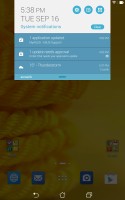
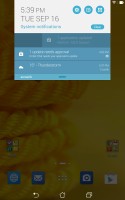
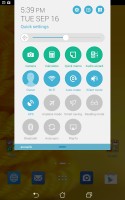
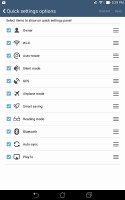
Notification area
The task switcher is accessed with the on-screen contextual button. You get a thumbnail of the app along with its icon, and you can swipe apps to the side to close them. Unfortunately, there's no 'Kill all' for when you have a large number of apps open.
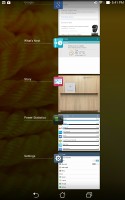
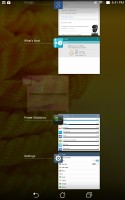
Task switcher


Tip us
2.1m 180k
RSS
EV
Merch
Log in I forgot my password Sign up