Blue collar
Sony Xperia E3 review: Blue collar
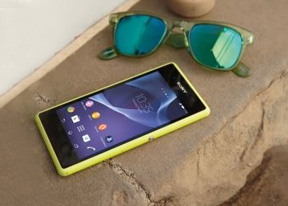
Android KitKat with Xperia flavor
The Sony Xperia E3 comes with Android 4.4.2 KitKat out of the box. The launcher looks identical to what you would see on any other KitKat Xperia smartphone, like the Xperia M2 Aqua we recently reviewed. If you aren't familiar with it, you can check out this quick video below to get you up to speed.
The lockscreen is the usual affair - it supports widgets (one per pane), while the rightmost pane will fire up the camera. There are a few available default widgets, but you can always get more from the Play Store. Also third party apps oftentimes come with their own set of extra widgets.
Naturally, you can protect your lockscreen by Face, Pattern, PIN or Password unlock, in ascending order of security.
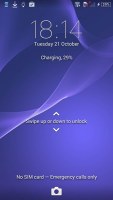
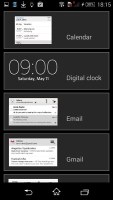
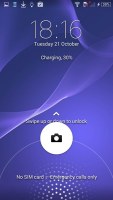
Xperia lockscreen
There are five homescreen panels by default and you can set any of them as your primary one. You can't have more than seven panes at any given time though, nor can you change the order they're in.
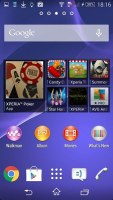
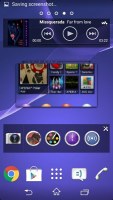
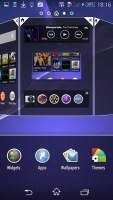
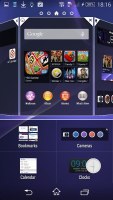
Homescreen
You can set various live and static wallpapers, add widgets and shortcut, or change the UI theme.
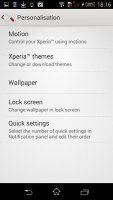
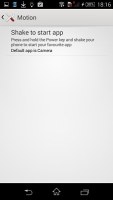
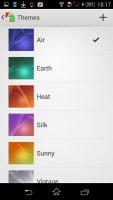
Customization • Themes
The notification area lists notifications in the default tab with a separate tab for Quick Settings. You can gain quick access to the Quick Settings tab with a two-finger swipe from the top. The toggles are customizable and you can choose between 20+ different toggles and have up to 12 of them visible in their dedicated page. Holding a finger over any toggle will give you direct access to its menu listing.
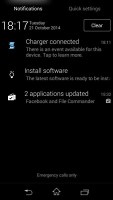
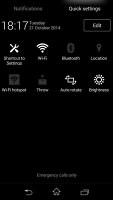
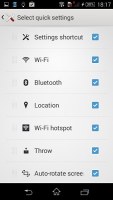
Notification area • Quick settings
The app drawer is laid out across multiple pages and you can sort the apps manually, alphabetically, by the most used or most recently installed. The menu with those settings is accessible via a swipe from the left edge of the screen and you can also search and even uninstall apps from there.
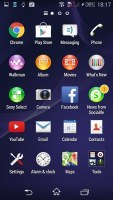
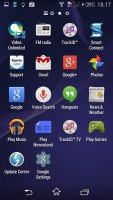
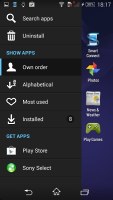
App drawer
The Xperia E3 uses the stock Android task manager that lets you switch between recently opened apps, as well as terminate them with a side-swipe.
The so-called "small apps" are also available in the Xperia E3 and are accessible via the task manager. They are similar to Samsung's Mini Apps, and pop up tiny widget-like applications on your homescreen, which you can move around and use without having to open the full-fledged app. So far, there's a default set of nine: Active Clip, Chrome Bookmarks, Browser, Calculator, Calendar, Gmail, Timer, Notes, and Touch Lock. You can launch only one instance of a Small App, but you can open multiple Small Apps simultaneously.
You can download more Small Apps off the Play Store or use the option to turn your favorite widgets into Small Apps. Just hit the Plus key at the top of the list and choose a widget. Sadly you can't disable the small apps entirely and will always have them cramming your recent apps whether you use them or not.
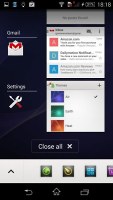
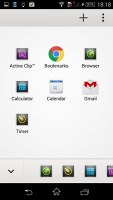
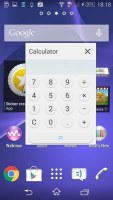
Task switcher • Small apps
Naturally, you can access Google Now by swiping from the bottom of the UI. There's another shortcut right next to the Google Now launch key called What's new. This app has very beautiful UI and will show you the hottest apps and multimedia today, but it isn't limited to the Play Store only. It'll display content from Sony's PlayStation store too.
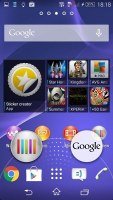
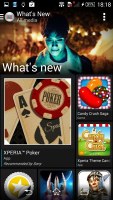

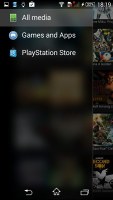
What's new
Finally, Google Now integrates with your Google account and can access your daily routine, internet searches, email, etc. and give you information relevant to your interests and daily needs.
The built-in 4GB of storage filled up pretty fast and the Xperia E3 needed a microSD card to help carry the load. And while we quickly obliged and moved the images, videos and other multimedia files over to the card apps were harder to move. You can transfer most of the built-in and all of the downloaded apps into the external memory but that would take you precious time and digging through the menus.


Tip us
2.1m 180k
RSS
EV
Merch
Log in I forgot my password Sign up