Another one in
Sony Ericsson XPERIA X2 review: Another one in
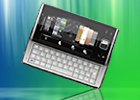
A really good phonebook
The phonebook, favorite contacts and the call log share one window in a tabbed interface. All of them are touch optimized, have small thumbs and use big enough fonts. There is letter-by-letter scrolling thanks to the alphabetical column on the right. There's an option to start the dialpad right here - it comes with Smart Dialing and works great.
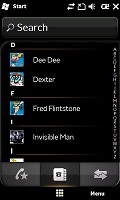
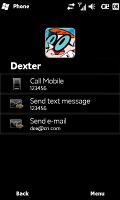
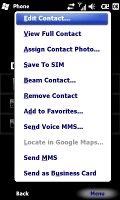
The phonebook
This whole new phonebook and call log combo is just fine, but we just can't understand why there are still too many places in the X2 system where you stumble upon the regular WinMo interface. We really hoped Sony Ericsson would fix this in the final product. Still, at least viewing a contact uses the new Sony Ericsson skin and means that all their hard work wasn't in vain.
In fact viewing a contact is really effective due to its simple design. You have the contact picture at the top and all the contact information underneath, everything stylishly dressed in black with white fonts and nice icons. It's great.
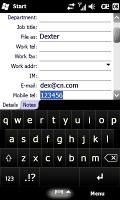
Unfortunately, editing or adding a contact throws you back into the old WinMo skin. At least you still have a plethora of available info fields - and if by any rare chance those are not enough, you can always rename some of the existing fields and use them instead.
Telephony is just great
One thing we have to admit: when it comes to telephony, Sony Ericsson never compromise with their handsets. The XPERIA X2 doesn't buck this trend and offers excellent in-call sound and clear reception.
The phone application offers Smart dialing, which means you will hardly ever need to go to the Contact list to dial a number.
The new Sony Ericsson menu hosts three tabs - favorite contacts, telephony and call log. Just below them is the shortcut to the virtual keypad, which we strongly recommend. It's touch-optimized, very good looking and pops up in front of the phone panel.
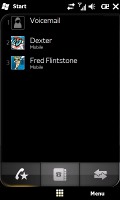
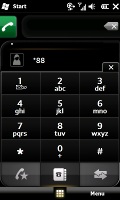
Favorite contacts • the dial pad
The call log is pretty standard, just like every other Sony Ericsson. If you select an event you will be redirected to a more informative window with call duration and options for call and text.
In addition, there is a proximity sensor to switch the display off when you hold the handset next to you ear.
When making a call you will have a bunch of typical smartphone options including taking notes, mute, volume, contacts and put on hold.
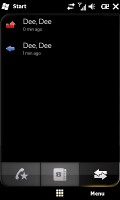
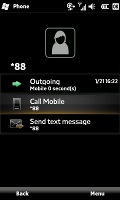
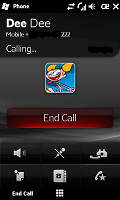
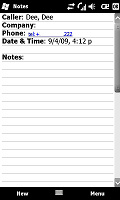
The call log and extended info • Making a call • Taking a note
The Sony Ericsson XPERIA X2 has a video call camera as well, but strangely, Sony Ericsson have not enabled any video telephony functionality. Hopefully, Sony Ericsson will enable that with an upcoming firmware update in March.
We also conducted our traditional speakerphone test to round off the phone part of the XPERIA X2 review. It scored an Average mark, which ranks it just below the middle of our list of tested devices. That means that you might just miss a few calls in noisier environments.
| Speakerphone test | Voice, dB | Ringing | Overall score | |
| Apple iPhone 3G | 66.1 | 62.1 | 71.7 | |
| Sony Ericsson XPERIA X2 | 66.5 | 69.6 | 65.6 | Average |
| Motorola MILESTONE | 69.7 | 78.0 | 66.2 | Good |
| Nokia N97 | 72.8 | 67.3 | 75.8 | Good |
| Sony Ericsson XPERIA X1 | 75.5 | 66.6 | 82.7 | Very Good |
| HTC Touch Pro2 | 74.6 | 70.0 | 78.1 | Very Good |
| LG KF900 Prada | 77.1 | 75.7 | 82.0 | Excellent |
More info on our test can be found here.
Messaging left where Windows Mobile 6 started
There are two ways to get to the messaging department - from the Start Menu or the new XPERIA Shortcuts. As we mentioned before, the new Shortcuts Menu has a Messaging area, from where you can run the SMS/MMS or Email applications. Unfortunately they haven't changed visually since the beginning of Windows Mobile 6 and look outdated.
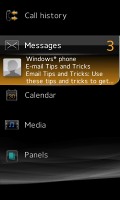
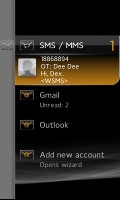
The new messaging menu
The Sony Ericsson XPERIA 2 supports SMS, MMS and email. SMS and MMS share an inbox and a message editor. Threaded SMS is also available just as it is across Windows 6.1 devices.
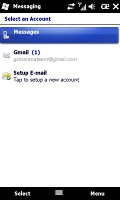
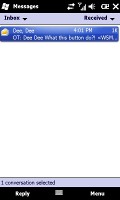
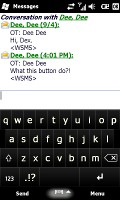
Typing SMS on the XPERIA X2
Setting up your email is easy as it gets. You type your email and password and all the other fiddly options are configured automatically.

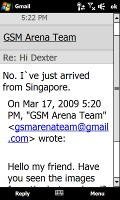
Browsing the email inbox • reading an email
Sony Ericsson have equipped the device with a new virtual keyboard, whereas on the XPERIA X1 they used the plain old WinMo variety. The new keyboard is a nice add-on since the default Windows Mobile keyboards are fit for stylus use only. We played around with it and both portrait and landscape modes were very comfortable to use.
But hey, we are pretty sure you'll use these virtual solutions rarely provided the full hardware QWERTY keyboard.
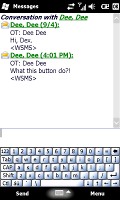
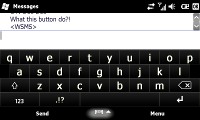
The virtual QWERTY keyboards on the XPERIA X2


Tip us
2.1m 180k
RSS
EV
Merch
Log in I forgot my password Sign up