Five to go
Sony Ericsson Xperia neo V review: Five to go
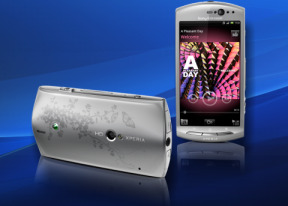
Connectivity has everything
The Sony Ericsson Xperia neo V has a good deal of connectivity options. The basics are covered by quad-band GSM/GPRS/EDGE and tri-band HSPA with download rates of up to 7.2 Mbps and upload at 5.76 Mbps.
It offers Wi-Fi (b/g/n) and Bluetooth 2.1 for wireless local connectivity. The Connected devices app turns your Xperia neo V into a DLNA server, letting you view media on DLNA-enabled devices (e.g. TV, PlayStation 3).
The microUSB v2.0 port handles both wired data transfer and charging. With the Android 2.3.4 Xperia neo V supports USB on-the-go, but you have to buy the Sony Ericsson Live Dock to be able to use it. When you get the accessory, you can connect wired and wireless USB accessories such as keyboard, mouse and gamepads to your phone. Unfortunately USB drives are not supported.
The LiveWare manager app lets you assign specific apps to be launched when a given accessory is connected, which can be quite handy (e.g. launch music player when you plug in headphones or a file browser for flash memory).
The inbuilt storage has 200MB only available to the user, but you can expand it up to 32GB via the microSD card slot. The phone ships with a 2GB memory card.
A standard 3.5mm audio jack and a micro HDMI port complete the connectivity tally. There is no micro HDMI cable included in the retail box.
Excellent web browser
The user interface of the browser is simple, with almost no visible chrome by default. Once the page loads, all you see is the URL bar and the bookmark button at the top of the screen. Once you zoom in and pan around though even that disappears (scroll to the top or press menu to bring it back).
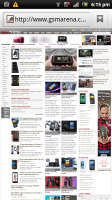
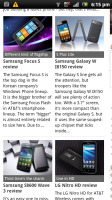
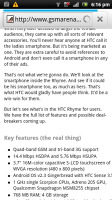
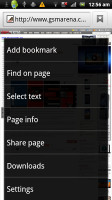
Xperia neo V web browser
That way you have the entire 3.7” screen for web browsing. The neo V browser supports double tap and pinch zooming, along with the dedicated virtual zoom buttons. There's text reflow, which reformats text so that it best fits on the screen.
The browsing performance is excellent - panning, zooming and the text reflow are blazing fast. The neo V web browser is an example of how a mobile browser should look and behave.
The minimalist UI is quite powerful – hit the menu key and six keys pop up. You can open a new tab, switch tabs, refresh the page, go forward, and open bookmarks. The last button reveals even more options (text copying, find on page, etc.).
One of the important features in the web browser is the full Flash 11 support. YouTube videos played smoothly at 360p and 480p, while the 720p ones got quite choppy. Flash games played trouble free.
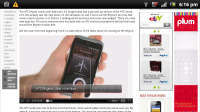

Playing YouTube videos in the browser • Flash games work too
Great organizing skills
The Sony Ericsson Xperia neo V comes with a solid set of organizing options, including a document viewer. The app in question is OfficeSuite and it has support for viewing document files (Word, Excel, PowerPoint and PDF, including the Office 2007 versions). For editing, you will need to get the paid app.
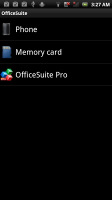
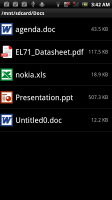
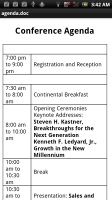
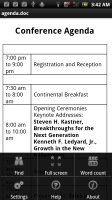
The OfficeSuite reader
Reading documents is quite comfortable on the high-resolution screen and panning is blazing fast.

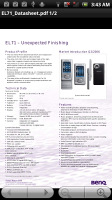
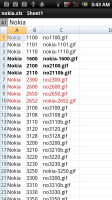

The OfficeSuite enables you to view Office documents on Xperia neo V
The doc viewer integrates with both Gmail and the generic email app, which makes viewing attachments a cinch. The generic Email app even lets you download the attachments.
The calendar has three different types of view - daily, weekly and monthly. The lower section of the screen is reserved for Agenda: a list of upcoming events. Adding a new event is quick and easy, and you can also set an alarm to act as a reminder.
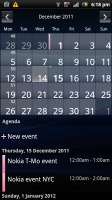
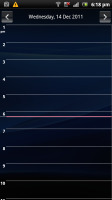
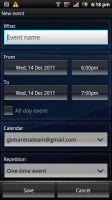
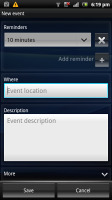
The organizer centerpiece - the calendar
The Calendar also pulls info on upcoming events from your Facebook account. Events appear just like regular events but you can't edit them from the phone, they are read-only.
There is also a calculator aboard. It is nicely touch optimized - the buttons are really big and easy to hit. You can pull out advanced functions (trigonometry, logarithms) from the menu.
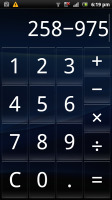
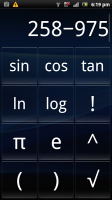
Regular Calculator • Scientific Calculator
The alarm clock app allows a huge number of alarms to be set, each with its own start and repeat time. The Alarms app can also work as a desk clock - you have a big toggle for the brightness, weather info and shortcuts to gallery slideshow and the music player.
Unfortunately, you don’t have the Stopwatch, Timer or World Clock options. You don’t get a Voice Recorder either. There's plenty of those in the Android Market though.
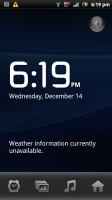
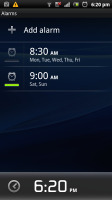
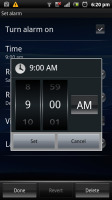
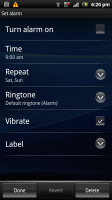
The Clock • Creating alarm


Tip us
2.1m 180k
RSS
EV
Merch
Log in I forgot my password Sign up