GSMArena.com GSMArena.com

Tip us

2.1m
180k
RSS

EV

Merch

Log in

Login

I forgot my password
Sign up
  • Home
  • News
  • Reviews
  • Videos
  • Featured
  • Phone Finder
  • Deals
  • Merch
  • Coverage
  • Contact
ADVERTISEMENT
GSMArena team, 1 April 2011

Android de Triumph


Sony Ericsson XPERIA Arc review: Android de Triumph

  • Comments (292)
  • User reviews
  • Xperia Arc

9. Connectivity, web browser
  1. 1. Introduction
  2. 2. Unboxing, 360-degree spin, design and display
  3. 3. Controls and construction
  4. 4. User interface, benchmarks, Timescape UI
  5. 5. User interface continued: Facebook integration
  6. 6. Phonebook, telephony, messaging, text input
  7. 7. Gallery, music and video players, FM radio, audio quality
  8. 8. Camera, image quality, video recording
  9. 9. Connectivity, web browser
  10. 10. Organizer, GPS, Android Market
  11. 11. Conclusion
  12.  
  13. Sony Ericsson Xperia Arc specification
  14. User opinions and reviews
  15. Review comments (292)

Sony Ericsson Android Touch UI

Connectivity

The Sony Ericsson XPERIA Arc has the full set of connectivity options: quad-band GSM/GPRS/EDGE and tri-band HSPA with download rates of up to 7.2 Mbps and upload at 5.76 Mbps.

It offers Wi-Fi (b/g/n), USB v2.0 and Bluetooth 2.1.

The inbuilt storage is 320MB only, but you can expand it up to 32GB via the microSD card slot. The phone will ship with an 8GB memory card.

Unlike the Nexus S though, there is no NFC support.

A standard 3.5mm audio jack and the mini-HDMI port complete the connectivity tally. Unfortunately you’ll have to buy your own HDMI cable, it’s not included in the retail box.

A great web browser

With added Flash 10.1 support and the latest and fastest UI version, 2.3.2 Gingerbread, the Arc’s web browser does a great job.

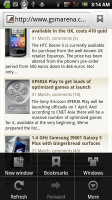
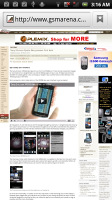
The user interface is pretty much nonexistent at first sight. Once the page loads, all you see is the URL bar and the bookmark button on a line at the top of the screen. Once you zoom in and pan around though even that line disappears (scroll to the top or press menu to bring it back).
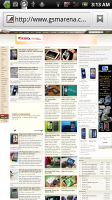
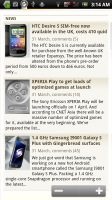
Sony Ericsson XPERIA Arc Sony Ericsson XPERIA Arc Sony Ericsson XPERIA Arc
XPERIA Arc web browser

That way you have the entire 4.2” screen for web browsing. The Arc’s browser supports double tap and pinch zooming, along with the dedicated virtual zoom buttons.
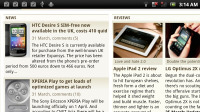
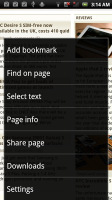
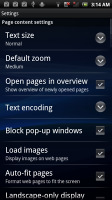
Sony Ericsson XPERIA Arc Sony Ericsson XPERIA Arc Sony Ericsson XPERIA Arc
Browser in landscape mode • Settings

The browser supports text reflow, but it works only with double tap zooming – a moment after setting the zoom level, columns of text align to fit the screen width. Without text reflow you will either have to zoom out until the text fits (but then it’s too small to read comfortably) or scroll sideways to read each line.
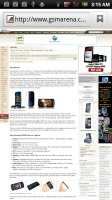
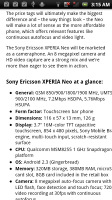
Sony Ericsson XPERIA Arc Sony Ericsson XPERIA Arc
Text reflow

The minimalist UI is quite powerful – hit the menu key and six keys pop up. You can open a new tab, switch tabs, refresh the page, go forward, and open bookmarks. The final button reveals even more options (text copying, find on page, etc.).

The bookmark list shows a thumbnail of the bookmarked page and you also get a “most visited” list in addition to the history.
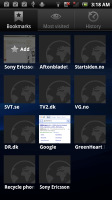
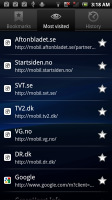
Sony Ericsson XPERIA Arc Sony Ericsson XPERIA Arc Sony Ericsson XPERIA Arc
The bookmarks section • History • Most visited

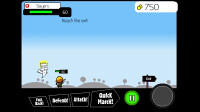
One of the big updates of the XPERIA Arc’s (or any other Gingerbread phone) web browser is the full Flash support with the Adobe Flash 10.2 player. YouTube videos played quite smoothly (360p-480p), and so did the games from Kongregate, for example.

The Sony Ericsson Arc supports the latest Adobe Flash 10.2 but you have to download it separately for free from the Android Market.
Sony Ericsson XPERIA Arc Sony Ericsson XPERIA Arc Sony Ericsson XPERIA Arc
Playing a You Tube video within the browser • Playing a flash game in the browser

The high-quality videos on YouTube and other Flash video services had some dropped frames, but the overall Flash performance turned out pretty decent. The YouTube app is still there though, just in case.

Next Page » 10. Organizer, GPS, Android Market
9. Connectivity, web browser
  1. 1. Introduction
  2. 2. Unboxing, 360-degree spin, design and display
  3. 3. Controls and construction
  4. 4. User interface, benchmarks, Timescape UI
  5. 5. User interface continued: Facebook integration
  6. 6. Phonebook, telephony, messaging, text input
  7. 7. Gallery, music and video players, FM radio, audio quality
  8. 8. Camera, image quality, video recording
  9. 9. Connectivity, web browser
  10. 10. Organizer, GPS, Android Market
  11. 11. Conclusion
  12.  
  13. Sony Ericsson Xperia Arc specification
  14. User opinions and reviews
  15. Review comments (292)

Reviews Sony Ericsson XPERIA Arc reviewPage 9
  • Comments (292)
  • User reviews
  • Xperia Arc

Phone finder

  • Samsung
  • Apple
  • Huawei
  • Nokia
  • Sony
  • LG
  • HTC
  • Motorola
  • Lenovo
  • Xiaomi
  • Google
  • Honor
  • Oppo
  • Realme
  • OnePlus
  • Nothing
  • vivo
  • Meizu
  • Ulefone
  • Alcatel
  • ZTE
  • RugOne
  • Umidigi
  • Fairphone
  • Oscal
  • Sharp
  • Micromax
  • Infinix
  • Asus
  • Tecno
  • Doogee
  • Blackview
  • Cubot
  • Oukitel
  • Itel
  • TCL

All brands Rumor mill

ADVERTISEMENT

Popular reviews

Oppo Find X10 Pro Max review
Apple iPhone 18 Pro Max review
Apple iPhone 18 Pro review
ADVERTISEMENT

ELECTRIC VEHICLES

Svolt's 100 kWh semi-solid-state battery enters mass production Svolt's 100 kWh semi-solid-state battery enters mass production Dodge brings its electric and twin-turbo Chargers to EuropeVolkswagen takes the slow road to hands-off driving in China
ADVERTISEMENT
Ads by Playwire

Home News Reviews Compare Coverage Glossary FAQ RSS Youtube Instagram TikTok Facebook Twitter

© 2000-2026 GSMArena.com Mobile version Android app Tools Contact us Merch store Privacy Terms of use