Droid's got talent
Sony Ericsson Live with Walkman review: Droid's got talent
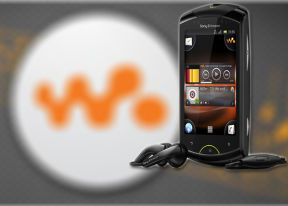
User interface: more than one widget per screen
The Sony Ericsson Live with Walkman runs Android 2.3 Gingerbread, with a custom skin and a nice package of apps. The corner-based homescreen of the Xperia minis makes a comeback.
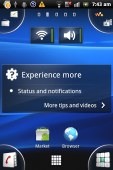
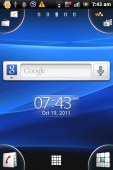
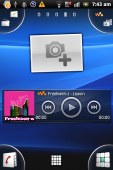
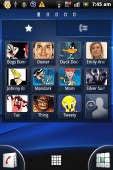
The Sony Ericsson Live with Walkman UI
You get five homescreen panes to fill with widgets, shortcuts or folders, and the corner drawers are visible on all screens. With a minor exception: if a widget is too big (the People widget for example) it hides the top two corners.
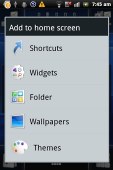
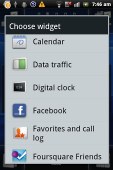
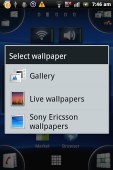
Adding stuff to the homescreen • Setting a wallpaper
We quite like Sony Ericsson's Overview mode on the homescreen. You pinch to zoom out on any of the 5 homescreen panes and a new pane sets in with a cool transition effect to display all of your active widgets. If there is not enough space for all the widgets, they start floating on the screen overlapping.
The Overview mode is similar to HTC’s Leap view or what Samsung have in TouchWiz. However, widgets are not ordered in mini screens, so small that you cannot actually see what’s on each of them. Widgets are shuffled together instead so they can better use the space. They are as big as possible and thus easier to tap on.
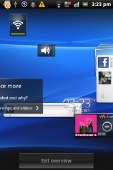
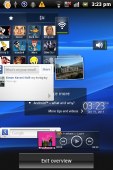
The Sony Ericsson Overview is very nice
The four corners can host up to four shortcuts each, as easy to assign as a simple drag-and-drop. If a corner has a single shortcut (just the dialer for example), the respective app launches automatically upon a tap. If there is more than one shortcut - the tab expands into a jog wheel so you can make your choice properly. You can't put folders there though.
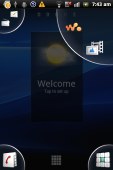
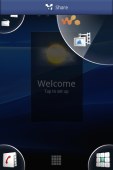
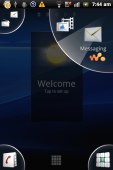
Sony Ericsson corner tabs • Adding an app to a corner tab
Inside the main menu, you will see shortcuts in the bottom corners. They let you sort the icons within the grid – you can either go for the automatic options (alphabetical, most used or recently installed) or you can manually move the icons.
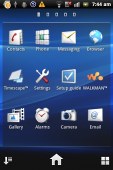
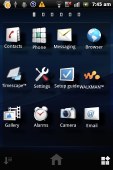
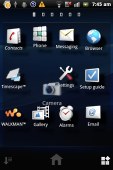
The main menu • Rearranging menu icons
The Sony Ericsson Live with Walkman supports both static and live wallpapers. There are 15 static wallpapers and a single live one (Maps), but you can always get more at the Market or use a picture from your personal gallery.
The Live with Walkman has themes enabled too but the implementation is pretty basic: a theme only changes the wallpaper and the system menus. On a positive note, if you like Sony Ericsson's wave theme but you are tired of watching it in blue, now you can have it in a lot more colors.
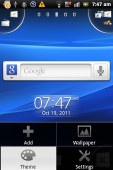
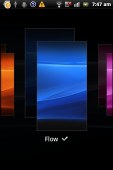
Choosing a theme
We're very pleased with the interface response. It's zippy throughout, probably due to the lower screen resolution (HVGA instead of WVGA or higher). And the UI is well optimized for the smallish screen.
A better Timescape UI
The Timescape brings all your communications together: an aggregate view of your SMS, MMS, email, call log, Facebook and Twitter updates. You can easily filter the contents by type and get all relevant information in one place.
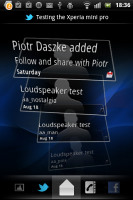
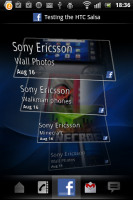
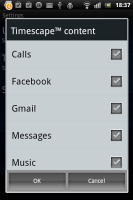
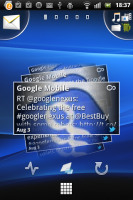
The Timescape app • The Timescape widget
With Timescape you not only see the latest activities and updates of your contacts but also share your own status, reply to received messages or return a missed call.
You can set it as a homescreen widget too. There are free Timescape plugins on the Android Market for Sony Ericsson users. Currently, you can update your Timescape with mixi, Foursquare, Orkut, Gmail, Music and Photo extensions.
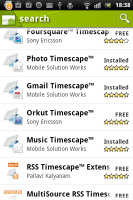
You can find Timescape plugins in the Android Market
Benchmarks
The Sony Ericsson Live with Walkman comes with a 1GHz ARMv7 processor and 512MB of RAM. That’s enough power to smoothly handle loads of apps. Gingerbread helps in this department too and HVGA resolution means the GPU has much less pixels to process.
We ran our usual set of benchmarks on the Live with Walkman. Here are the numbers.
On Quadrant it got the respectable 1748 points, which is well over some of last year’s top droids. On Neocore it went up to 64.5 frames per second, which is a good achievement.
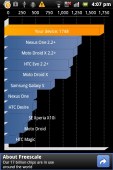
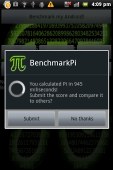

Quadrant • BenchmarkPi • Neocore
The AnTuTu pits the Sony Ericsson Live with Walkman against the best in class and the score of nearly 3000 points beats the likes of the Nexus S and Desire HD. Smartbench 2011 was the only mediocre score for the Live with Walkman.
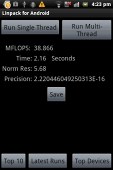
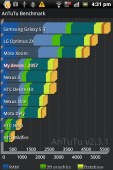
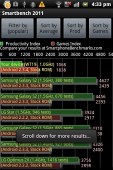
Linpack • AnTuTu • Smartbench 2011
Numbers aside, the Live with Walkman doesn’t disappoint in terms of actual performance. It’s a very fluid and responsive smartphone and you’ll hardly find anything to complain about. The fact that in-browser Flash playback goes up to 720p trouble-free is evidence of the kind of performance to expect.


Tip us
2.1m 180k
RSS
EV
Merch
Log in I forgot my password Sign up