Allroad Cyber-shot
Sony Ericsson C702 review: Allroad Cyber-shot

Multimedia
The time proven Media center is the core of the multimedia features in the phone. It is important enough to have a dedicated shortcut on the left soft key in standby.
The Media center menu lists the Photo, Music, Video, Games, Web Feeds, TV and Settings icons. The current pick is highlighted and the count of included files is displayed. You may opt for portrait or landscape screen orientation.
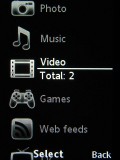
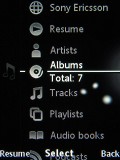
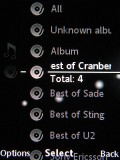
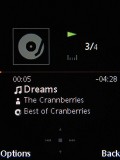
Media center and its music section
Sony Ericsson C702 is equipped with the Sony Ericsson Music Player 3.0. The player supports MP3, AAC, and AAC+, WAV, WMA, M4A and MIDI file formats and sports the MegaBass equalizer preset. The player can naturally be set to run in the background. If you are not willing to use the media player step-by-step structure, you can directly play a file through the file manager with its classic flat tree structure. Sony Ericsson C702 doesn't offer additional player skins. Extras, as Shake control and SensMe are not supported by C702.
If you are willing to find a particular song, but know just a part of its name, don't worry, just type it in track list and the phone will automatically find and display it. If you're not using some of the music options, you can disable them in the options menu.
The video player, previously found in the entertainment sector, is now accommodated in the media center as well. It supports fast-forwarding and rewinding, as well as playing clips in slow motion. The interface is simple but stylish, although it fails to impress from a functional point of view.
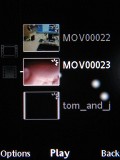

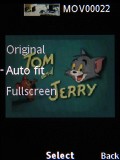
The video player


Using the video player in landscape mode is much more comfortable
The game section houses two games - the Brain Juice and the FotoQuest Fishing; both provided by the Digital Chocolate, Inc. Both games are very good and rather amusing. The FotoQuest Fishing takes you underwater in the role of a scuba photographer where you get to do assignments on capturing rare and beautiful fishes on film. The second game, Brain Juice, we see for the first time in C702. It is quite entertaining and involves solving mathematical problems, memory games and pattern recognition exercises.
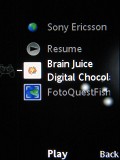

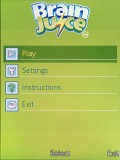

Brain Juice game in the Games sector of Media center

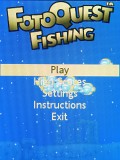

The FotoQuest Fishing game
| "...The TV department in the media center allows you to watch online video clips directly from YouTube. All you need is to properly set the streaming settings. Recently featured, most viewed and top rated clips are..." | ADVERTISEMENT
|
The TV department in the media center allows you to watch online video clips directly from YouTube. All you need is to properly set the streaming settings. Recently featured, most viewed and top rated clips are just a few clicks away. Sadly, searching a clip is not supported.
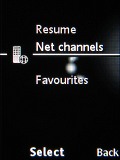

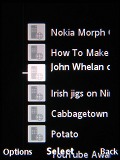

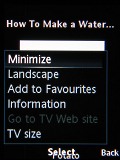
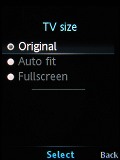
The TV department in Media center plays YouTube video clips
The integrated FM radio of Sony Ericsson C702 has memory for 20 preset stations and supports RDS. You may opt for switching off the RDS, using TrackID to find a name of a song or turn Mono on/off.
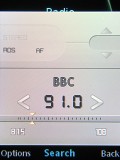
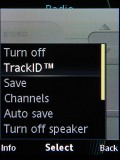
Tuning in to a station • options menu with TrackID
Some other multimedia applications include MusicDJ, VideoDJ and PhotoDJ. VideoDJ is for making video clips from scratch or editing existing recordings using special transition effects and adding background music. It can be a very amusing application. MusicDJ is a very simple application for creating custom polyphonic melodies. PhotoDJ is convenient software for image editing, including features as auto level, light balance, bright/contrast, color balance, effects, etc.
Another piece of multimedia software is the PlayNow 5.0, a convenient and easy-to-use direct link for downloading ringtones, full track music, games, themes and wallpapers. PlayNow offers content for mobile download and the users can preview content before purchase.
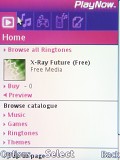
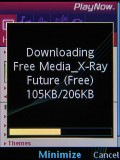
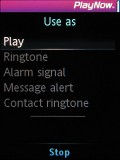
PlayNow 5.0 application
By combining the PlayNow catalogue with applications like TrackID users are presented with a My TrackID list and TrackID Charts by country, created by TrackID users around the world. These charts are based on what songs other users are searching for and want to hear the most. PlayNow™ supports MP3 and Windows Media DRM file formats.


Tip us
2.1m 180k
RSS
EV
Merch
Log in I forgot my password Sign up