Samsung Gear Sport review
S-Voice
If you're the kind of person that finds smart watches fiddly then the concept of controlling your watch via S-Voice is enticing.
You can set a wake-up voice command, launch the app from the app screen or assign S-Voice to the Double pressing of the home key. You have to speak quite loud though for the Samsung Gear to hear you, probably due to its single microphone. When it came to the smart 'watchy' type of commands we had success in launching apps, initiate phone calls and setting reminders.
The S-Voice integration into the fitness side are hit and miss though. You can successfully start a workout and log caffeine intake for example with your voice but when asking 'how many steps have I done today' we were shown a BBC article instead.
It's rumored that Bixby will be coming to empower Samsung Wear devices at some point in the future but it's unknown if that will be an update for existing devices or for future devices only.
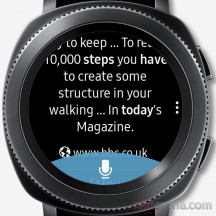
When asking how many steps we'd done we were presented with this
Music Playback
If you're one of those people who like to workout to music then, battery life aside, the Gear Sport will not disappoint.
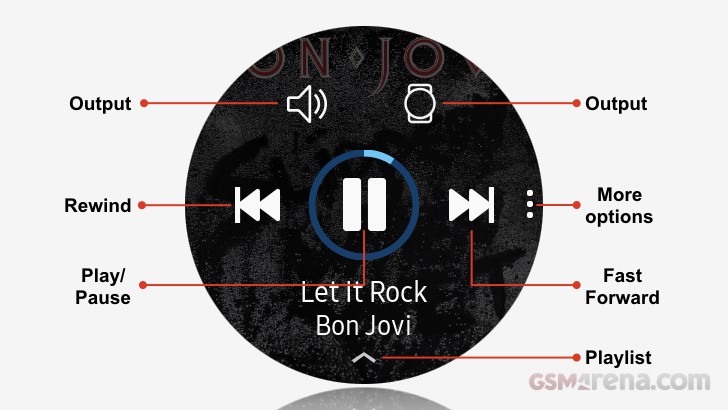
All the usual suspects are supported when it comes to local music playback - MP3, M4A, 3GA, AAC, OGG, OGA, WAV, WMA, AMR, AWB.
We thought we had a problem when initially trying to sync our music, but it transpired that it was simply very slow, and we were too impatient. Eventually we transferred our album, but it took just under 10 minutes to transfer our 87MB M4A album. Hopefully, you won't be doing this too often!
From within settings, aside from enabling/disabling Bluetooth, you can pair a Bluetooth headset. We had no problem pairing a new set of Beats X headphones.
Spotify - whilst not a default app, it's worthy of a mention. In addition to streaming music over Wi-Fi it also provides the ability to have off-line playlists. From within your play lists you simply swipe a button to download the selected play list for music playback.
When streaming music over Wi-Fi we recorded a 15% battery drain over a 40-minute period, with the volume set at %75 of its maximum.
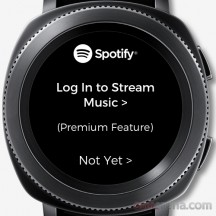
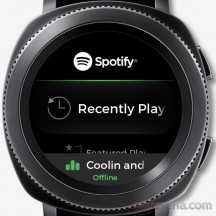
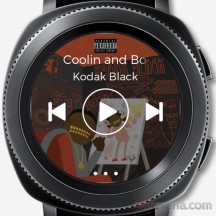
Spotify log-in screen • Spotify menu • Spotify now playing
Supporting Applications
The Gear Sport has two supporting smart phone apps, which need to be installed on your phone and help you manage the watch's features.
Samsung Gear allows you to configure hardware settings, notification settings, install new watch faces and apps, transfer content and set up SOS. A worthy mention goes to the app management feature that shows how much battery, RAM and CPU a particular app is using. Useful if you're seeing excessive battery drain.
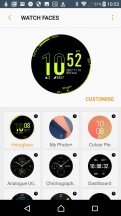
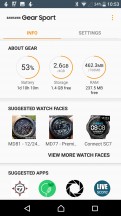
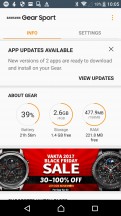
Configure watch faces • Check watch status • Update & install apps
Samsung Health captures all the health and fitness data from the Gear Sport in addition to allowing you to view/download health and fitness programmes to be used in conjunction with the Gear Sport.
For more detail you can see our Samsung Gear S3 review.
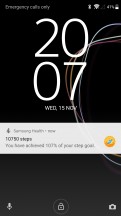
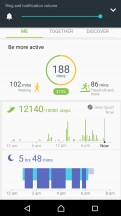
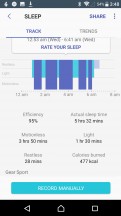
Daily activity updates • Health summary screen • Sleep summary screen


Tip us
2.1m 180k
RSS
EV
Merch
Log in I forgot my password Sign up