Just for starters
Samsung Galaxy Young S6310 review: Just for starters
Standard connectivity
The Samsung Galaxy Young has the standard set of connectivity features - quad-band 2G and dual-band 3G with 14.4Mbps HSDPA and 5.76Mbps HSUPA.
The Wi-Fi support covers b/g/n with Wi-Fi Direct and DLNA is also part of the package.
There's also Bluetooth 4.0 LE, which builds on Bluetooth 3.0 with the efficient Low Energy mode. It has better range and uses less energy than previous iterations and is becoming quite popular with training accessories (like heart rate monitors and cadence sensors), elbowing out ANT+ technology.
The Young has a built-in A-GPS receiver that also works with GLONASS. With both global positioning systems, you get more satellites available, which improves lock times and accuracy both in the urban jungle and in an actual jungle.
Tweaked Jelly Bean browser
The Samsung Galaxy Young has a tweaked version of the Jelly Bean Android browser, but Chrome also comes pre-installed, if that's what you prefer.

The Android browser
Anyway, the default browser supports both double tap and pinch zooming along with the two-finger tilt zoom. There are niceties such as multiple tabs, text reflow, find on page and so on. A neat trick is to pinch zoom out beyond the minimum - that opens up the tabs view.
The Web browser comes with Incognito mode, which lets you surf the web without the browser keeping track of your history or storing cookies. You can also switch to a more minimalist UI, which currently is in a Lab stage. It disables most of the browser's user interface and gives you a quick five-button layout to access the basics.
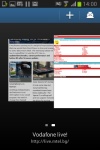
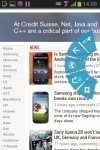
Tabs view • Quick controls
Organizer and apps
The Samsung Galaxy Young comes with QuickOffice out of the box and it's the full version that can create and edit files too. It supports Word, Excel and PowerPoint files (97, 2007 and 2010 docs are supported) and can view PDFs too.
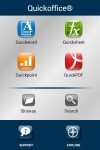
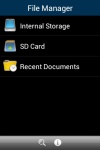
QuickOffice
The editors are quite capable - the Word editor can do complex text formatting, create tables, while the Excel editor has full support for editing formulas.
The S Planner is a skinned calendar that is easy to use with your fingers. The tabbed interface lets you easily toggle between year, month, week, day list and task views.
The S Planner app can sync with multiple calendars and you can switch off individual ones to reduce the clutter.
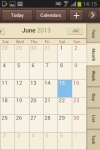
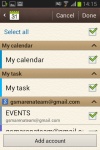
S Planner
Samsung has enabled its new S Cloud service on the Galaxy Young. It can sync contacts, calendar and S memos and back up logs, messages (SMS and MMS) and the wallpaper. You can choose not to back up some of those things and you can set up automatic backups.
The clock app features is laid out across five tabs, each with a different function. The first tab lets you create multiple alarms (each with a distinct repeat time and ring tone), then there are the World clock, stopwatch, timer and desk clock tabs.
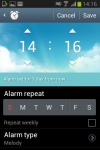
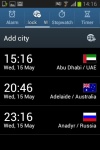
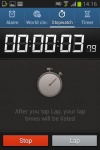
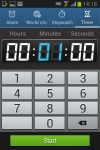
The Clock app handles many extras
The Calculator features big buttons, but you can enable one-handed operation to make things more manageable. The text size is adjustable and if you flip the phone horizontally, you get some advanced math functions too.
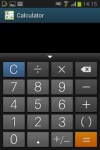
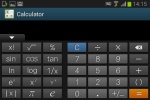
Calculator has adjustable font size and advanced math functions
The My Files app lets you browse all the files in your phones' memory or on an attached microSD card. The app is launched automatically when you hook up a USB mass storage device (a USB drive, another phone, an SD card etc), which we find to be a nice touch.
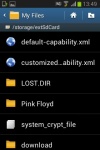
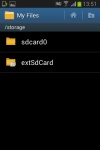
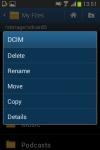
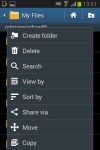
The My files app


Tip us
2.1m 180k
RSS
EV
Merch
Log in I forgot my password Sign up