GSMArena.com GSMArena.com

Tip us

2.1m
180k
RSS

EV

Merch

Log in

Login

I forgot my password
Sign up
  • Home
  • News
  • Reviews
  • Videos
  • Featured
  • Phone Finder
  • Deals
  • Merch
  • Coverage
  • Contact
ADVERTISEMENT
GSMArena team, 5 July 2013

Third time's the charm


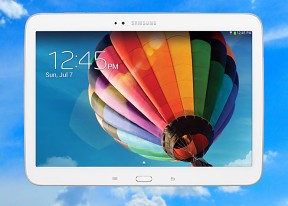
Samsung Galaxy Tab 3 10.1 review: Third time's the charm
  • Comments (39)
  • Galaxy Tab 3 10.1 P5220
  • Galaxy Tab 3 10.1 P5200

7. Still image and video quality
  1. 1. Introduction
  2. 2. Design and controls, Display
  3. 3. User interface
  4. 4. S Voice and Google Now, synthetic benchmarks
  5. 5. Phonebook, telephony, messaging
  6. 6. Gallery, multimedia, audio quality, loudspeaker
  7. 7. Still image and video quality
  8. 8. Connectivity, web browser
  9. 9. Organizer, Google Maps, Play Store
  10. 10. Conclusion
  11.  
  12. Samsung Galaxy Tab 3 10.1 P5220 specification
  13. Samsung Galaxy Tab 3 10.1 P5200 specification
  14. Samsung Galaxy Tab 3 10.1 P5210 specification
  15. Review comments (39)

Samsung Android Tablets

3MP camera is nothing to write home about

The Samsung Galaxy Tab 3 10.1s main camera can capture stills of up to 2048 x 1536 pixels and 720p videos, while the one on the front takes 1.3MP pictures and VGA video.

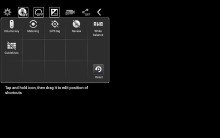
The updated user interface we first saw on the Galaxy Camera. A virtual shutter key and a capture video button are always available in the viewfinder, so you don't have to switch modes. However, this is certainly not the most convenient solution as, if you're shooting 16:9 720p videos, you'll still have to frame your videos using a 4:3 aspect ratio viewfinder.

Samsung Galaxy Tab 3 101 Samsung Galaxy Tab 3 101
Samsung Galaxy Tab 3 10.1 user interface

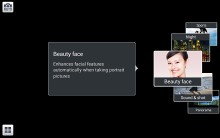
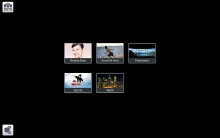
The Mode button brings up a carousel with different shooting modes, each mode comes with a descriptive image and text. When you get familiar with those modes, you can switch to the grid, which drops the descriptions but is faster.
Samsung Galaxy Tab 3 101 Samsung Galaxy Tab 3 101
The different shooting modes

The camera app offers a fair amount of features including geotagging, Panorama, Beauty face, Sound & Shot, low-light mode, Sports, and more, but some of the premium shooting modes found on other devices are missing.

The image quality of the 3MP camera is not as good as on phones and phablets, but it's less likely after all that you'll be lugging around the 10-inch device out and about to shoot a lot of photos.

The noise levels are kept down for the most part, and the level of detail is fairly high despite the low resolution, but the colors look bland and the dynamic range is poor.

Check out these camera samples:

Samsung Galaxy Tab 3 101 Samsung Galaxy Tab 3 101 Samsung Galaxy Tab 3 101
Samsung Galaxy Tab 3 10.1 camera samples

Photo quality comparison

You can get a good idea of how the Samsung Galaxy Tab 3 10.1 camera fares against other smart devices. 3MP and otherwise, with our Photo compare tool.
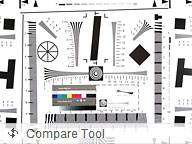
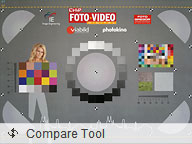
Photo Compare Tool Photo Compare Tool Photo Compare Tool
Samsung Galaxy Tab 3 10.1 in our Photo Compare Tool

Video camera

The Samsung Galaxy Tab 3 10.1 stores videos in MP4 files with a bitrate of around 12Mbps, although we've seen this drop down to almost 10Mbps in action-packed scenes. Stereo audio is recorded at 128Kbps and a sampling rate of 48kHz.

Touch focus is not available, instead you'll have to settle with continuous autofocus, which tends to trigger just a bit too often.

Videos captured with the Samsung Galaxy Tab 3 10.1 tends to have accurate if somewhat muted colors, and the dynamic range leaves something to be desired. Noise levels and white balance are similar to those in still images.

Check out this 720p video sample we shot with the Galaxy Tab 3 10.1:

You can also download the untouched video sample - 720p@30fps (16s, 22.2MB).

Video quality comparison

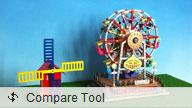
The Samsung Galaxy Tab 3 shoots 720p videos, which you can again compare with other devices in our database by using our Video compare tool.
Video Compare Tool Video Compare Tool Video Compare Tool
Samsung Galaxy Tab 3 10.1 in our Photo Compare Tool

Next Page » 8. Connectivity, web browser
7. Still image and video quality
  1. 1. Introduction
  2. 2. Design and controls, Display
  3. 3. User interface
  4. 4. S Voice and Google Now, synthetic benchmarks
  5. 5. Phonebook, telephony, messaging
  6. 6. Gallery, multimedia, audio quality, loudspeaker
  7. 7. Still image and video quality
  8. 8. Connectivity, web browser
  9. 9. Organizer, Google Maps, Play Store
  10. 10. Conclusion
  11.  
  12. Samsung Galaxy Tab 3 10.1 P5220 specification
  13. Samsung Galaxy Tab 3 10.1 P5200 specification
  14. Samsung Galaxy Tab 3 10.1 P5210 specification
  15. Review comments (39)

Reviews Samsung Galaxy Tab 3 10.1 reviewPage 7
  • Comments (39)
  • Galaxy Tab 3 10.1 P5220
  • Galaxy Tab 3 10.1 P5200

Phone finder

  • Samsung
  • Apple
  • Huawei
  • Nokia
  • Sony
  • LG
  • HTC
  • Motorola
  • Lenovo
  • Xiaomi
  • Google
  • Honor
  • Oppo
  • Realme
  • OnePlus
  • Nothing
  • vivo
  • Meizu
  • Ulefone
  • Alcatel
  • ZTE
  • RugOne
  • Umidigi
  • Fairphone
  • Oscal
  • Sharp
  • Micromax
  • Infinix
  • Asus
  • Tecno
  • Doogee
  • Blackview
  • Cubot
  • Oukitel
  • Itel
  • TCL

All brands Rumor mill

ADVERTISEMENT

Popular reviews

Oppo Find X10 Pro Max review
Apple iPhone 18 Pro Max review
Apple iPhone 18 Pro review
ADVERTISEMENT

ELECTRIC VEHICLES

Cheap hatchbacks and Chinese partnerships are propping up the Stellantis EV strategy Cheap hatchbacks and Chinese partnerships are propping up the Stellantis EV strategy 2026 Volvo EX90 Twin Motor Performance real life range test with 21-inch wheels and summer tiresBYD is teasing its new Yangwang flagship destined for UAE
ADVERTISEMENT
Ads by Playwire

Home News Reviews Compare Coverage Glossary FAQ RSS Youtube Instagram TikTok Facebook Twitter

© 2000-2026 GSMArena.com Mobile version Android app Tools Contact us Merch store Privacy Terms of use