GSMArena.com GSMArena.com

Tip us

2.1m
180k
RSS

EV

Merch

Log in

Login

I forgot my password
Sign up
  • Home
  • News
  • Reviews
  • Videos
  • Featured
  • Phone Finder
  • Deals
  • Merch
  • Coverage
  • Contact
ADVERTISEMENT
GSMArena team, 19 April 2012

Make it two


Samsung Galaxy Tab 2 10.1 review: Make it two
  • Comments (64)
  • Galaxy Tab 2 10.1 P5110
  • Galaxy Tab 2 10.1 P5100

7. Web browser, organizer
  1. 1. Introduction
  2. 2. Design and build quality
  3. 3. User interface, benchmarks
  4. 4. Phonebook, telephony, messaging, emails
  5. 5. Gallery, video and music players, audio quality
  6. 6. Camera, image quality, video recording, connectivity
  7. 7. Web browser, organizer
  8. 8. Apps, maps, app stores
  9. 9. Final words
  10.  
  11. Samsung Galaxy Tab 2 10.1 P5110 specification
  12. Samsung Galaxy Tab 2 10.1 P5100 specification
  13. Review comments (64)

Samsung Android Tablets

Excellent web-browsing

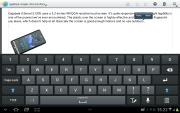
The web browser is another key app as far as tablets are concerned. There is full Flash 11 support and tabbed browsing.

The tabs are kept in a bar on top, much like on a desktop browser. The address bar and search bar are incorporated in a single field - typical Android - which scores another point for the Galaxy Tab 2 10.1.
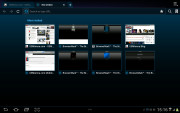
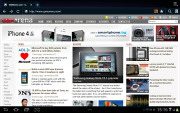
Samsung Galaxy Tab 2 10.1 Samsung Galaxy Tab 2 10.1 Samsung Galaxy Tab 2 10.1
Browsing GSMArena.com on the Samsung Galaxy Tab 2 10.1

Bookmarks and History have their own screen with a split-screen interface. In History you can check the pages browsed today, yesterday or over the past week. There's also a most visited and today tabs.
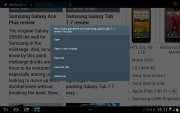
Samsung Galaxy Tab 2 10.1
Pressing and holding a link lets you open it in a new tab

Synchronizing the browser with your desktop Google Chrome doesn't need any extra software - you check a box in the settings menu and you are done.
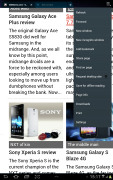
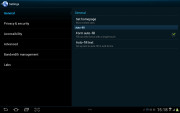
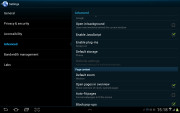
Samsung Galaxy Tab 2 10.1 Samsung Galaxy Tab 2 10.1 Samsung Galaxy Tab 2 10.1
Some of the available browser settings

There's also auto-complete for forms and passwords.

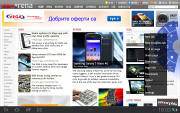
A neat feature allows you to access quick page controls (back, forward, refresh, bookmark etc.) by a swiping gesture performed near the right edge of the screen. You cannot have that and the classical interface though.
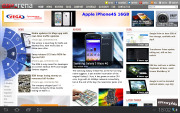
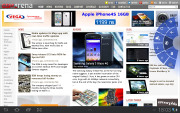
Samsung Galaxy Tab 2 10.1 Samsung Galaxy Tab 2 10.1 Samsung Galaxy Tab 2 10.1
The alternative user interface

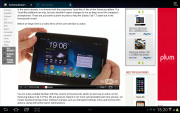
As for the Flash performance - the Galaxy Tab 2 10.1 does great at 360p, 480p and 720p videos right in the browser. Flash games run well too.
Samsung Galaxy Tab 2 10.1 Samsung Galaxy Tab 2 10.1
720p Flash videos are now possible

By the way, if you find Flash content to slow down your page load times or cause panning stutter, you can switch it to on-demand in the settings menu (or even turn it off all together).

Organizer has everything

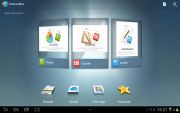
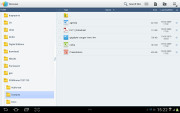
A good set of organizer apps are available on the Samsung Galaxy Tab 2 10.1, including the Polaris Office with both viewing and editing documents enabled. It has a nice user interface and solid file management. It supports both internal and web storage (via Box.net).
Samsung Galaxy Tab 2 10.1 Samsung Galaxy Tab 2 10.1
Polaris Office

Viewing and editing word documents, spreadsheets and Power Point files is hassle-free. There's a PDF reader in the bundle as well.

Printing options are also available.

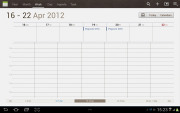
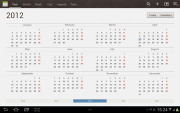
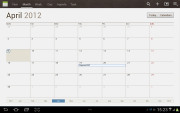
The calendar has five different types of view: daily, weekly and monthly.
Samsung Galaxy Tab 2 10.1 Samsung Galaxy Tab 2 10.1 Samsung Galaxy Tab 2 10.1
Calendar app

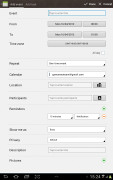
Adding a new event is quite straightforward and you can also set an alarm to serve as a reminder.
Samsung Galaxy Tab 2 10.1 Samsung Galaxy Tab 2 10.1
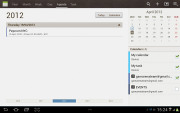
List view • Creating an appointment

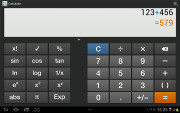
The calculator app is nicely touch optimized with huge, easy to hit buttons.
Samsung Galaxy Tab 2 10.1
Calculator app

The Alarm app is optimized for big-screen use and is pretty intuitive. You can set multiple alarms.
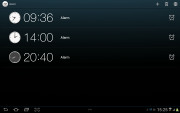
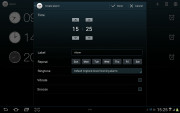
Samsung Galaxy Tab 2 10.1 Samsung Galaxy Tab 2 10.1
Clock app • Alarm clock

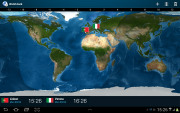
The World Clock app is full of eye-candy. You get an animated globe where you can pick time zones or cities, there are country flags, day and night animations, etc.
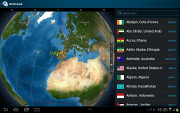
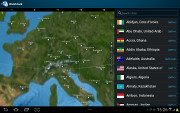
Samsung Galaxy Tab 2 10.1 Samsung Galaxy Tab 2 10.1 Samsung Galaxy Tab 2 10.1
World Clock app

Next Page » 8. Apps, maps, app stores
7. Web browser, organizer
  1. 1. Introduction
  2. 2. Design and build quality
  3. 3. User interface, benchmarks
  4. 4. Phonebook, telephony, messaging, emails
  5. 5. Gallery, video and music players, audio quality
  6. 6. Camera, image quality, video recording, connectivity
  7. 7. Web browser, organizer
  8. 8. Apps, maps, app stores
  9. 9. Final words
  10.  
  11. Samsung Galaxy Tab 2 10.1 P5110 specification
  12. Samsung Galaxy Tab 2 10.1 P5100 specification
  13. Review comments (64)

Reviews Samsung Galaxy Tab 2 10.1 reviewPage 7
  • Comments (64)
  • Galaxy Tab 2 10.1 P5110
  • Galaxy Tab 2 10.1 P5100

Phone finder

  • Samsung
  • Apple
  • Huawei
  • Nokia
  • Sony
  • LG
  • HTC
  • Motorola
  • Lenovo
  • Xiaomi
  • Google
  • Honor
  • Oppo
  • Realme
  • OnePlus
  • Nothing
  • vivo
  • Meizu
  • Ulefone
  • Alcatel
  • ZTE
  • RugOne
  • Umidigi
  • Fairphone
  • Oscal
  • Sharp
  • Micromax
  • Infinix
  • Asus
  • Tecno
  • Doogee
  • Blackview
  • Cubot
  • Oukitel
  • Itel
  • TCL

All brands Rumor mill

ADVERTISEMENT

Popular reviews

Oppo Find X10 Pro Max review
Apple iPhone 18 Pro Max review
Apple iPhone 18 Pro review
ADVERTISEMENT

ELECTRIC VEHICLES

Volkswagen takes the slow road to hands-off driving in China Volkswagen takes the slow road to hands-off driving in China XPeng sends Mona L05 to customers abroad ahead of Chinese launchAudi announces major restructuring of China operations with brand split
ADVERTISEMENT
Ads by Playwire

Home News Reviews Compare Coverage Glossary FAQ RSS Youtube Instagram TikTok Facebook Twitter

© 2000-2026 GSMArena.com Mobile version Android app Tools Contact us Merch store Privacy Terms of use