GSMArena.com GSMArena.com

Tip us

2.1m
180k
RSS

EV

Merch

Log in

Login

I forgot my password
Sign up
  • Home
  • News
  • Reviews
  • Videos
  • Featured
  • Phone Finder
  • Deals
  • Merch
  • Coverage
  • Contact
ADVERTISEMENT
GSMArena team, 08 September 2011

Droid at large


Samsung Galaxy Tab 10.1 review: Droid at large
  • Comments (73)
  • User reviews
  • P7500 Galaxy Tab 10.1 3G

8. Applications, Hubs
  1. 1. Introduction
  2. 2. Unboxing, design and construction, display, controls
  3. 3. User interface, benchmarks
  4. 4. Contacts, messaging, emails
  5. 5. Gallery, music player, video player
  6. 6. Audio quality, camera, video recording, connectivity
  7. 7. Web browser, organizer
  8. 8. Applications, Hubs
  9. 9. GPS, Android Market
  10. 10. Conclusion
  11.  
  12. Samsung P7500 Galaxy Tab 10.1 3G specification
  13. User opinions and reviews
  14. Review comments (73)

Samsung Android Tablets

Applications

There are a few apps provided by Samsung for the Galaxy Tab 10.1 worth mentioning - eBook, Memo, My files, Pen memo and Photo editor.

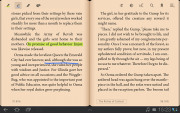
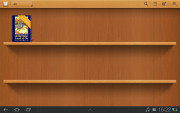
The eBook reader comes with one book for free - The Marvelous Land of Oz. naturally you can add books stores, buy books from them and they will appear on your virtual shelves.
Samsung Galaxy Tab 10.1 3G Samsung Galaxy Tab 10.1 3G Samsung Galaxy Tab 10.1 3G
eBook app

The eBook reader is quite capable - it allows you to highlight or underline text, change the font size and page color, search the book and put bookmarks. There is even text-to-speech feature with settings for speed and pitch.

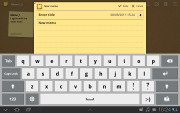
The Memo is pretty simple notes application with interesting interface - you get your notes as sticky note on a wooden board.

Samsung Galaxy Tab 10.1 3G Samsung Galaxy Tab 10.1 3G
Memo app

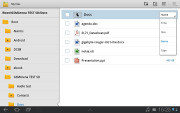
My Files is a familiar app - it's the Samsung powerful file manager.

Samsung Galaxy Tab 10.1 3G Samsung Galaxy Tab 10.1 3G
My Files file manager

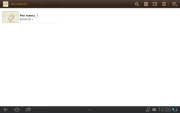
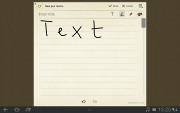
Pen memo does almost the same as the memos, but in addition to the text it allows you to draw pictures and offers some extra option as colors, background, etc.
Samsung Galaxy Tab 10.1 3G Samsung Galaxy Tab 10.1 3G
Pen Memo

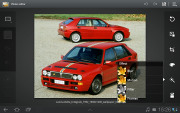
Finally, the Photo Editor offers some basic picture edition tools - selections, rotate, resize, crop, color effects and adjustments, etc.


Samsung Galaxy Tab 10.1 3G Samsung Galaxy Tab 10.1 3G Samsung Galaxy Tab 10.1 3G
The Photo Editor

Samsung Hubs

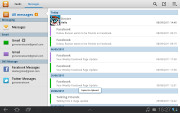
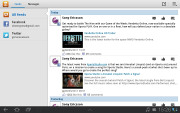
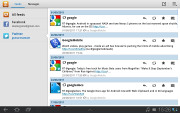
The Social hub combines you email accounts with social networking (Facebook, Twitter, LinkedIn) shows all incoming messages as one list and your social feeds as another. You also get handy shortcuts to reply, mark as favorite and so on.

Thanks to the two-column interface you can easily switch between your accounts, messages and feeds if you don't need all the stuff in one place.
Samsung Galaxy Tab 10.1 3G Samsung Galaxy Tab 10.1 3G Samsung Galaxy Tab 10.1 3G
The Social Hub is a true communication nexus

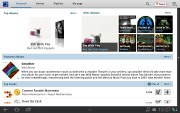
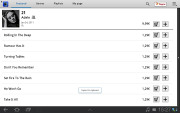
The Music Hub lets you browse music online (with search tools, charts, lists of new releases and so on). You can preview songs (30 seconds each) and buy tracks or whole albums. It is also granted with eye-catching interface.
Samsung Galaxy Tab 10.1 3G Samsung Galaxy Tab 10.1 3G Samsung Galaxy Tab 10.1 3G
The Music Hub helps you discover and buy new albums and songs

Next Page » 9. GPS, Android Market
8. Applications, Hubs
  1. 1. Introduction
  2. 2. Unboxing, design and construction, display, controls
  3. 3. User interface, benchmarks
  4. 4. Contacts, messaging, emails
  5. 5. Gallery, music player, video player
  6. 6. Audio quality, camera, video recording, connectivity
  7. 7. Web browser, organizer
  8. 8. Applications, Hubs
  9. 9. GPS, Android Market
  10. 10. Conclusion
  11.  
  12. Samsung P7500 Galaxy Tab 10.1 3G specification
  13. User opinions and reviews
  14. Review comments (73)

Reviews Samsung Galaxy Tab 10.1 reviewPage 8
  • Comments (73)
  • User reviews
  • P7500 Galaxy Tab 10.1 3G

Phone finder

  • Samsung
  • Apple
  • Huawei
  • Nokia
  • Sony
  • LG
  • HTC
  • Motorola
  • Lenovo
  • Xiaomi
  • Google
  • Honor
  • Oppo
  • Realme
  • OnePlus
  • Nothing
  • vivo
  • Meizu
  • Ulefone
  • Alcatel
  • ZTE
  • RugOne
  • Umidigi
  • Fairphone
  • Oscal
  • Sharp
  • Micromax
  • Infinix
  • Asus
  • Tecno
  • Doogee
  • Blackview
  • Cubot
  • Oukitel
  • Itel
  • TCL

All brands Rumor mill

ADVERTISEMENT

Popular reviews

Apple iPhone 18 Pro Max review
Apple iPhone 18 Pro review
Galaxy Tab S12 Ultra review
ADVERTISEMENT

ELECTRIC VEHICLES

Volkswagen takes the slow road to hands-off driving in China Volkswagen takes the slow road to hands-off driving in China XPeng sends Mona L05 to customers abroad ahead of Chinese launchAudi announces major restructuring of China operations with brand split
ADVERTISEMENT
Ads by Playwire

Home News Reviews Compare Coverage Glossary FAQ RSS Youtube Instagram TikTok Facebook Twitter

© 2000-2026 GSMArena.com Mobile version Android app Tools Contact us Merch store Privacy Terms of use