Power play
Samsung Galaxy Note N7000 review: Power play

Organizer embraces the S Pen
The Galaxy Note organizer has been redesigned, to make maximum use of the S Pen. The calendar has been renamed to S Planner and offers seven different types of view, instead of the usual four. There is now a three-day view agenda and tasks right in the calendar app, instead of needing separate apps for them.
Setting up a new event is quick and easy, and you can also set an alarm to act as a reminder. We found the agenda view, which shows a list of all the calendar entries from the recent past to the near future, particularly useful for organizing your time.
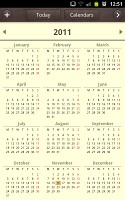
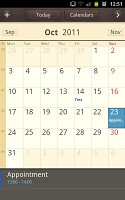
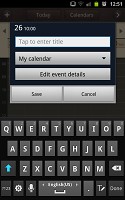
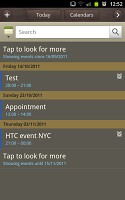
The S Planner replaces the calendar
There is also a calculator aboard. It is nicely touch optimized - the buttons are big enough and easy to hit. You can adjust text size and use cut, copy and paste.
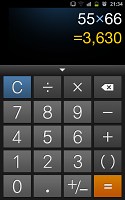
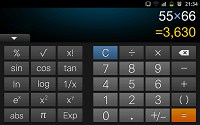
The calculator is both functional and comfortable
The Samsung Galaxy Note features a great alarm clock application as well, which allows a huge number of alarms to be set, each with its own start time and repeat pattern. You can also activate a Smart alarm for each of them, which will activate a pre-set amount of minutes (between 3 and 30) before the main alarm and wake you up gently by starting off quiet and gradually increasing the volume.
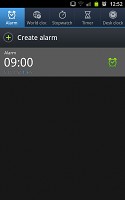
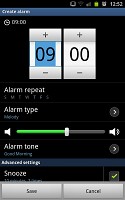
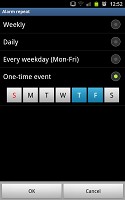
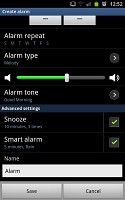
The Galaxy family has the best alarm clock app we have seen
The usual Memo app has been replaced by S Memo, which lets you use the S Pen for taking notes, as if you have an actual notepad on your hands. The S Pen has plenty of useful tools for that and works quite smoothly, so you will hardly ever end up making memos on the Note the old-fashioned way.
There’s also the Mini Diary, which lets you also attach pictures and locations to your notes.
GPS with Google Maps Navigation
The Samsung Galaxy Note comes with a GPS receiver, which got a satellite lock in under two minutes with A-GPS turned off. A-GPS can speed this up quite a bit, but requires Internet access. We gotta say, we didn’t experience any issues with the GPS performance.
With a screen as large (and even larger) than most dedicated SatNav units, with excellent sunlight legibility and plenty of storage, your money be better spent on a good app rather than a dedicated SatNav unit.
The Galaxy Note comes with Google Maps and Navigation. Voice-guided navigation has become a viable solution since the v5.0 update. Vector maps are smaller and easier on the data traffic and reroute is an option if you go off course without the need to connect to the Internet. In fact, the only time you need a data connection is when you initially plan the course – Navigation will cache the needed maps.
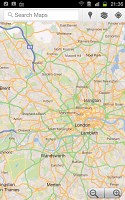
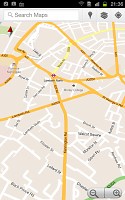
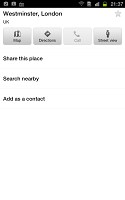
Google Maps is not the best looker, but it’s certainly among the most functional map apps
Quite naturally, the app also supports the Street View mode. If it’s available in the area you're interested in, you can enjoy a 360-degree view of the surroundings. When the digital compass is turned on it feels like making a virtual tour of the location.
And if you are into testing some new features, you can try the Labs screen. The extras there are still in beta, but they can add quite a lot of new functionality – like caching the map data for offline access or enlarging the font size.
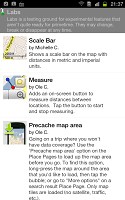
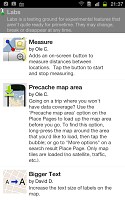
Labs lets you test some nice new features
If Google Maps Navigation doesn’t do it for you, you can grab an alternative app off the Android Market – there are both free and paid ones and some certainly offer a more comfortable interface, but few can match the map accuracy of the Google service.
Android Market is the Galaxy Note playground
With a 1.4GHz dual-core CPU and powerful new graphics chip, the Samsung Galaxy Note can run every Android app designed for phones. The OS version is 2.3.5 and there will be an ICS update before a huge number of apps for that one accumulates, so you won’t have any problems on that account either.
The Android market is the fastest growing app repository around (also the one with the most free apps and number of downloads), so you can be sure that you won’t be having a shortage of software to install on your Galaxy Note. True, some apps aren’t designed to work on a WXGA screen, but most scale well, so the only thing you have to worry about is finding enough time to enjoy all those apps.

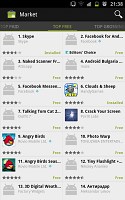
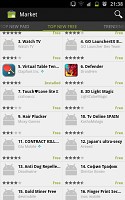
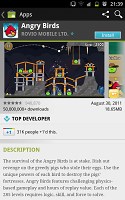
The new UI of the Android Market
Recently, Google also redesigned the Android Market interface to make it easier for you to find the quality apps. There are now featured apps, editors’ picks and staff-recommended apps in addition to the usual top free and top paid.
The top new paid and top new free lists are worth checking out too and you shouldn’t forget the trending apps. Naturally, there is a built-in search and categories for the different types of apps so you don’t get lost. Recommendations are also based on your location to make it even easier to spot a quality app in the new Android market.
And if by some reason, the soon-to-become number 1 app repository on the market isn’t enough for you, you might want to check out some of the alternatives. Amazon has set up its own appstore and so has Opera, plus a few more minor app stores here and there. Choice is one of the best parts of the open platform.


Tip us
2.1m 180k
RSS
EV
Merch
Log in I forgot my password Sign up