Slim slider extreme
Samsung D900 review

Samsung D900's camera belongs among the best
Samsung D900's integrated camera can be without any doubt considered one of the phone's most attractive applications, mainly due to its 3.2 megapixels. Maximum image resolution is 2048 x 1536 pixels. Samsung D900 therefore enters the elite club of 3 megapixel photo-mobiles, which is not so crowded so far; Nokia N80, N73 and N93 and Sony Ericsson K800 and K790 are some of the members.


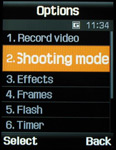
Camera view-finder • camera menu
The rest of the camera equipment is no less praiseworthy. Its auto-focus, which provides high-quality macro-pictures, works in a way somewhat different from the auto-focus in other competing mobiles: you have to press on the center of the navigation key, which serves as a release button; then the camera focuses on the image and shoots immediately afterwards. No two-stage shutter release in Samsung D900. The taking of one picture takes 3 seconds from the first press on the navigation key.
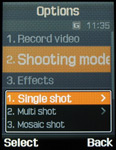


Selecting a shooting mode • photo settings
To take a picture you have to open Samsung D900 and hold it in a vertical position. If you don't, the camera lens will remain hidden behind the bottom part of the phone and either the view-finder will fail to make use of the entire display surface, or only the central area of the taken picture will get visualized on the display. Around the view-finder you will see various icons providing details about the camera settings. You can set image size, insert frames, choose out of 8 effects, activate the self-release function or the night mode, modify exposure compensation or ISO sensitivity level, white balance as well as the degree of image compression. Digital zoom is also available. You could also apply a sequence of 15 shots or create mosaic images. The additional LED can be lit constantly or simply when pictures are being taken. It can also be activated automatically. Once the camera application has been switched off! and then switched on again however, the LED will be off (its standard setting). Even if not very powerful, the LED is helpful, especially when shooting close objects. The sound accompanying the release button (5 options to choose from) could be deactivated if necessary. Alternatively, camera settings could be modified through the use of shortcut keys as well.
Sample photos taken with the camera built-in Samsung D900:


Effects:


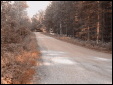
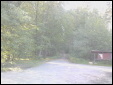


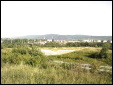
Exposure compensation


Mosaic images are only taken in resolution of 240 x 180 pixels


Digital zoom in full resolution

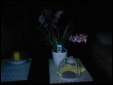
Additional LED is pretty handy for short distances

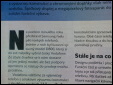
Shooting text: with and without auto-focus
Samsung D900 makes very good pictures. Yet these could hardly compete with the images created by today's best photo mobiles on the market: Sony Ericsson K800 and Nokia N73. Samsung D900's pictures suffer from chromatic aberrations; the details are not clear, color saturation seems far too high. Besides, pictures get blurred under low light conditions. On the other hand scanned text is perfectly readable thanks to the available auto-focus. Ready pictures can be further modified applying effects or inserting icons, rotating the image or adjusting contrast and brightness level. Images can be maximized to a full-screen size or slide-showed. Sending them via Bluetooth is seamless. What's more, the phone is compatible with the PictBridge standard, which allows direct print without PC.


Samsung D900 also offers a simple photo editor, which applies effects or inserts frames
Samsung D900 automatically saves images into its memory (60 MB), which I find rather unpractical as any transfer from it to a memory card has to be made manually. At the same time the address structure of the phone memory and the one of the memory card are separated and fully independent.

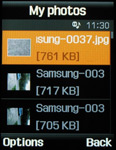
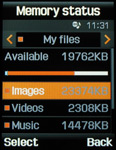
My files • My photos (Photo gallery) • Memory status
The camera also shoots videos with sound in MP4 format with a maximum resolution of 352 x 288 pixels (CIF). Video duration is only limited by the available free internal memory. Both zoom and color effects can be applied during the shooting process.
Sample videos shot with Samsung D900:
Note: Videos are published in ZIP format because of the incompatibility of MP4 files with this server's application.


Tip us
2.1m 180k
RSS
EV
Merch
Log in I forgot my password Sign up