Realme 6 Pro review
Android 10 with brand new Realme UI on top
The Realme 6 Pro, alongside the the other Sixes, are among the first devices to boot Android 10 with the brand new Realme UI launcher. It's a fresh take on the sister company Oppo's ColorOS, with a shift towards a more stock Android look.
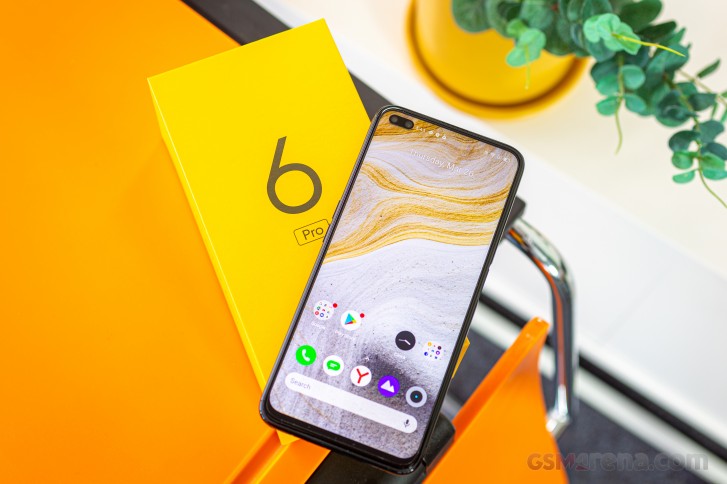
That means no-nonsense homescreens, simplistic notification/toggles area, and easy-to-use task switcher. An App drawer is available, too, and it is as clutter-free as one could hope for.




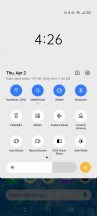

Realme UI 1.0: Lockscreen • Homescreen • Folder view • App drawer • Quick toggles • Task switcher
The new Realme UI supports different icon packs, so if you are not happy with the default one, you can opt for material style, pebbles, or you can even fully customize them by your liking.
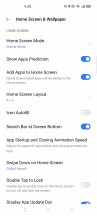
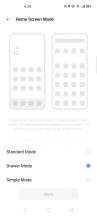


Homescreen settings • Homescreen mode • Icon settings
There are a lot of powerful tools within the settings menu if you want full control over your Android OS. Or you can leave everything as is and enjoy hassle-free Android experience optimized by Realme's AI algorithms and machine learning.
Out of the box, the phones come with the old school nav bar on the bottom for navigation. We've already grown used and prefer the standard Android 10 navigation (Swipe Gestures from Both Sides it's called here), which employs the side edges for going Back while upward swipes from the bottom take you Home. What Oppo and now Realme does better than Google in this respect is letting you quickly switch between the two last used apps if you swipe in from the sides and hold - Android 10 doesn't have that natively. There's also a More option, which will take you to the Swipe-up gestures alternative.

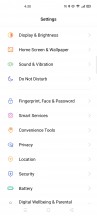


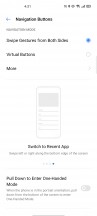
Settings • More settings • Navigation options
Similarly to Samsung Galaxies since the S6 edge days, the Realme UI offers a Smart Sidebar on the edge of the screen - you can customize the actions and app shortcuts that appear there.






Smart Sidebar
The Realme 6 Pro display supports a 90Hz refresh rate and the UI can be rendered at that rate as well. Only it's a setting that's not on by default and you need to enable it in the menu - you get 90Hz, 60Hz and an auto setting that leaves the phone to decide when to use what. As we mentioned in the battery section, the refresh rate doesn't appear to affect battery life (and/or the phone is smart about it even when 90Hz is forced on) so we can't imagine why you'd put it in 60Hz.
And since we're in the display settings anyway, there's a system wide dark mode and it can be engaged permanently or according to a schedule. It'll invoke supported apps' dark themes too, but you can also enforce Dark Mode on third-party apps which don't have it built-in.
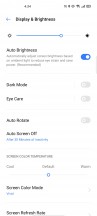


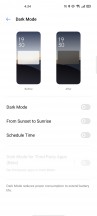
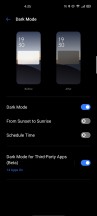
Display settings
The multimedia apps such as Gallery, Music, and Videos - are provided by Realme. There is also a redesigned File Manager, and even a Phone Manager app. And with that, the non-Google app list is complete.



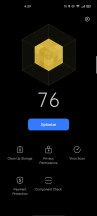
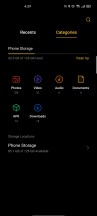
Gallery • Music • Videos • Phone Manager • File Manager
Synthetic benchmarks
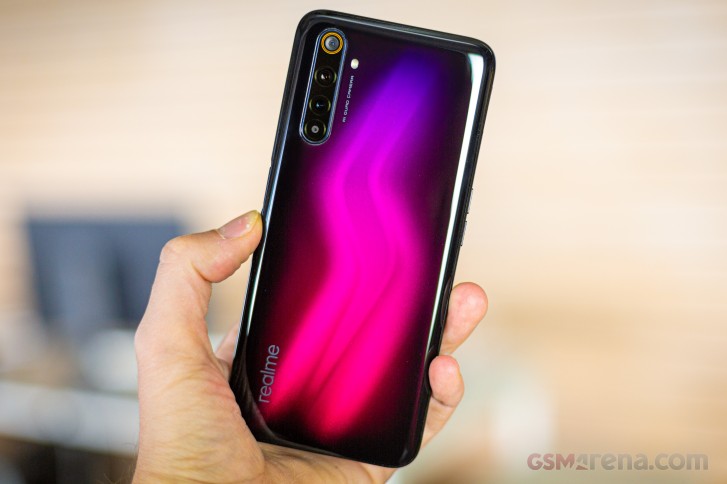
The Realme 6 Pro has a Snapdragon 720G chipset inside, one of the key differences against the vanilla 6. The SoC uses an octa-core CPU in a 2+6 configuration - 2x2.3GHz Kryo 465 Gold cores and 6x1.8GHz Kryo 465 Silver cores. It's in fact very similar to the G90T's setup of 2x2.05GHz Cortex-A76 and 6x2.0GHz Cortex-A55 cores, as the Kryos are based on these same reference designs respectively.
The Realme 6 Pro is available in three RAM and storage configurations, starting at 6GB/64GB, through 6GB/128GB, to the top-spec 8GB/128GB version we have here.
The 720G is built on an 8nm manufacturing process versus the Helio G90T's 12nm, yet the Pro took a significant blow on the previous page in terms of battery life, where you'd have expected 8 to be more than 12. Let's find out how the two stack up in benchmarks.
Well, if we start off with the CPU-focused GeekBench, the Realme 6 Pro inches ahead of the 6 in single-core performance and is only bested by the Kirin 810-equipped Huaweis. The Realme 6 comes back with an equally marginal victory against the Pro in multi-core, with the Kirin bunch still leading the pack.
GeekBench 5.1 (single-core)
Higher is better
-
Honor 9X Pro
594 -
Huawei P40 Lite
591 -
Realme 6 Pro
565 -
Xiaomi Redmi K30
548 -
Realme 6
548 -
Realme X2
545 -
Samsung Galaxy A71
542 -
Redmi Note 8 Pro
493 -
Xiaomi Mi 9 Lite
393 -
Samsung Galaxy M30s
349 -
Samsung Galaxy A51
347
GeekBench 5.1 (multi-core)
Higher is better
-
Honor 9X Pro
1911 -
Huawei P40 Lite
1862 -
Realme X2
1750 -
Samsung Galaxy A71
1733 -
Realme 6
1726 -
Xiaomi Redmi K30
1692 -
Realme 6 Pro
1666 -
Redmi Note 8 Pro
1622 -
Xiaomi Mi 9 Lite
1518 -
Samsung Galaxy A51
1294 -
Samsung Galaxy M30s
1288
In terms of GPU performance, the Realme 6 Pro returns strong numbers for the class, and so does the Realme 6. The 6 had an advantage over the 6 Pro in the lighter tests in GFXBench but these mostly evened out in the heavier portions of the benchmark.
GFX 3.0 Manhattan (1080p offscreen)
Higher is better
-
Honor 9X Pro
55 -
Huawei P40 Lite
53 -
Realme 6
50 -
Redmi Note 8 Pro
48 -
Realme 6 Pro
41 -
Xiaomi Redmi K30
41 -
Samsung Galaxy A71
41 -
Realme X2
40 -
Xiaomi Mi 9 SE
37 -
Realme 5 Pro
37 -
Xiaomi Mi 9 Lite
32 -
Samsung Galaxy M30s
26 -
Samsung Galaxy A51
16
GFX 3.0 Manhattan (onscreen)
Higher is better
-
Huawei P40 Lite
49 -
Honor 9X Pro
48 -
Realme 6
45 -
Redmi Note 8 Pro
40 -
Realme 6 Pro
37 -
Xiaomi Redmi K30
37 -
Samsung Galaxy A71
37 -
Realme X2
34 -
Xiaomi Mi 9 SE
34 -
Realme 5 Pro
31 -
Xiaomi Mi 9 Lite
30 -
Samsung Galaxy M30s
23 -
Samsung Galaxy A51
15
GFX 3.1 Manhattan (1080p offscreen)
Higher is better
-
Honor 9X Pro
34 -
Huawei P40 Lite
34 -
Realme 6
31 -
Realme 6 Pro
30 -
Xiaomi Redmi K30
30 -
Samsung Galaxy A71
30 -
Realme X2
29 -
Redmi Note 8 Pro
29 -
Realme 5 Pro
27 -
Xiaomi Mi 9 SE
26 -
Xiaomi Mi 9 Lite
23 -
Samsung Galaxy M30s
16 -
Samsung Galaxy A51
10
GFX 3.1 Manhattan (onscreen)
Higher is better
-
Honor 9X Pro
30 -
Huawei P40 Lite
30 -
Realme 6 Pro
27 -
Xiaomi Redmi K30
27 -
Samsung Galaxy A71
27 -
Realme 6
27 -
Realme X2
24 -
Xiaomi Mi 9 SE
24 -
Redmi Note 8 Pro
24 -
Realme 5 Pro
22 -
Xiaomi Mi 9 Lite
21 -
Samsung Galaxy M30s
14 -
Samsung Galaxy A51
8.9
GFX 3.1 Car scene (1080p offscreen)
Higher is better
-
Honor 9X Pro
21 -
Huawei P40 Lite
21 -
Realme 6 Pro
18 -
Redmi Note 8 Pro
18 -
Realme 6
18 -
Xiaomi Redmi K30
17 -
Samsung Galaxy A71
17 -
Realme X2
16 -
Xiaomi Mi 9 SE
15 -
Realme 5 Pro
15 -
Xiaomi Mi 9 Lite
13 -
Samsung Galaxy M30s
10 -
Samsung Galaxy A51
6.6
GFX 3.1 Car scene (onscreen)
Higher is better
-
Honor 9X Pro
18 -
Huawei P40 Lite
18 -
Realme 6 Pro
16 -
Realme 6
16 -
Xiaomi Redmi K30
15 -
Samsung Galaxy A71
15 -
Xiaomi Mi 9 SE
14 -
Redmi Note 8 Pro
14 -
Realme X2
13 -
Realme 5 Pro
12 -
Xiaomi Mi 9 Lite
12 -
Samsung Galaxy M30s
8.7 -
Samsung Galaxy A51
5.6
Aztek Vulkan High (onscreen)
Higher is better
-
Realme 6 Pro
11 -
Realme 6
10 -
Redmi Note 8 Pro
9.4 -
Samsung Galaxy A71
9.3 -
Realme X2
8.9 -
Huawei P40 Lite
8.6 -
Honor 9X Pro
8.3 -
Samsung Galaxy A51
5.6
Aztek OpenGL ES 3.1 High (onscreen)
Higher is better
-
Honor 9X Pro
12 -
Huawei P40 Lite
12 -
Realme 6 Pro
11 -
Realme 6
11 -
Samsung Galaxy A71
10 -
Redmi Note 8 Pro
10 -
Realme X2
9.2 -
Samsung Galaxy A51
5.6
Over in 3DMark, the Realme 6 and Realme 6 Pro posted similar results in the OpenGL test, but the Pro trailed behind in the Vulkan based one.
3DMark SSE OpenGL ES 3.1 1440p
Higher is better
-
Huawei P40 Lite
2818 -
Realme 6
2570 -
Realme 6 Pro
2506 -
Honor 9X Pro
2487 -
Xiaomi Redmi K30
2467 -
Samsung Galaxy A71
2464 -
Realme X2
2402 -
Redmi Note 8 Pro
2363 -
Realme 5 Pro
2112 -
Xiaomi Mi 9 SE
2082 -
Samsung Galaxy A51
1574 -
Samsung Galaxy M30s
1425
3DMark SSE Vulkan 1440p
Higher is better
-
Realme 6
2619 -
Huawei P40 Lite
2603 -
Honor 9X Pro
2535 -
Redmi Note 8 Pro
2447 -
Realme 6 Pro
2334 -
Realme X2
2263 -
Samsung Galaxy A71
2253 -
Xiaomi Redmi K30
2244 -
Realme 5 Pro
2012 -
Xiaomi Mi 9 SE
1989 -
Samsung Galaxy A51
1554 -
Samsung Galaxy M30s
1502
Throwing all the components into the mix in Antutu, the Realme 6 Pro is a bit behind its vanilla sibling. Once again, the Kirin 810 proves superior too.
AnTuTu 8
Higher is better
-
Huawei P40 Lite
325777 -
Honor 9X Pro
312668 -
Realme 6
288931 -
Redmi Note 8 Pro
279355 -
Xiaomi Redmi K30
272229 -
Realme 6 Pro
268785 -
Samsung Galaxy A71
263396 -
Realme X2
257443 -
Xiaomi Mi 9 Lite
215277 -
Samsung Galaxy M30s
180321 -
Samsung Galaxy A51
175363
So there you have it - the Realme 6 Pro doesn't demonstrate any significant advantage over the Realme 6 in terms of performance. Having said that, the Pro posted consistent results in benchmarks run after run and barely warmed up in the process. It also ran smoothly in general operation with no hiccups to speak of.


Tip us
2.1m 180k
RSS
EV
Merch
Log in I forgot my password Sign up