Oppo Find X2 review
Standard issue triple camera
Unlike the Find X2 Pro that goes above and beyond in all its rear camera hardware with custom-built modules all around, the Find X2 adopts a more conventional configuration with cameras that you can find in other offerings on the market.
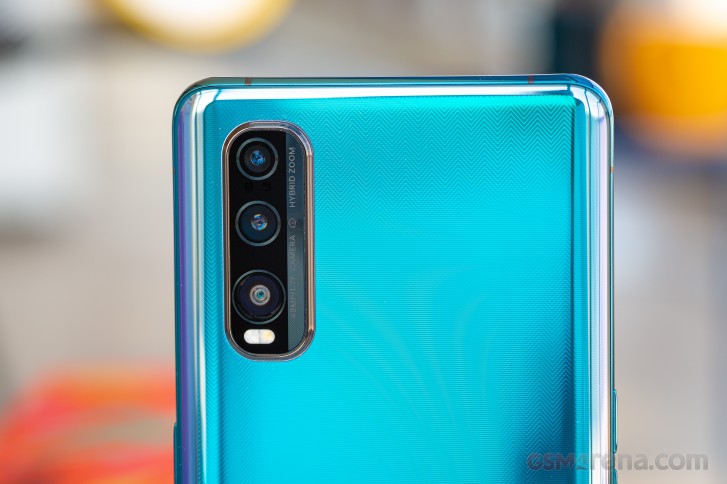
Don't take that the wrong way, though - the Find X2 has a fully capable triple setup. Themain cam is a 48MP unit with a 1/2.0" Quad Bayer sensor with 0.8µm pixels - so not the Pro's so far exclusive 48MP 1/1.4" sensor with a 1.12µm pixel pitch. The lens has a 26mm equivalent focal length and an aperture of f/1.7 and also features optical stabilization.
There's telephoto too, but it's not the Pro's 5x periscope. This is short one, offering a 52mm equivalent focal length and a 2x zoom ratio. There's still a 13MP sensor behind that stabilized lens, so in a way it is like the Pro's.
The ultra wide angle cam has a 12MP 1/2.4" sensor - another step down in the specsheet compared to the Pro's 48MP 1/2.0" imager. It's also a 16:9 sensor, so while you will benefit from its ultra wide coverage in video, stills in a more squarish 4:3 aspect won't be all that ultra wide and they will effectively be a 9MP crop. What's a major positive about this cam, however, is the fact that it has autofocus, still a relatively rate feature on ultra wides.
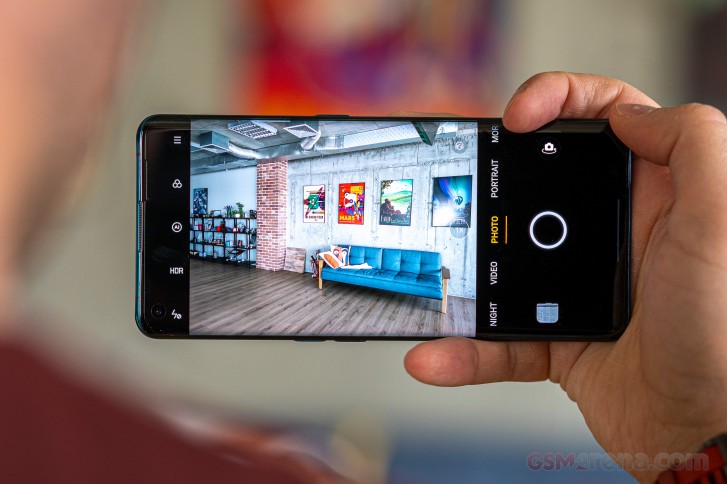
The camera app offers a straightforward UI for image and video capture, though it does have its peculiarities. You can change modes with swipes to the side, but you can't flick up or down to switch to selfies like Samsungs let you - there's a toggle for that. There are more modes than the ones listed and those can be found in the 'More' tab. There is no way to rearrange the modes or add or remove ones.
There are numerous ways for operating the zoom controls. Tapping on the current zoom level cycles between them all - 1x-2x-5x('hybrid')-UW. Tap and slide in either direction and you get a zoom wheel that offers 0.1x steps and can get you all the way to a very much digital 20x. Alternatively, you can tap on the dots for direct access to the respective magnifications. Pinch to zoom works too.
As we experienced on the Pro, the Find X2 will switch cameras based on focus distance with little visual feedback other than the abrupt change in framing that results from the cameras' different position relative to the subject. What we mean is that if you're at 2x and try to focus on something that's too close for that module to focus on, the phone will switch to the main cam, and that works in main-cam-to-ultra-wide situations as well. We're trying to decide for ourselves whether that behavior has an advantage over simply refusing to focus.
The Pro/Expert mode that can be found under the 'More' gives you more photographic control. You get to tweak exposure (ISO in the 100-6400 range and shutter speed in the 1/8000s-32s range), white balance (by light temperature, but no presets), manual focus (in arbitrary 0 to 1 units with 0 being close focus and 1 being infinity) and exposure compensation (-2EV to +2EV in 1/6EV increments).
You do get to shoot on all three cams in this Expert mode, but switching them is handled in a truly bizarre way, which we can't really accept even though we're already familiar with it from the Pro. You get the usual 1x-2x-5x selector, but that doesn't operate the actual cameras - it's digital zoom from whichever camera you've picked from the tree selector on the opposite end of the viewfinder. Indeed, the trees switch cameras and once you select a module from there, no focusing distance considerations will auto-switch it - that's good.
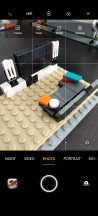
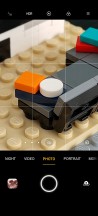
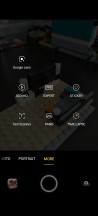
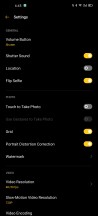
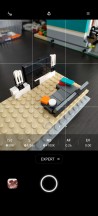
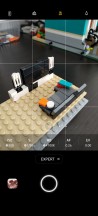
Camera UI
One notable omission on the Find X2, which appears to be a ColorOS thing that simply noone's though about, is the ability to launch the camera without touch input - like a double press on the power button, the way Samsung and Google do it, or Motorola's double twist of the wrist.
There's another caveat on the Find X2 that's exclusive to it in particular. Since the ultra wide angle module is in a native 16:9 aspect, and the phone shoots in 4:3 by default, if you want to get the entirety of the UW frame you need to specifically switch the aspect. Only it's a global setting, so when you go back to 1x or 2x zoom levels, you'd need to switch back to 4:3. It's a clumsy process, made even worse by the fact that the aspect selector cycles between four modes - 4:3, 1:1, Full (19.8:9), and 16:9.


Tip us
2.1m 180k
RSS
EV
Merch
Log in I forgot my password Sign up