GSMArena.com GSMArena.com

Tip us

2.1m
180k
RSS

EV

Merch

Log in

Login

I forgot my password
Sign up
  • Home
  • News
  • Reviews
  • Videos
  • Featured
  • Phone Finder
  • Deals
  • Merch
  • Coverage
  • Contact
ADVERTISEMENT
GSMArena team, 28 October 2010

Slim and sharp


Nokia X3-02 Touch and Type review: Slim and sharp
  • Comments (160)
  • User reviews
  • X3-02 Touch and Type

5. Image gallery, music player, FM radio
  1. 1. Introduction
  2. 2. Unboxing, 360-degree view, design and construction
  3. 3. User interface
  4. 4. Phonebook, telephony, messaging
  5. 5. Image gallery, music player, FM radio
  6. 6. Video player, audio quality, camera, video recording
  7. 7. Connectivity, web browser, organizer and apps
  8. 8. Social networking, Ovi Store, games
  9. 9. Final words
  10.  
  11. Nokia X3-02 Touch and Type specification
  12. User opinions and reviews
  13. Review comments (160)

Nokia Touch UI S40

The new gallery is definitely better

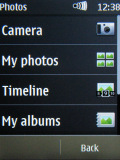
The S40 Gallery app was trying to be too many things at once and being a photo gallery wasn’t among its strong points. Now, there’s a separate icon in the main menu – Photos, which serves the one and only purpose of viewing the photos and videos on your phone.

The functionality is pretty much the same, but at least the Photo gallery gets rid of the cruft of file managing features and leaves only the image-related stuff in.
Nokia X3-02 Touch and Type Nokia X3-02 Touch and Type Nokia X3-02 Touch and Type
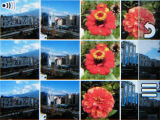
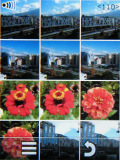
The Photos app is now a proper gallery

The Photos app on the Nokia X3-02 offers only a single viewing mode, displaying a grid of 12 pictures on the screen. You can switch to landscape mode from the menu though – it makes better use of the screen real estate when you open a photo (there are black bars in portrait mode).

There’s flick scrolling and it’s fluid enough. It’s only you can see the phone struggle with the slide animation at times – much like it does with any other scrolling item throughout the interface.

Nokia X3-02 Touch and Type Nokia X3-02 Touch and Type Nokia X3-02 Touch and Type
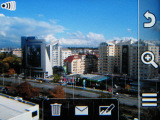
Viewing a single photo

Zooming in on a picture is only possible with the onscreen zoom shortcuts. At least, it’s fast and relatively smooth, even for 5MP images.
Nokia X3-02 Touch and Type Nokia X3-02 Touch and Type Nokia X3-02 Touch and Type
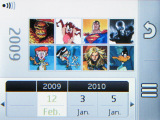
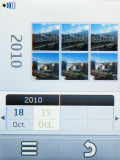
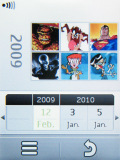
Timeline view

You can organize photos into albums, view them in a timeline (they are ordered by the date they were taken) and of course you can start a slide show.

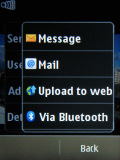
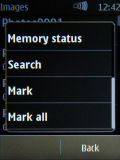
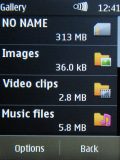
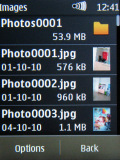
As for the regular Gallery app, it’s still here – but it’s hidden in the Applications menu. It’s quite a capable file manager, especially for a feature phone. It can manage folders and files – both one by one and in bulk.
Nokia X3-02 Touch and Type Nokia X3-02 Touch and Type Nokia X3-02 Touch and Type
The regular gallery

A familiar music player

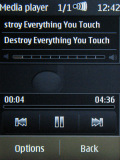
The music player of the Nokia X3-02 has decent looks and a solid set of features. It has great all-round functionality, including album art, and a fair number of formats are supported.

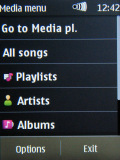
The music player is controlled either via the on-screen interface or the shortcut hardware key just below the display . Songs can be filtered by artist, album and genre. The player handles AAC, AAC+, eAAC+, MP3, WMA, AMR-NB. Naturally the A2DP profile is supported, allowing the use of stereo Bluetooth earphones.
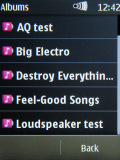
Nokia X3-02 Touch and Type Nokia X3-02 Touch and Type Nokia X3-02 Touch and Type Nokia X3-02 Touch and Type
The music player does the job

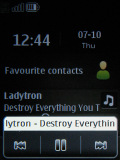
As usual, the artist and title of the currently playing song are shown on the homescreen. They appear in the Radio and music area on the homescreen so they need to be enabled in the Homescreen mode settings for the info to be displayed.
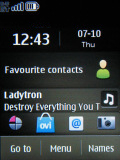
Nokia X3-02 Touch and Type Nokia X3-02 Touch and Type Nokia X3-02 Touch and Type
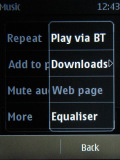
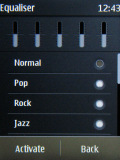
Equalizer • homescreen • the shortcut key launches the quick media menu

The music player also has an equalizer with a few available presets.

FM radio

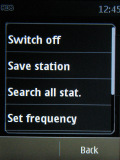
An alternative to the preloaded content on X3-02 is the FM radio. It matches the music player interface and covers all basic functions.
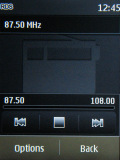
Nokia X3-02 Touch and Type Nokia X3-02 Touch and Type
The FM radio interface

RDS support is available and you can make the handset search and save all available stations in your area. RDS info and frequency appear on the homescreen, much like with the music player.

Next Page » 6. Video player, audio quality, camera, video recording
5. Image gallery, music player, FM radio
  1. 1. Introduction
  2. 2. Unboxing, 360-degree view, design and construction
  3. 3. User interface
  4. 4. Phonebook, telephony, messaging
  5. 5. Image gallery, music player, FM radio
  6. 6. Video player, audio quality, camera, video recording
  7. 7. Connectivity, web browser, organizer and apps
  8. 8. Social networking, Ovi Store, games
  9. 9. Final words
  10.  
  11. Nokia X3-02 Touch and Type specification
  12. User opinions and reviews
  13. Review comments (160)

Reviews Nokia X3-02 Touch and Type reviewPage 5
  • Comments (160)
  • User reviews
  • X3-02 Touch and Type

Phone finder

  • Samsung
  • Apple
  • Huawei
  • Nokia
  • Sony
  • LG
  • HTC
  • Motorola
  • Lenovo
  • Xiaomi
  • Google
  • Honor
  • Oppo
  • Realme
  • OnePlus
  • Nothing
  • vivo
  • Meizu
  • Ulefone
  • Alcatel
  • ZTE
  • RugOne
  • Umidigi
  • Fairphone
  • Oscal
  • Sharp
  • Micromax
  • Infinix
  • Asus
  • Tecno
  • Doogee
  • Blackview
  • Cubot
  • Oukitel
  • Itel
  • TCL

All brands Rumor mill

ADVERTISEMENT

Popular reviews

Oppo Find X10 Pro Max review
Apple iPhone 18 Pro Max review
Apple iPhone 18 Pro review
ADVERTISEMENT

ELECTRIC VEHICLES

Svolt's 100 kWh semi-solid-state battery enters mass production Svolt's 100 kWh semi-solid-state battery enters mass production Dodge brings its electric and twin-turbo Chargers to EuropeVolkswagen takes the slow road to hands-off driving in China
ADVERTISEMENT
Ads by Playwire

Home News Reviews Compare Coverage Glossary FAQ RSS Youtube Instagram TikTok Facebook Twitter

© 2000-2026 GSMArena.com Mobile version Android app Tools Contact us Merch store Privacy Terms of use