SNS love
Nokia C3 review: SNS love

Messaging is this phone’s element
The Nokia C3 feels right at home when it comes to messaging. The phone is capable of handling all the common message types including SMS, MMS and email, as well as flash and audio messages.
Then there’s social networking and IMs – Facebook, Twitter and Ovi Chat are natively supported on the Nokia C3
Typing is a great experience on the Nokia C3 with its full keyboard. The interface is very familiar and you won’t need much time to find your way around.
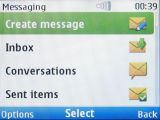
The Nokia C3 messaging menu
When you’re done typing, click Send to and you can pick from a variety of options – look up the phonebook, pick the favorite contact, recently used recipients, choose from the call log and so on.
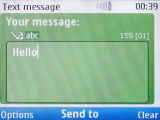
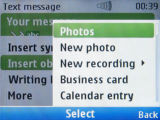
Sending Dexter a message
The email client does pretty well to meet most user needs. It works with POP3, SMTP, and IMAP4 protocols and supports multiple email accounts. The email client supports SSL, which enables it to handle a Gmail account for example.
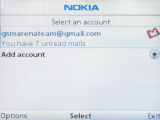

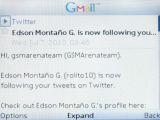
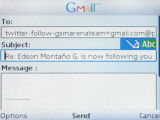
The email client
Setting up the email client was extremely easy. All the Nokia C3 needs is your email address and password and it will take care of techy stuff like server addresses and ports.
Next in the messaging hierarchy is IM messaging – the Nokia C3 supports Ovi Chat. But you’re not limited to just Ovi Chat users, you can also add G-Talk contacts – this means everyone with a Gmail account – and Yahoo and MSN Messenger too.
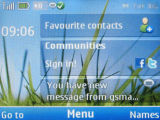
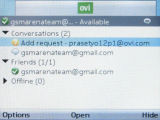
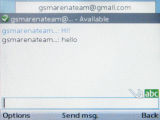
Ovi Chat on the homescreen • The UI is simple but capable
In previous phones the chat client was a J2ME app and took quite a while to start up. On the Nokia C3 however, Chat is natively supported – you can stay online even when the app isn’t visible and when you choose to reply, the app loads very fast.
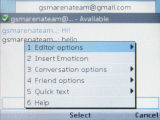
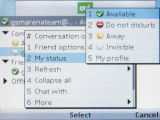
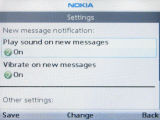
There are various options at your disposal
Ovi Chat is quite comprehensive – you can chat with several contacts at once, change status, save conversations for later viewing and so on. When a new message arrives, the phone will chime and vibrate – and if you have the Chat panel enabled on the homescreen, then you’ll see who sent you the message as well.
Finally, there’s the more public world of social networking – it’s not just one to one messaging. The Nokia C3 comes with a Communities app, which brings Twitter and Facebook on the homescreen.
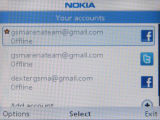

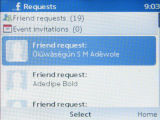
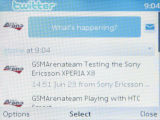
The Communities app can handle multiple Facebook and Twitter accounts
Unlike the Chat panel, this one lets you see both the message sender (including a contact photo) and the message itself (part of it at least, if it’s too long).
When you have several messages, you can scroll through them by using the left/right keys on the D-pad. Unlike the Chat app though, Communities is a J2ME app, so while it can show you messages on the Active Standby homescreen, you’d have to wait until it launches (it takes a few seconds) if you want to reply.

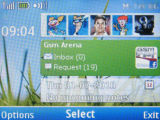
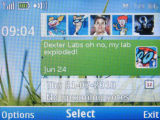
Browsing SNS messages on the homescreen
Communities can manage several accounts for both Facebook and Twitter though only one of each can be signed in at a time.


Tip us
2.1m 180k
RSS
EV
Merch
Log in I forgot my password Sign up