Beautiful to use
Nokia 6600 slide review: Beautiful to use
User interface
Nokia 6600 employs the Series 40 5th edition user interface, FP 1. Except for the newly included Maps application, the interface has undergone no notable changes
S40 user interface
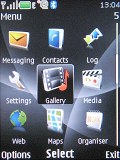
The standby screen of Nokia 6600 slide features the pre-selected wallpaper with the usual status readings, such as signal strength, battery status, ringing profile icon and time in the top bar. The center of the navigation key opens the main menu, while the context keys can be assigned a function of your choice. The font on the main display can be of any color.
Active standby mode is available. It consists of four tabs that can be edited or relocated as users see fit. In the most common case, the top area is reserved for instant access to favorite functions denoted by their respective icons. The central area provides instant access to the music player, radio and calendar. At the very bottom the "Note" bar appears, but it can also be changed to let's say "Search Web". Quite naturally, the two soft keys behavior can also be customized.
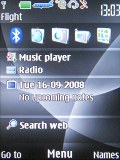
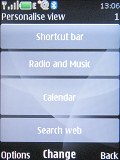
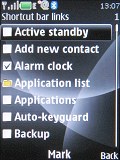
Active standby mode • Each tab can be modified to the user liking
The icons themselves haven't been changed a jot, keeping the well known design with animation of the selected icon. They can also be freely reordered within the grid, should the user find their original order inconvenient.
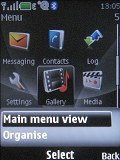
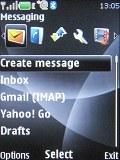
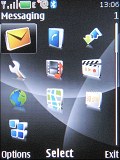
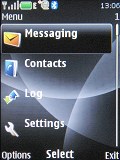
The four main menu views: Grid with labels, tab, grid and list views
Submenus appear as lists. As usual, alphanumeric keyboard shortcuts to menu items are enabled.
The interface is quick and responsive. There were freezes or unexpected restarts for the time of our review.
The only downside of the S40 user interface seems to be the lack of multi-tasking support - something that Sony Ericsson have implemented on their feature phones long ago. With S40 you can't just minimize a Java application (such as the Opera browser for example) and go read a new message.
With Sony Ericsson phones you can even switch between two running Java applications - (Skype and Google maps are some nice examples here). Nokia isn't there yet with S40, so we guess that puts us on the waiting list for the 6th edition of the interface.
There are six predefined ringing profiles on Nokia 6600 slide. These should be enough to cover virtually any scenario. Flight mode is at hand too, turning off all transceivers and rendering the phone usable without a SIM card inserted.
Customization
The background color of the entire menu, as well as the wallpaper, can also be easily modified by changing the active theme. There are four themes preinstalled on the Nokia 6600 but downloading new ones is only a matter of seconds.
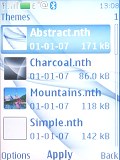
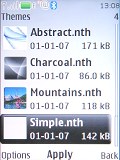
Two of the three preinstalled themes


Tip us
2.1m 180k
RSS
EV
Merch
Log in I forgot my password Sign up