New edge to RAZR
Motorola RAZR2 V8 review: New edge to RAZR

File management and multimedia
One of the core non-phone features of the Motorola V8 is the MP3 player. It has a dedicated button on the keypad, above the call key. Although it doesn't have the lavish user interface of high-end Walkman handsets, the music player in the RAZR2 V8 offers a pretty rich palette of options. Additionally, the quality external display and touch-sensitive keys make browsing tracks and playlists a real pleasure. Most of the playlist options to look for in a music-centered phone, are available here too. Among them are recently played files, artists, albums, genres and composers. Tracks are automatically sorted based on the information from ID3 tags. Alongside the fully customizable playlists, the music player offers auto-repeat, shuffle, bass boost with seven levels and the specially developed Spatial Audio effect.
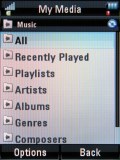
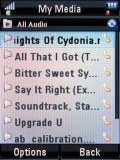
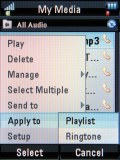
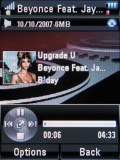
MP3 Player at work
Spatial Audio gives sound considerable depth but keeping the Bass Boost at medium level is a must, otherwise frequent distortion peaks are inevitable. Spatial Audio gets most appreciated with soul music. Searching audio content is possible, thanks to the integrated search engine. Song title, artist, album, genre and composer are the search attributes you can apply when looking for a track. Listening to music in the background is as comfortable as in normal mode, with a navigation toolbar still available on the home screen when the player is minimized. You can browse the menu and use the other phone features. Pressing the end key to exit the current application takes you back to home screen with the minimized player. Alternatively, pressing the dedicated player key on the keypad will launch the music library with the now running track. Once you have finished working with the phone, the external display with touch sensitive keys takes over handling the player upon closing the flip. The Bluetooth enabled RAZR2 V8 supports the A2DP profile for using wireless stereo headsets.
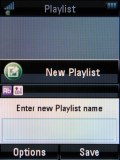
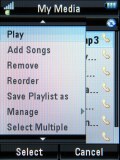
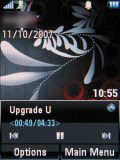
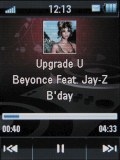
Creating Playlists • toolbar for minimized player in home screen • external display in player mode with touch sensitive keys
The video player is the regular Motorola one offering standard functionality. You can fast-forward and rewind, play in fullscreen mode. The spatial audio stereo effect and bass boost are also available in the video player.
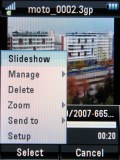
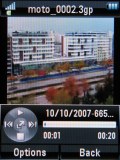

Video player • landscape mode is more comfortable
| Spatial Audio gives sound considerable depth but keeping the Bass Boost at medium level is a must, otherwise frequent distortion peaks are inevitable. Spatial Audio gets most appreciated with soul music. Searching audio content is possible, thanks to the integrated search engine. | ADVERTISEMENT
|
The File manager is located under Office Tools. Its default view is list with small icons. Other available views are details, thumbnail and preview pane. We find the thumbnail view very handy, indeed. Browsing your content with the file manager is just fine.
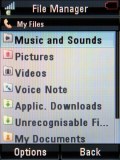
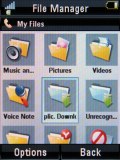
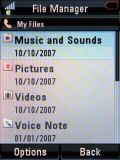
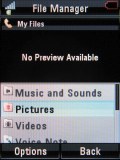
File manager with different views
There is no dedicated image gallery; the file manager is used for browsing photos. Each photo can also be set as wallpaper, screensaver, and added to a new or existing contact.
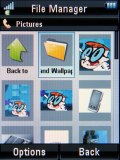
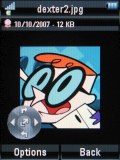
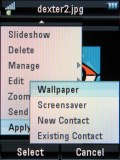
Browsing image folder contents
Editing pictures is also done here; there is no dedicated application. Rotating, cropping, resizing, styling or adding sounds are the options to use.
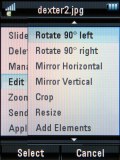
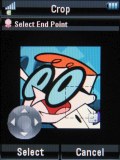
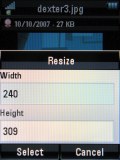

The available editing tools: crop, resize and zoom are on offer


Tip us
2.1m 180k
RSS
EV
Merch
Log in I forgot my password Sign up