Motorola One Zoom review
Vanilla Android Pie with a dash of Moto customizability
Credit where credit is due - all these years Motorola never really wavered from its commitment to clean Android experience. The Motorola One Zoom is no exception to the rule, just like the rest of the One family. Well, sort of. Unlike most of its sibling, the One Zoom is not part of the Android One program and thus could be missing out on certain benefits, like speedy updates.
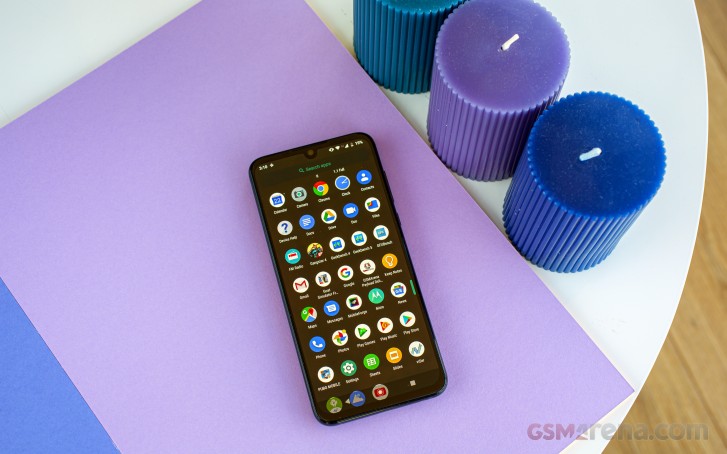
The phone boots Android 9.0 Pie out of the box with very little added to the mix beyond Google's AOSP platform. Most little Moto extras that are present are isolated in their own little Moto settings menu.

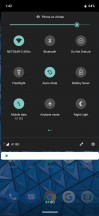
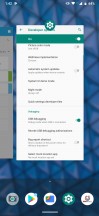
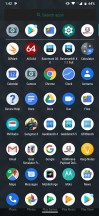
Home screen • Notification shade and toggles • Recent apps *App drawer
By default, the Motorola One Zoom ships with a modern swipe navigation setup. There's only one pill-like button in the center - tapping it once takes you to the home screen, a swipe up brings out the recent apps menu, swiping to the left acts as a back button while swiping to the right quickly switches back to the last opened app. The quick switch works pretty well, which is not always the case with Android implementations. However, if that is not to your liking, you can swap the left and right swipe gestures or go with Android's default navigation that includes a trio of buttons. Confusingly, you have to set this up through the Moto app, not the settings menu.

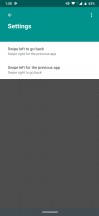
Navigation options are buried inside the Moto app
Since we are already on the topic of additional features, we should look at the Moto app in more depth. Like usual, it contains options to split up in two categories - "Actions" and "Display". However, the particular loadout of features in each category tends to be different on pretty much every Moto smartphone.


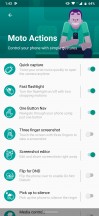
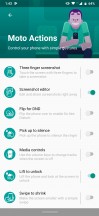
Moto App • Moto Display • Moto Actions
The Motorola One Zoom has no shortage of Actions. You are welcome to take a look for yourself in the screenshot. We'll just put it this way - if Moto Actions were Pokemon, then the One Zoom would probably be a Grand Master trainer.
The Motor Display entries are a lot less dependant on the particular model. You get the standard pair on the One Zoom, including interactive notifications while the screen is off and keeping the screen on while you are looking at it.
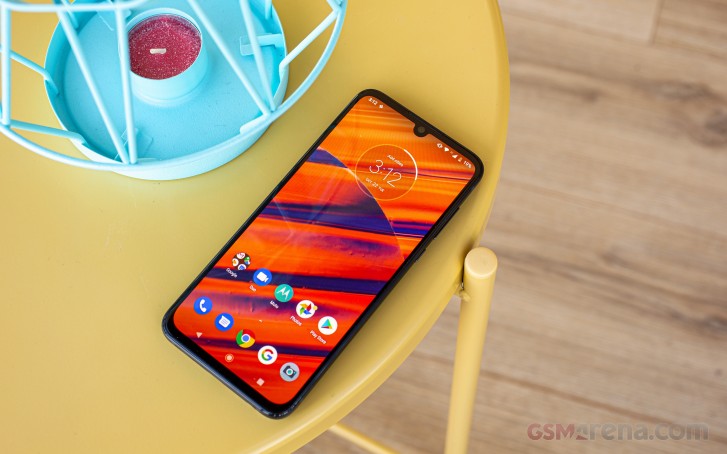
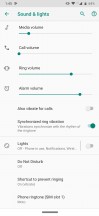
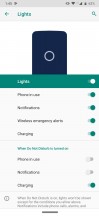
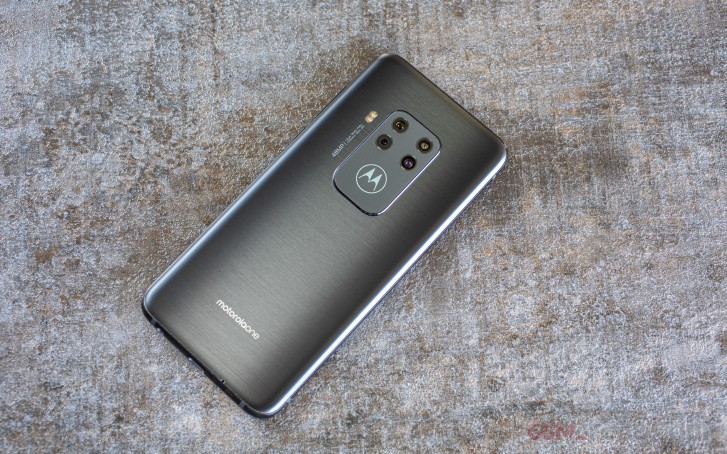
Like we already mentioned in the design section, the Moto One Zoom has a unique backlit logo on its back. It glows in white and has a modest level of customization. Oddly enough, the menu for controlling the light resides within the main settings menu and not in the Moto app unlike every other custom feature by Motorola.
Setting the lights on the back
The most obvious use for the light-up logo is as a notification LED. Especially in the absence of a dedicated one anywhere else on the phone. Then again, you could also choose to have the light always on if you don't really care about battery life too much.
Settings menu
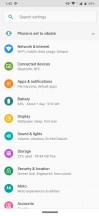
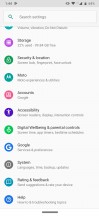
The rest of the settings are grouped in the usual sub-menus in the general Settings menu. Interestingly enough, the Battery section is one of the first you will see on the screen. It offers the usual battery stats since the last full charge, Android Pie's adaptive battery toggle and also informs you about misbehaving apps that you can restrict manually.
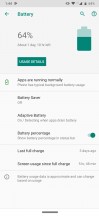
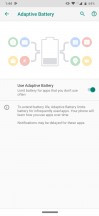
Battery options
There's nothing out of the ordinary in the Display menu except the option to enable Dark Mode. However, just like on the Moto G-series, the Dark mode doesn't seem to be working properly. The Settings menu remains white except for the notification shade, which goes black. It's high time Motorola addressed this.
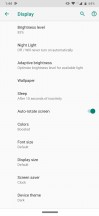

Display options
As you'd expect, the Security & location menu controls the fingerprint and face unlock. Both seem to work pretty well but keep in mind that the face unlock feature works only with the front-facing camera without any additional 3D scanning tech, so the fingerprint remains the more secure unlock method.
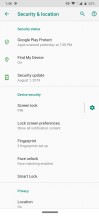
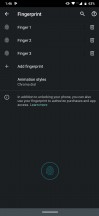

Security and location settings
Google's own take on Digital Wellbeing and parental control are also present on the One Zoom, which comes as no surprise, seeing how they are AOSP features. The latter is particularly nifty since Google Family Link has come a long way and does simplify the hurdles of keeping an eye on the younger Android users in your household.
For better or worse, just like its siblings, the Motorola One Zoom maintains a very clean and pure version of Android. A few bugs here and there and some housekeeping and organizational tasks are still needed to refine the experience, but even so, Motorola's OS is an excellent choice for Android purists.
Performance
t really wasn't that long ago when we regarded the Snapdragon 675 as the cream of the crop in terms of mid-ranger performance. And to be fair, it is still a pretty decent chip. A total of six cores (2.0 GHz Kryo 460 Gold - Cortex-A76 derivative + 1.7 GHz Kryo 460 Silver - Cortex-A55 derivative), paired with 4GB of RAM on the One Zoom are perfectly capable of effortlessly powering through pretty much every mundane task. The X12 LTE modem still packs a perfectly decent punch with its Cat.12 (600/100 Mbps) LTE speeds. Plus, the One Zoom has no shortage of other modern connectivity as well, including Dual-band Wi-Fi ac, Bluetooth 5.0, GPS with A-GPS, GLONASS, GALILEO, BDS, NFC, and even an FM radio to go along with the versatile 3.5mm audio jack.
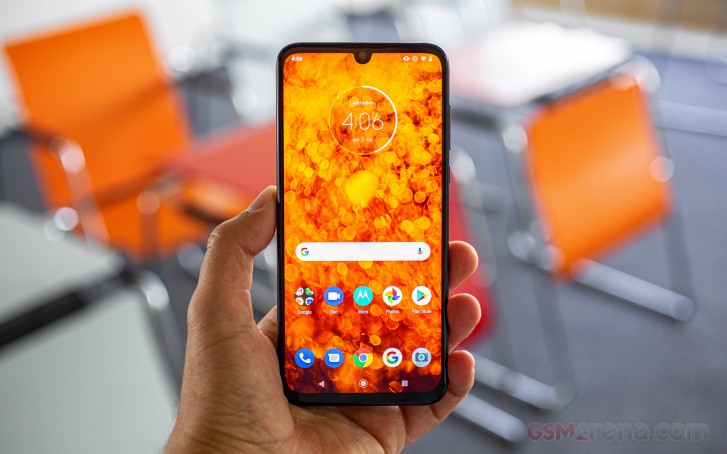
The thing is, though, that we've already had a taste of Snapdragon's 2019 700 series chips. More specifically, the Snapdragon 730/730G. With their 8nm manufacturing process and advanced X15 LTE modems, these chips just shrink the gap between flagship and mid-range silicon so much more. What we are getting at here is that we would have loved to see Motorola pick up the adoption in implementation pace a bit to be able to compete better with some of its rivals.
To better illustrate our point, we made sure to include some Snapdragon 730 phones in out benchmark lists. Most other devices we picked out, however, made on the benchmark list mostly for their respective camera setups. Our logic being that if you find the Moto One Zoom attractive, then you would probably like a telephoto, at the least in any potential alternative handset.
Kicking things off with pure CPU performance and GeekBench, we find the Snapdragon 675 holding its old. Not necessarily the one inside the Motorola One Zoom, though. Measuring it up against the Samsung Galaxy A70 and vivo v17 Pro, we see that the chipset they all share should be a lot closer in raw computational power to the Snapdragon 730. Yet, due to what we can only imagine is poor optimization, the Motorola One Zoom finds itself struggling to catch up the Realme XT and its Snapdragon 712.
GeekBench 4.1 (multi-core)
Higher is better
-
Lenovo Z6 Pro
11155 -
Redmi K20 Pro/Mi 9T Pro
10684 -
Oppo Reno2
7001 -
Xiaomi Mi 9T
6863 -
vivo V17 Pro
6629 -
Samsung Galaxy A70
6584 -
Realme XT
6102 -
Motorola One Zoom
5802 -
Motorola One Macro
5763 -
Samsung Galaxy A9 (2018)
5763 -
Motorola One Vision
5425 -
Motorola One Action
5271 -
Sony Xperia 10 Plus
4780 -
Motorola One (P30 Play)
4183
GeekBench 4.1 (single-core)
Higher is better
-
Lenovo Z6 Pro
3479 -
Redmi K20 Pro/Mi 9T Pro
3000 -
Oppo Reno2
2547 -
Xiaomi Mi 9T
2537 -
Samsung Galaxy A70
2391 -
vivo V17 Pro
2382 -
Motorola One Zoom
2084 -
Realme XT
1899 -
Samsung Galaxy A9 (2018)
1611 -
Motorola One Vision
1609 -
Motorola One Action
1604 -
Motorola One Macro
1393 -
Sony Xperia 10 Plus
1340 -
Motorola One (P30 Play)
867
GeekBench 5 (multi-core)
Higher is better
-
Oppo Reno2
1752 -
vivo V17 Pro
1657 -
Realme XT
1569 -
Motorola One Macro
1447 -
Motorola One Zoom
1409
GeekBench 5 (single-core)
Higher is better
-
Oppo Reno2
548 -
vivo V17 Pro
509 -
Motorola One Zoom
501 -
Realme XT
410 -
Motorola One Macro
305
And AnTuTu proves that this is not an isolated fluke either. Mind you, there could very well be other factors holding the Motorola One Zoom back with these benchmarks, like slower storage read and write speeds, among other metrics. Regardless, the result seems to be a phone punching a bit below its weight.
AnTuTu 7
Higher is better
-
Redmi K20 Pro/Mi 9T Pro
368846 -
Lenovo Z6 Pro
357672 -
Oppo Reno2
214097 -
Xiaomi Mi 9T
211915 -
Realme XT
185193 -
vivo V17 Pro
176791 -
Samsung Galaxy A70
167750 -
Motorola One Action
148748 -
Motorola One Zoom
146810 -
Motorola One Vision
143124 -
Samsung Galaxy A9 (2018)
140500 -
Motorola One Macro
139869 -
Sony Xperia 10 Plus
120573 -
Motorola One (P30 Play)
81024
At least things a looking a bit better in the GPU department where the Adreno 612 is managing to keep up with its siblings like the Samsung Galaxy A70 and vivo v17 Pro. Hardly a surprise there.
GFX 3.0 Manhattan (onscreen)
Higher is better
-
Redmi K20 Pro/Mi 9T Pro
60 -
Lenovo Z6 Pro
60 -
Motorola One Macro
42 -
Oppo Reno2
36 -
Xiaomi Mi 9T
34 -
Realme XT
33 -
Motorola One Vision
21 -
Samsung Galaxy A9 (2018)
21 -
vivo V17 Pro
20 -
Motorola One Zoom
19 -
Samsung Galaxy A70
19 -
Motorola One (P30 Play)
18 -
Sony Xperia 10 Plus
13
The Adreno 612 GPU is working as intended churning out all the frames it can. Even so, however, it can't hold a candle to the likes of the Adreno 618 inside the Snapdragon 730 and also the Adreno 616 inside the Snapdragon 712. Manhattan on OpenGL ES 3.0 is the easiest and oldest run we still keep around in our review, and even in it, the Motorola One Zoom only managed 19 fps on-screen. Far from an enjoyable experience. Of course, any actual Android game worth its salt will be able to dial itself back to accommodate even this level of performance. Plus, as we said, it wasn't that long ago that this was about the best we could expect of a mid-range Qualcomm chip.
GFX 3.1 Car scene (1080p offscreen)
Higher is better
-
Redmi K20 Pro/Mi 9T Pro
42 -
Lenovo Z6 Pro
42 -
Oppo Reno2
17 -
Xiaomi Mi 9T
16 -
Realme XT
15 -
Motorola One Vision
9.3 -
Samsung Galaxy A9 (2018)
9.1 -
vivo V17 Pro
8.8 -
Motorola One Macro
8.3 -
Motorola One Zoom
8.1 -
Samsung Galaxy A70
8 -
Sony Xperia 10 Plus
6.3 -
Motorola One (P30 Play)
3.6
The Snapdragon 700 chips have changed the game, pun intended. They are far superior for gaming. Naturally, to keep things fair and comparable, we are looking at off-screen rendering tests and eliminating any differences in the device screen resolution.
Aztek OpenGL ES 3.1 Normal (1080p offscreen)
Higher is better
-
Oppo Reno2
18 -
Motorola One Zoom
9.1 -
Samsung Galaxy A70
9.1 -
Motorola One Macro
8.6 -
Samsung Galaxy A9 (2018)
8.6 -
Sony Xperia 10 Plus
6.1 -
Motorola One (P30 Play)
3.6
Basemark X offers a bit of an easier to process visualization of the difference in GPU performance we are referring to. The same is true for the newer 3DMark SSE 3.1 Unlimited, which should allow any GPU to fully stretch its wings.
Basemark X
Higher is better
-
Redmi K20 Pro/Mi 9T Pro
45788 -
Lenovo Z6 Pro
45133 -
Oppo Reno2
34503 -
Realme XT
32519 -
Xiaomi Mi 9T
31318 -
Motorola One Vision
21565 -
Motorola One Zoom
21214 -
vivo V17 Pro
21213 -
Samsung Galaxy A9 (2018)
20322 -
Samsung Galaxy A70
19341 -
Sony Xperia 10 Plus
15035 -
Motorola One (P30 Play)
10524
3DMark SSE 3.1 Unlimited
Higher is better
-
Lenovo Z6 Pro
6351 -
Redmi K20 Pro/Mi 9T Pro
4850 -
Oppo Reno2
2573 -
Xiaomi Mi 9T
2329 -
Realme XT
2284 -
Motorola One Vision
1327 -
Motorola One Macro
1257 -
vivo V17 Pro
1221 -
Samsung Galaxy A70
1112 -
Motorola One Zoom
1107 -
Sony Xperia 10 Plus
1002
And just to eliminate any doubt that, perhaps, the Motorola One Zoom and its Adreno 612 don't play well with Open GL ES, we tried some Vulkan tests as well. Unfortunately, many of these caused the the device to run out of video memory. And the few that did finish successfully don't paint a prettier picture.
3DMark SSE Vulkan
Higher is better
-
Lenovo Z6 Pro
5018 -
Redmi K20 Pro/Mi 9T Pro
3973 -
Oppo Reno2
2262 -
Xiaomi Mi 9T
2035 -
Realme XT
2023 -
Motorola One Vision
1361 -
Motorola One Macro
1240 -
vivo V17 Pro
1163 -
Samsung Galaxy A70
1061 -
Motorola One Zoom
1055 -
Sony Xperia 10 Plus
939
All the whining aside, the Motorola One Zoom is perfectly snappy and responsive in everyday use. As it should since its hardware is more than plenty for 2019, especially on a clean AOSP ROM. That said, our point stands that we've seen more powerful implementations from the Snapdragon 675. Plus, if you are after the best performance for your dollar, you should be exploring Snapdragon 700 series phones instead.


Tip us
2.1m 180k
RSS
EV
Merch
Log in I forgot my password Sign up