Motorola Edge 30 Neo review
Pure Android 12 experience
With Android 13 already out and about, we are a little bit disappointed to see Android 12 on board. Even if it gets it soon enough, we doubt that the handset will receive Android 14 once it comes around since mid-range devices usually settle for one major update.
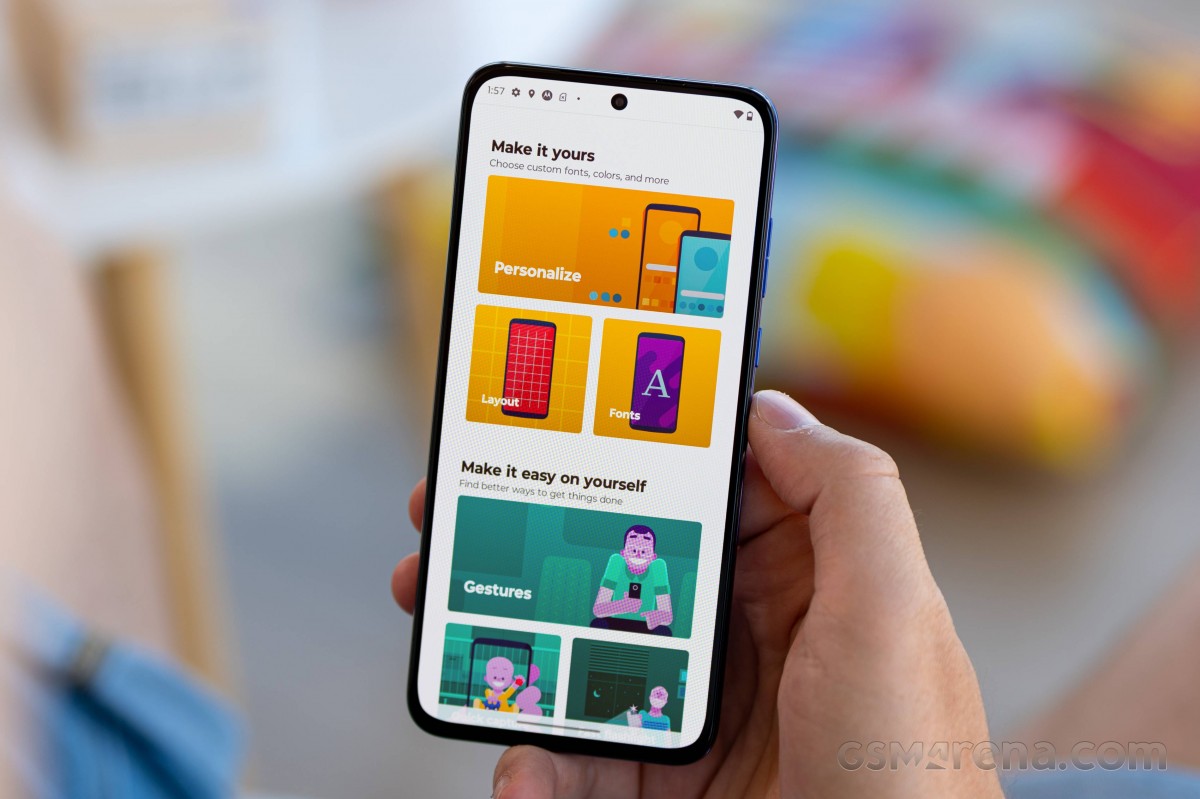
However, you still get the benefit of using a clean Android, and lots of people are after that. It's lightweight, it's familiar, and it's stripped of the heavy UI customizations. Still, Motorola includes a couple of unique features typically found in all smartphones from the company.
Even with the Snapdragon 695 on board, the device runs well with little to no hiccups and slowdown. In fact, we feel that the Edge 30 Neo runs considerably smoother than other Snapdragon 695-powered handsets with custom Android skins.
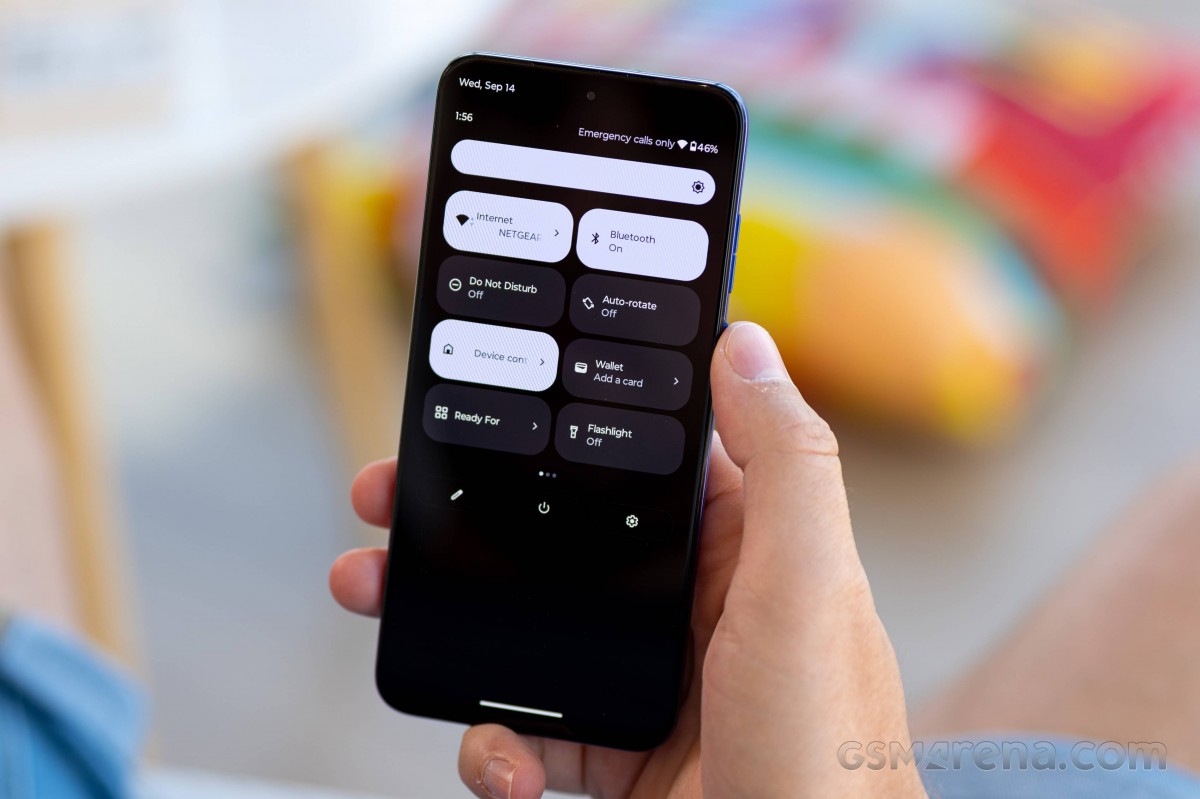
The UI and overall appearance are close to stock Android. That includes the new pill-shaped quick toggles in the notification shade. And once again, it does not include the toggle for automatic brightness, and you have to dig deep into the settings menu to enable or disable the feature.



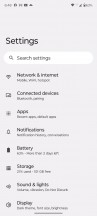
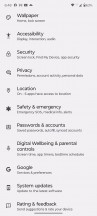
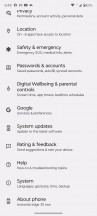
Home screen, recent apps, notification shade, settings menu
No change in the recent apps menu that displays apps in a carousel formation and no change in the app drawer as well. The iconography in the general Settings menu has been revamped, though, so it might take some time to get used to.
As is usually the case, Motorola has added a handful of useful extras. They are all placed in a Moto settings app that lists them in categories. The first one is Personalization, and allows you to tinker with fonts, app icons layout, accent colors, icon shape and themes.



Moto features
The more useful additions, however, involve gestures. The iconic ones - karate chop for turning on the flashlight or twisting your wrist to open up the camera app are here. There's also a double-tap gesture on the back that can launch a desired app and we found it to work flawlessly even with the bundled case on it.

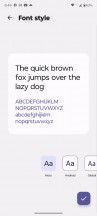
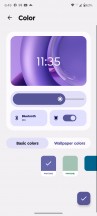
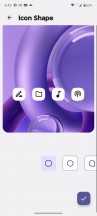
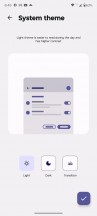


Customization options
The Attentive display keeps the screen on when the front camera detects a face looking at it so the display won't go dark when you are halfway through an article. Peek display lights up the lockscreen once the device senses you are close and you pick up the phone. It uses the proximity sensor and the accelerometer to detect motion. And in case there's a notification, you can just tap and hold on to the notification icon to see a quick preview of the text.




Gestures and attentive display
Last but not least, the volume rocker keys can be used to change tracks by holding down the volume up or down key.
A relatively new feature is the Overcharge protection toggle in the Battery menu. It will cut off charging once it detects that the phone hasn't been unplugged for three days straight and keep the battery charged at a much healthier 80%.
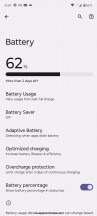
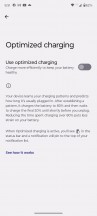

Battery features
Introduced in 2021, Motorola's 'ready for' platform enables a multitude of use cases that put the phone in the center of a big-screen experience. Connecting a TV or a monitor allows you to get a Windows desktop-like environment, play a game on your phone, display it on the external screen, or even have a video chat on a larger display. It works just as Samsung's DeX.
The connection can be made with a cable - either with the 'ready for' cable (or another USB-C MHL Alt solution) or with a USB-C-to-C cable with a compatible monitor. Alternatively, you can connect wirelessly to a Miracast-capable display. However, due to hardware limitations, the Edge 30 Neo can only connect wirelessly.
If you don't have a mouse and/or keyboard handy, the phone's screen can be used as a trackpad and/or keyboard.

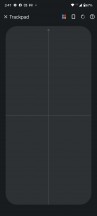
Ready for Moto feature, trackpad
You can also use 'ready for' on a Windows-based PC - it runs within a window on your desktop. This is helpful when you want to run an Android app from your computer or multi-task between devices on just one screen.
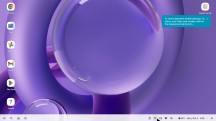

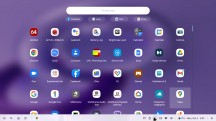
The "Ready For" desktop environment
Lastly, we can't miss mentioning the fast and responsive fingerprint reader. Even with this low-end chipset, the device unlocks with a light and a brief touch of the scanner. As we've already pointed out in the Design section of the review, our only complaint is the high positioning of the reader.
We didn't even notice any big slowdown outside of launching some heavier apps, which took a bit longer than usual. The UI doesn't feel heavy on the eye, nor does it take a toll on the hardware with excessive effects or animations.
Synthetic performance
This isn't the first time we get to see Snapdragon 695 5G chipset in action. Despite the incremental numeric change in the name, the chipset is actually totally revamped, compared to the Snapdragon 690. Along with the newer, more powerful CPU cores and GPU, the chip boasts 5G connectivity and is based on a more modern 6nm manufacturing process by TSMC. This wasn't a thing in the older Snapdragon 690.
The main two Kryo 560 Gold (Cortex-A77) cores are replaced with Kryo 660 Gold (Cortex-A78) cores clocked at 2.2 GHz while the six energy-efficient Kryo 560 Silver (Cortex-A55) clocked at 1.7 GHz remain the same. There's only a change in the name, now called Kryo 660 Silver. The Adreno 619L GPU has been replaced with a full-fledged Adreno 619. The SD695 now supports faster LPDDR4X memory at 2133 MHz as well.
GeekBench 5 (multi-core)
Higher is better
-
Motorola Edge 30 Ultra
4265 -
Poco X4 GT
3719 -
Motorola Edge 30 Pro
3658 -
Motorola Edge 30 Fusion
3458 -
Google Pixel 6a
2876 -
OnePlus Nord 2T 5G
2694 -
Realme 9 Pro+
2335 -
Snapdragon 695 average
1993 -
Motorola Edge 30 Neo
1964 -
Samsung Galaxy A53 5G
1891
GeekBench 5 (single-core)
Higher is better
-
Motorola Edge 30 Ultra
1276 -
Motorola Edge 30 Pro
1196 -
Motorola Edge 30 Fusion
1073 -
Google Pixel 6a
1047 -
Poco X4 GT
917 -
Realme 9 Pro+
814 -
Samsung Galaxy A53 5G
743 -
Snapdragon 695 average
684 -
Motorola Edge 30 Neo
670 -
OnePlus Nord 2T 5G
493
AnTuTu 9
Higher is better
-
Motorola Edge 30 Ultra
1074722 -
Motorola Edge 30 Pro
941895 -
Motorola Edge 30 Fusion
827929 -
Poco X4 GT
747871 -
Google Pixel 6a
712092 -
OnePlus Nord 2T 5G
619610 -
Realme 9 Pro+
416031 -
Snapdragon 695 average
387789 -
Motorola Edge 30 Neo
380818 -
Samsung Galaxy A53 5G
379313
GFX Aztek Vulkan High (onscreen)
Higher is better
-
Motorola Edge 30 Ultra
62 -
Motorola Edge 30 Pro
60 -
Google Pixel 6a
39 -
Poco X4 GT
38 -
Motorola Edge 30 Fusion
35 -
OnePlus Nord 2T 5G
30 -
Realme 9 Pro+
16 -
Samsung Galaxy A53 5G
15 -
Motorola Edge 30 Neo
12 -
Snapdragon 695 average (1080p)
12
GFX Aztek Vulkan High (offscreen 1440p)
Higher is better
-
Motorola Edge 30 Pro
45 -
Motorola Edge 30 Ultra
43 -
Google Pixel 6a
32 -
Poco X4 GT
24 -
Motorola Edge 30 Fusion
23 -
OnePlus Nord 2T 5G
20 -
Realme 9 Pro+
10 -
Samsung Galaxy A53 5G
10 -
Motorola Edge 30 Neo
8.2 -
Snapdragon 695 average
8
GFX Car Chase ES 3.1 (onscreen)
Higher is better
-
Motorola Edge 30 Pro
78 -
Motorola Edge 30 Ultra
73 -
Motorola Edge 30 Fusion
62 -
Google Pixel 6a
51 -
Poco X4 GT
46 -
OnePlus Nord 2T 5G
42 -
Realme 9 Pro+
23 -
Samsung Galaxy A53 5G
19 -
Snapdragon 695 average (1080p)
17 -
Motorola Edge 30 Neo
16
GFX Car Chase ES 3.1 (offscreen 1080p)
Higher is better
-
Motorola Edge 30 Pro
95 -
Motorola Edge 30 Ultra
93 -
Google Pixel 6a
66 -
Motorola Edge 30 Fusion
63 -
Poco X4 GT
52 -
OnePlus Nord 2T 5G
51 -
Realme 9 Pro+
27 -
Samsung Galaxy A53 5G
23 -
Motorola Edge 30 Neo
20 -
Snapdragon 695 average
20
3DMark SSE ES 3.1 (offscreen 1440p)
Higher is better
-
Google Pixel 6a
8808 -
Samsung Galaxy A53 5G
3631 -
Motorola Edge 30 Neo
2921 -
Snapdragon 695 average
2273
3DMark SSE Vulkan 1.0 (offscreen 1440p)
Higher is better
-
Samsung Galaxy A53 5G
3570 -
Motorola Edge 30 Neo
2747 -
Snapdragon 695 average
2139
As you can see, the Edge 30 Neo doesn't deviate a lot from the average Snapdragon 695 performance in our database, but it does fall short of pretty much all competitors in the same price bracket. We've picked only rivals priced within €50 of the Edge 30 Neo's retail price. There are phones with a lot more competent chipsets in this price range, such as MediaTek's Dimensity 8100 and 1300 or even the Dimensity 910. The Samsung Galaxy A53 with the in-house Exynos 1280 is the only one that drags behind the Snapdragon 695 in some of the tests.


Tip us
2.1m 180k
RSS
EV
Merch
Log in I forgot my password Sign up