Power robot
Motorola Droid Turbo review: Power robot
Google Chrome
Motorola Droid Turbo comes with Google Chrome as the default web browser out of box instead of the generic Android browser. Chrome received a major update recently, which brought a new UI on board. It is now even more pleasant to look at.
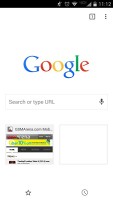
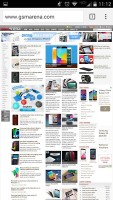
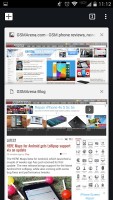
Google Chrome
Of course, one of Chrome's strengths is its ability to seamlessly sync with the desktop version, using nothing but your Google account. This allows you to open an article on your PC and finish reading it on your mobile phone. It also syncs your bookmarks and favorite sites.
Google Chrome is generous with the available settings as well. You can control almost every aspect of your web browsing from choosing what content you want to allow to load like JavaScript, images, cookies and pop-ups. Reduce data usage does what it says - Google servers compress the webpage (using Google-developed tech like SPDY and WebP) and send them to the phone.
Opening the tabs area reveals a list of tabs that can be closed, again with a left or right swipe. Incognito tabs let you browse without saving history or cookies.
Other apps
The Calendar has four different types of view - daily, weekly, monthly and diary (agenda). Adding a new event is quick and easy, and you can also set an alarm to act as a reminder.


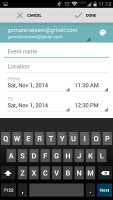
The calendar
The handset also features the Quick Office, which supports creating, viewing and editing office files (docs, xls, ppt), and it can also read PDFs.
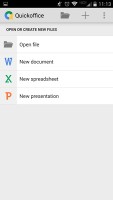
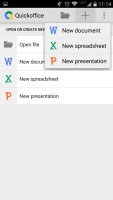
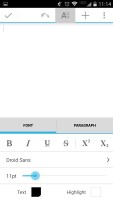
Quickoffice
The stock Android Calculator and Clock app (with stopwatch, world clock and timer) are available by default.
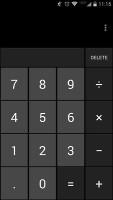
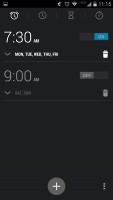
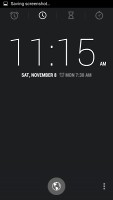
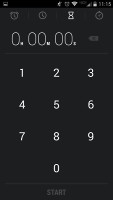
Calculator • Clock
The Moto app gives control of all additional features available in the Droid Turbo. They include the superb voice commands, the IR gesture controls, the glance notifications, and Motorola Assist.
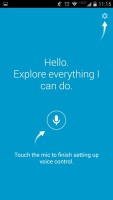
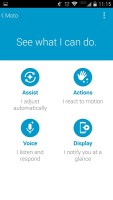
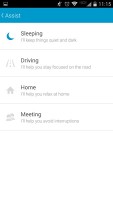
Moto app
You can operate your device via voice commands, which have been greatly improved over last years model. This time around, you can make your phone respond to any name you like - there's no need for the slightly cumbersome "ok Google Now."
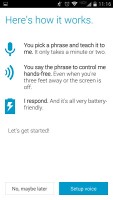
Setting up voice control
Thanks to the superior quad-microphone setup, the voice control in the Droid Turbo works superbly. We tested the device in plenty of scenarios, including loud restaurant and street environment and came out really impressed.
Motion controls via the IR sensors are simple and effective. Hovering your hand over the device can snooze the alarm in the morning, and show you time and notifications during the rest of your day.
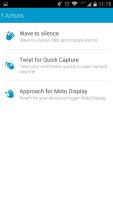
Motion controls
Moto Assist automatically adjusts the settings of your device depending on the environment you are in. Available modes include Sleeping, Driving, Home, and Meeting. You can tweak the settings of each individually.
Overall, Motorola deserves credit for adding unique features to the Droid Turbo without going overboard. All features are useful and easy to operate. Naturally, you can disable them altogether.


Tip us
2.1m 180k
RSS
EV
Merch
Log in I forgot my password Sign up