GSMArena.com GSMArena.com

Tip us

2.0m
150k
RSS

EV

Merch

Log in

Login

I forgot my password
Sign up
  • Home
  • News
  • Reviews
  • Videos
  • Featured
  • Phone Finder
  • Deals
  • MerchNew
  • Coverage
  • Contact
ADVERTISEMENT
GSMArena team, 29 July 2016

Birth of a new successor


Moto Z Droid review: Birth of a new successor

  • Comments (85)
  • User reviews
  • Moto Z

7. Telephony, pre-installed apps
  1. 1. Introduction
  2. 2. Unboxing, hardware and design
  3. 3. Display, connectivity and battery life
  4. 4. User Interface, Moto Enhancements
  5. 5. Moto Mods
  6. 6. Performance
  7. 7. Telephony, pre-installed apps
  8. 8. Multimedia, audio quality, and loudspeaker
  9. 9. Camera
  10. 10. Conclusion
  11.  
  12. Motorola Moto Z specification
  13. User opinions and reviews
  14. Review comments (85)

Motorola Android Lenovo

SMS

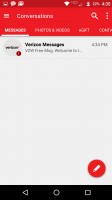
The Moto Z Droid that we are reviewing is A Verizon device. Naturally, there are Verizon apps that the carrier might like us to use rather than a default app. More specifically, this is the SMS app developed for Verizon customers. Although the app is rich with features, bells and whistles, the SMS app in question is far too complicated for the average Joe.
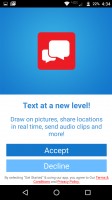
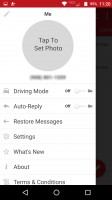
Message+ SMS app - Moto Z Droid Edition Review Message+ SMS app - Moto Z Droid Edition Review Message+ SMS app - Moto Z Droid Edition Review Message+ SMS app - Moto Z Droid Edition Review
Message+ SMS app

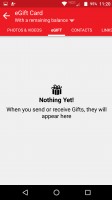
More Message+ screencaps - Moto Z Droid Edition Review More Message+ screencaps - Moto Z Droid Edition Review More Message+ screencaps - Moto Z Droid Edition Review More Message+ screencaps - Moto Z Droid Edition Review
More Message+ screencaps

This SMS app in question is called Message+ and it offers customers an SMS platform that is cloud-enabled through Verizon's own servers which allow you to send and receive SMS and MMS messages remotely via a desktop or over Wi-Fi. Texting over Wi-Fi isn't a novelty nowadays with more carriers supporting Wi-Fi calling. But, the Message+ app does have the ability to allow Verizon customers to sync and restore their SMS inbox as well as send and receive SMS through Verizon's web portal. Pretty cool.
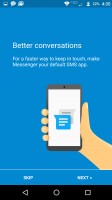
Google's SMS 'Messenger' is pre-installed - Moto Z Droid Edition Review
Google's SMS 'Messenger' is pre-installed

Alternatively, Google's Messenger app for SMS/MMS is pre-installed in the Moto Z. If customers don't care for the Message+ app, at least Messenger could work out of the box. But most people won't see it because there's already a shortcut on the Home screen dock for Message+.

Telephony
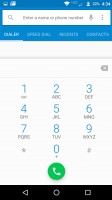
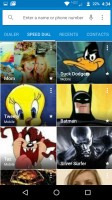
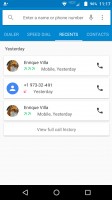
Stock Dialer - Moto Z Droid Edition Review Stock Dialer - Moto Z Droid Edition Review Stock Dialer - Moto Z Droid Edition Review Stock Dialer - Moto Z Droid Edition Review
Stock Dialer

The dialer looks much like the vanilla-Android's stock dialer. Along the top of the dialer are four menus that you can scroll through: Dialer, Speed Dial (favorites), Recents, and Contacts. You can tap the mic at the corner of the screen and say the name of the contact you'd like to call, this will even work if the phone is not connected to a data network, in cases where you run out of data so you've had to disable the data connection.
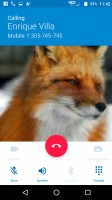
In-call screen - Moto Z Droid Edition Review
In-call screen

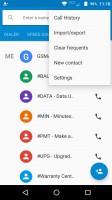
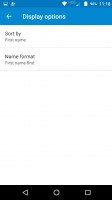
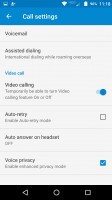
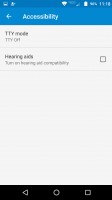
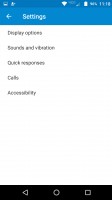
Various dialer settings - Moto Z Droid Edition Review Various dialer settings - Moto Z Droid Edition Review Various dialer settings - Moto Z Droid Edition Review Various dialer settings - Moto Z Droid Edition Review
Various dialer settings

Options in the dialer include import/export (as the dialer is also partially made up of the phone app), which accounts to show contacts from, and more phone settings include various voicemail settings, and video calling function (only usable between Verizon devices).

Pre-installed Apps

Our Moto Z unit is a Verizon unit. So we already expect to see a significant amount of bloatware pre-installed on the unit. Here's a breakdown of the bloatware found on the Moto Z.
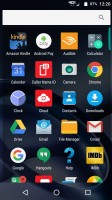
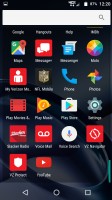
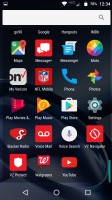
Pre-installed apps - Moto Z Droid Edition Review Pre-installed apps - Moto Z Droid Edition Review
Pre-installed apps

Verizon Apps:

  • Caller Name ID
  • Cloud
  • Device Help
  • Message+
  • My Verizon Mobile
  • Voice Mail
  • VZ Navigator (paid turn-by-turn GPS navigation... why?)
  • VZ Protect

Non-Google Apps:

  • Amazon Kindle
  • Audible
  • IMDb
  • NFL Mobile
  • Slacker Radio

If you think that's already a lot of bloatware, you're wrong. When we first updated all the Play Store apps that were already in the phone (which included bloatware apps), we found new bloatware populating our app drawer without a single install prompt.
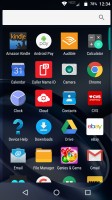
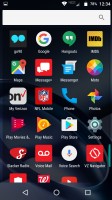
Pre-installed apps, plus auto-installed apps - Moto Z Droid Edition Review Pre-installed apps, plus auto-installed apps - Moto Z Droid Edition Review Pre-installed apps, plus auto-installed apps - Moto Z Droid Edition Review
Pre-installed apps, plus auto-installed apps

These are the apps that were automatically installed (in this order) once the Moto Z's setup was completed and all Play Store apps were updated:

  • Go90 - Verizon's app full of sponsored video clips that don't count as against data cap
  • Walgreens - Nationwide pharmacy app
  • CVS - Another nationwide pharmacy app
  • eBay - Self-explanatory
  • Genies and Gems - a forgettable game

These apps were installed automatically whilst updating apps, once the phone had been setup. But the difference between these self-installed apps and the ones that we already found in the phone, these auto-installed apps can be uninstalled and other ones can only be disabled (but still take up precious storage space). These apps probably shouldn't have installed themselves in the first place. Not cool.

Next Page » 8. Multimedia, audio quality, and loudspeaker
7. Telephony, pre-installed apps
  1. 1. Introduction
  2. 2. Unboxing, hardware and design
  3. 3. Display, connectivity and battery life
  4. 4. User Interface, Moto Enhancements
  5. 5. Moto Mods
  6. 6. Performance
  7. 7. Telephony, pre-installed apps
  8. 8. Multimedia, audio quality, and loudspeaker
  9. 9. Camera
  10. 10. Conclusion
  11.  
  12. Motorola Moto Z specification
  13. User opinions and reviews
  14. Review comments (85)

Reviews Moto Z Droid reviewPage 7
  • Comments (85)
  • User reviews
  • Moto Z

Phone finder

  • Samsung
  • Apple
  • Huawei
  • Nokia
  • Sony
  • LG
  • HTC
  • Motorola
  • Lenovo
  • Xiaomi
  • Google
  • Honor
  • Oppo
  • Realme
  • OnePlus
  • Nothing
  • vivo
  • Meizu
  • Asus
  • Alcatel
  • ZTE
  • Microsoft
  • Umidigi
  • Coolpad
  • Oscal
  • Sharp
  • Micromax
  • Infinix
  • Ulefone
  • Tecno
  • Doogee
  • Blackview
  • Cubot
  • Oukitel
  • Itel
  • TCL

All brands Rumor mill

ADVERTISEMENT

Popular reviews

Xiaomi 17 Pro Max review
vivo X300 Pro review
Oppo Find X9 Pro review
ADVERTISEMENT

ELECTRIC VEHICLES

Tesla's 'home-grown' Cybertruck boss leaves as program sputters Tesla's 'home-grown' Cybertruck boss leaves as program sputters The 2026 BMW i4 is faster than ever and it even goes fartherXPeng plans to unleash three different Robotaxi models next year
ADVERTISEMENT

Home News Reviews Compare Coverage Glossary FAQ RSS Youtube Instagram TikTok Facebook Twitter

© 2000-2025 GSMArena.com Mobile version Android app Tools Contact us Merch store Privacy Terms of use Change Ad Consent Do not sell my data