GSMArena.com GSMArena.com

Tip us

2.0m
150k
RSS

EV

Merch

Log in

Login

I forgot my password
Sign up
  • Home
  • News
  • Reviews
  • Videos
  • Featured
  • Phone Finder
  • Deals
  • MerchNew
  • Coverage
  • Contact
ADVERTISEMENT
GSMArena team, 31 August 2014

Going fast


Motorola Moto G 4G review: Going fast
  • Comments (50)
  • User reviews
  • Moto G 4G

4. User interface
  1. 1. Introduction
  2. 2. Unboxing, design and handling, controls
  3. 3. Display, battery life, connectivity
  4. 4. User interface
  5. 5. Performance
  6. 6. Phonebook, telephony, messaging
  7. 7. Multimedia: gallery, players, FM, audio quality
  8. 8. Camera, image quality, video recording
  9. 9. Web browser, other apps
  10. 10. Conclusion
  11.  
  12. Motorola Moto G 4G specification
  13. User opinions and reviews
  14. Review comments (50)

Motorola Android

Moto G 4G runs on KitKat 4.4.4

Motorola Moto G 4G runs pure Android 4.4.4 KitKat out of the box. Motorola does not provide any custom additions to the vanilla Android, which is one of the reasons the Moto lineup is treated with Nexus-fast Android updates.

There goes our usual demo video to get you started.

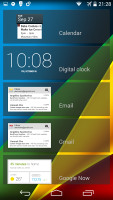
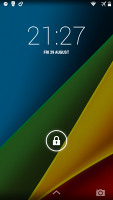
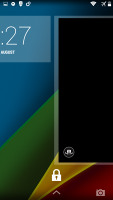
The lockscreen is the usual affair - it supports widgets (one per pane), plus there is a shortcut to the camera at the bottom courtesy of Android KitKat. There are a few available default widgets, but you can always get more from the Play Store.

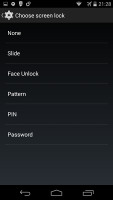
Naturally, you can protect your lockscreen by Face, Pattern, PIN or Password unlock, in ascending order of security.
Moto G 4G Moto G 4G Moto G 4G Moto G 4G
Android 4.4 lockscreen on Moto G 4G

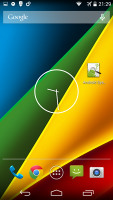
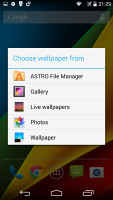
The Moto G allows for five homescreen panes. You can't change their arrangement nor can you add or remove panes. Adding stuff on the homescreen is easy, as is customizing it. You can set various live and static wallpapers, add widgets and shortcuts.
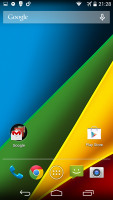
Moto G 4G Moto G 4G Moto G 4G Moto G 4G
The Moto G 4G homescreen

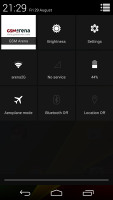
The notification center is the usual stock Android one and Quick toggles are available via a shortcut to the right. You can get straight to these by with a two-finger swipe from the top of the screen. From there you get access to key device settings such as brightness, Wi-Fi, Bluetooth, location, mobile networks and Battery. Some toggles are directly accessible shortcuts to their respected functions in the settings menu.
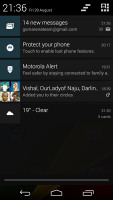
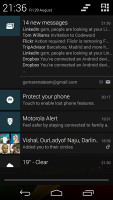
Moto G 4G Moto G 4G Moto G 4G
The Notification area and the Quick toggles

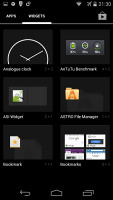
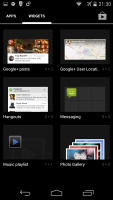
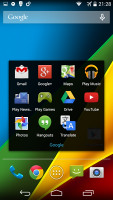
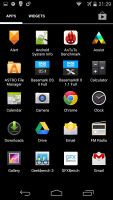
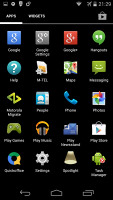
The app drawer is laid out across multiple side-scrollable panes. The apps are sorted alphabetically followed by the available widgets. Moto G 4G doesn't support custom sorting for the app drawer, nor is there an option to remove the widgets panes, which come right after the app ones.
Moto G 4G Moto G 4G Moto G 4G Moto G 4G
The app drawer • widget panes

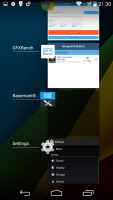
The Recent Apps switcher is the same as on any other Android device. It would be nice if Google finally adds a kill all/close all option to this screen.
Moto G 4G
Recent apps list

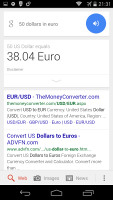
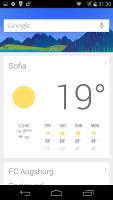
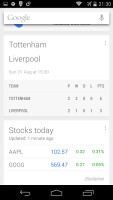
Finally, Google Now integrates with your Google account and can access your daily routine, internet searches, email, etc. and give you information relevant to your interests and daily needs.
Moto G 4G Moto G 4G Moto G 4G Moto G 4G
Google Now

It provides traffic information to your work or home, knows the scores of sports teams you follow and gives you the weather forecast for your location. It's great for at-a-glance info, but can handle voice input as well. It also has a dedicated homescreen/lockscreen widget.

Next Page » 5. Performance
4. User interface
  1. 1. Introduction
  2. 2. Unboxing, design and handling, controls
  3. 3. Display, battery life, connectivity
  4. 4. User interface
  5. 5. Performance
  6. 6. Phonebook, telephony, messaging
  7. 7. Multimedia: gallery, players, FM, audio quality
  8. 8. Camera, image quality, video recording
  9. 9. Web browser, other apps
  10. 10. Conclusion
  11.  
  12. Motorola Moto G 4G specification
  13. User opinions and reviews
  14. Review comments (50)

Reviews Motorola Moto G 4G reviewPage 4
  • Comments (50)
  • User reviews
  • Moto G 4G

Phone finder

  • Samsung
  • Apple
  • Huawei
  • Nokia
  • Sony
  • LG
  • HTC
  • Motorola
  • Lenovo
  • Xiaomi
  • Google
  • Honor
  • Oppo
  • Realme
  • OnePlus
  • Nothing
  • vivo
  • Meizu
  • Asus
  • Alcatel
  • ZTE
  • Microsoft
  • Umidigi
  • Coolpad
  • Oscal
  • Sharp
  • Micromax
  • Infinix
  • Ulefone
  • Tecno
  • Doogee
  • Blackview
  • Cubot
  • Oukitel
  • Itel
  • TCL

All brands Rumor mill

ADVERTISEMENT

Popular reviews

Oppo Find X9 Pro review
Xiaomi 17 Pro Max review
vivo X300 Pro review
ADVERTISEMENT

ELECTRIC VEHICLES

Dongfeng's new solid-state battery promises 1,000-kilometer electric cars by 2026 Dongfeng's new solid-state battery promises 1,000-kilometer electric cars by 2026 Apple Watch and WearOS smartwatches can now unlock your VW carPorsche details electric Cayenne's wireless charging
ADVERTISEMENT

Home News Reviews Compare Coverage Glossary FAQ RSS Youtube Instagram TikTok Facebook Twitter

© 2000-2025 GSMArena.com Mobile version Android app Tools Contact us Merch store Privacy Terms of use Change Ad Consent Do not sell my data