GSMArena.com GSMArena.com

Tip us

2.0m
150k
RSS

EV

Merch

Log in

Login

I forgot my password
Sign up
  • Home
  • News
  • Reviews
  • Videos
  • Featured
  • Phone Finder
  • Deals
  • MerchNew
  • Coverage
  • Contact
ADVERTISEMENT
GSMArena team, 03 November 2017

Huawei Mate 10 Pro review

  • Comments (147)
  • User reviews
  • Mate 10 Pro
  • 4.3

4. Software: EMUI 8 on sweet Oreo
  1. 1. Introduction
  2. 2. Retail package, 360-degree spin, design
  3. 3. Display, battery life, connectivity
  4. 4. Software: EMUI 8 on sweet Oreo
  5. 5. Chipset and benchmark performance
  6. 6. Phone and loudspeaker, apps, media, audio quality
  7. 7. Camera, features, daylight image quality
  8. 8. Low-light photos, portrait mode, panorama, selfies, video
  9. 9. Wrapping it up, lab test summary, competition, the verdict
  10.  
  11. Huawei Mate 10 Pro specification
  12. User opinions and reviews
  13. Review comments (147)

Huawei Android Dual SIM

EMUI 8 on sweet Android 8 Oreo

EMUI is now going from v.5.1 straight to v.8 to match the version of Android it comes with - 8.0 Oreo. And we don't mind that, a little cohesiveness never hurts.

The new EMUI has at least a few new features, which are powered by the dedicated NPU inside the Kirin 970 chipset, though those won't be exclusive to the Mate 10 series. Most of the machine learning processes are expected to make it to the Mate 9 and P10, though we guess they won't be as fast there.
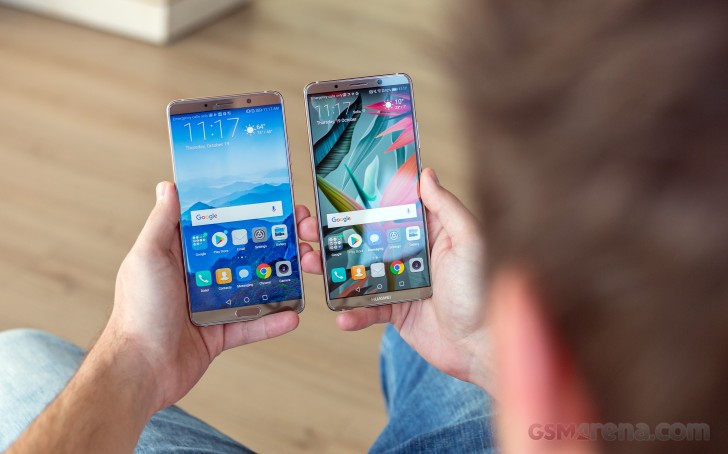
Huawei Mate 10 Pro review

Let's kick off with the EMUI 8 highlight - machine learning. EMUI has been building on-device user behavior models for faster app startups ever since v.5.0 but Huawei is improving this here allowing for up to 12% faster app startups and more intelligent power allocation.

EMUI 8.0 also (intelligently) suggests features based on the environment and the user interaction. For instance, it can offer you to turn on the blue light filter towards the end of the day. Or when a new notification comes while you are watching a video, it offers you to go straight to split-screen mode. Of course, this works only for apps which support it.

Another new feature in EMUI 8 is the desktop mode called Projection. Once you connect the phone to an external screen via an USB-C to HDMI cable, you will get the dedicated desktop user interface.

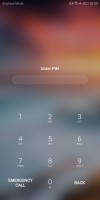
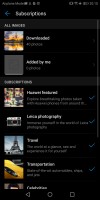
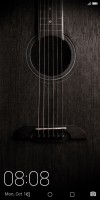
Now, let's get back to EMUI's basics. Starting with the lockscreen - the Magazine unlock style is here to stay, but it's now called Subscription. It puts a different wallpaper every time you wake up the device. Naturally, shortcuts for some quick actions are available on the lockscreen but are non-configurable.

If you opt for a fingerprint unlock method, you probably won't be seeing much of the lockscreen anyway.
Functional lockscreen - Huawei Mate 10 Pro review Functional lockscreen - Huawei Mate 10 Pro review Functional lockscreen - Huawei Mate 10 Pro review Functional lockscreen - Huawei Mate 10 Pro review Functional lockscreen - Huawei Mate 10 Pro review
Functional lockscreen

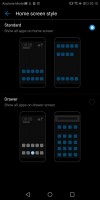
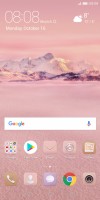
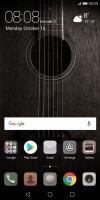
EMUI 8 has an option for two-tiered interface with an app drawer, but it's tucked away in the settings. Huawei uses the all-apps-on-the-homescreen by default on Mate 10 Pro. App badges are supported courtesy of Oreo. Depending on the market you can enable an additional rightmost pane - either Google Now feed or Huawei's HiBoard with various widgets, info, and search field.

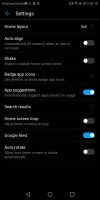
No app drawer - Huawei Mate 10 Pro review Layout settings - Huawei Mate 10 Pro review You can opt for app drawer - Huawei Mate 10 Pro review Google feed - Huawei Mate 10 Pro review
No app drawer • Layout settings • You can opt for app drawer • Google feed

App twins for multiple instances of a single application is available on the Mate 10 Pro. Most of the popular social apps are supported, which is the whole idea behind the app twin feature after all.

The rich Theme support has always been a popular EMUI feature. The theme store offers a wide selection and some really artsy options that fit in well with the general high-design image of the Mate 10 Pro. There are different static and live wallpapers, transition animations, and icon packs.
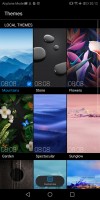

Powerful Theme engine - Huawei Mate 10 Pro review Powerful Theme engine - Huawei Mate 10 Pro review Powerful Theme engine - Huawei Mate 10 Pro review Powerful Theme engine - Huawei Mate 10 Pro review Powerful Theme engine - Huawei Mate 10 Pro review
Powerful Theme engine

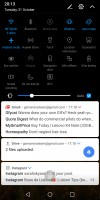
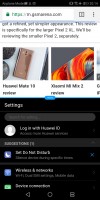
The notification area is a 50/50 mix between stock Android and EMUI. There are (expandable) quick toggles, brightness bar and auto brightness switch.

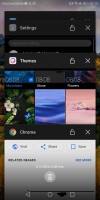
The task switcher is the usual rolodex of apps with a kill all shortcut. From here you can also use split-screen mode - just tap and hold on a card to kick it out.
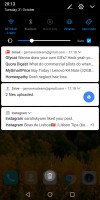
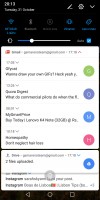
Notification shade - Huawei Mate 10 Pro review notifications - Huawei Mate 10 Pro review more toggles - Huawei Mate 10 Pro review task switcher - Huawei Mate 10 Pro review Split screen - Huawei Mate 10 Pro review
Notification shade • notifications • more toggles • task switcher • Split screen

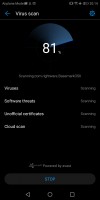
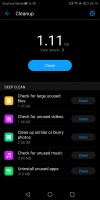
Huawei's Power Manager app for granular battery, permission, and mobile data control is available, of course. There is a one-key memory cleaner and even a virus scanner powered by Avast.
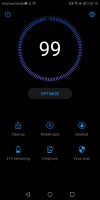
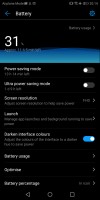
Power manager - Huawei Mate 10 Pro review Power manager - Huawei Mate 10 Pro review Power manager - Huawei Mate 10 Pro review Power manager - Huawei Mate 10 Pro review Power manager - Huawei Mate 10 Pro review
Power manager

The Mate 10 Pro supports various gestures - from motion control to knuckle gestures on the lockscreen. Voice control is onboard, too.

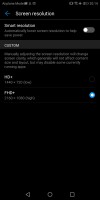
EMUI tries to make the best out of the large screen and you can replace the navigation keys by using the flexible on-screen floating navigation dock.
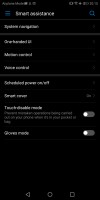
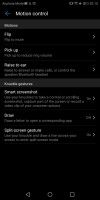
Smart assistance with navigation options - Huawei Mate 10 Pro review Smart assistance with navigation options - Huawei Mate 10 Pro review Smart assistance with navigation options - Huawei Mate 10 Pro review
Smart assistance with navigation options

Security is also really important to Huawei, and it plans on providing Google's Android security updates regularly. The company is committed to providing high-end premium phones with these updates every month. Our Mate 10 Pro already got the October security patch, that's a great start.

Next Page » 5. Chipset and benchmark performance
4. Software: EMUI 8 on sweet Oreo
  1. 1. Introduction
  2. 2. Retail package, 360-degree spin, design
  3. 3. Display, battery life, connectivity
  4. 4. Software: EMUI 8 on sweet Oreo
  5. 5. Chipset and benchmark performance
  6. 6. Phone and loudspeaker, apps, media, audio quality
  7. 7. Camera, features, daylight image quality
  8. 8. Low-light photos, portrait mode, panorama, selfies, video
  9. 9. Wrapping it up, lab test summary, competition, the verdict
  10.  
  11. Huawei Mate 10 Pro specification
  12. User opinions and reviews
  13. Review comments (147)

Reviews Huawei Mate 10 Pro reviewPage 4
  • Comments (147)
  • User reviews
  • Mate 10 Pro

Phone finder

  • Samsung
  • Apple
  • Huawei
  • Nokia
  • Sony
  • LG
  • HTC
  • Motorola
  • Lenovo
  • Xiaomi
  • Google
  • Honor
  • Oppo
  • Realme
  • OnePlus
  • Nothing
  • vivo
  • Meizu
  • Asus
  • Alcatel
  • ZTE
  • Microsoft
  • Umidigi
  • Coolpad
  • Oscal
  • Sharp
  • Micromax
  • Infinix
  • Ulefone
  • Tecno
  • Doogee
  • Blackview
  • Cubot
  • Oukitel
  • Itel
  • TCL

All brands Rumor mill

ADVERTISEMENT

Popular reviews

Oppo Find X9 Pro review
Xiaomi 17 Pro Max review
vivo X300 Pro review
ADVERTISEMENT

ELECTRIC VEHICLES

BMW iX3 gets hands-off Motorway Assistant certified in Europe for highway speeds BMW iX3 gets hands-off Motorway Assistant certified in Europe for highway speeds Tesla and GM try and shake off Chinese parts from supply chain2026 Mercedes CLA 350 4Matic real world range test
ADVERTISEMENT

Home News Reviews Compare Coverage Glossary FAQ RSS Youtube Instagram TikTok Facebook Twitter

© 2000-2025 GSMArena.com Mobile version Android app Tools Contact us Merch store Privacy Terms of use Change Ad Consent Do not sell my data