GSMArena.com GSMArena.com

Tip us

2.1m
180k
RSS

EV

Merch

Log in

Login

I forgot my password
Sign up
  • Home
  • News
  • Reviews
  • Videos
  • Featured
  • Phone Finder
  • Deals
  • Merch
  • Coverage
  • Contact
ADVERTISEMENT
GSMArena team, 16 January, 2018

BlackBerry Motion Review

  • Comments (32)
  • User reviews
  • Motion

7. Multimedia
  1. 1. Introduction
  2. 2. Unboxing and hardware
  3. 3. Display, connectivity and battery life
  4. 4. User Interface and BlackBerry Apps
  5. 5. Performance
  6. 6. Telephony, loudspeaker, input
  7. 7. Multimedia
  8. 8. Camera
  9. 9. Conclusion
  10.  
  11. BlackBerry Motion specification
  12. User opinions and reviews
  13. Review comments (32)

Android TCL BlackBerry Dual SIM

Google Photos

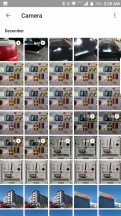
BlackBerry went with Google's default photo and video viewing app: Google Photos. The Gallery isn't as straightforward or intuitive as other custom gallery apps, but there are lots of features and services available for Google Photos users, even if you opt out of Google Photo's backup service.
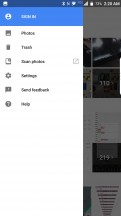
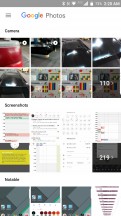
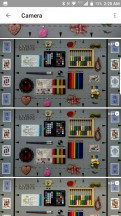
Not signed in: Menu - BlackBerry Motion review Not signed in: Albums - BlackBerry Motion review Not signed in: Zoomed out - BlackBerry Motion review Not signed in: Zoomed in - BlackBerry Motion review
Not signed in: Menu • Albums • Zoomed out • Zoomed in

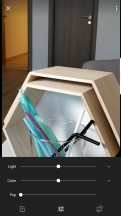
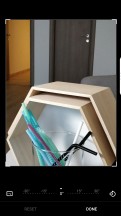
You can manage and edit albums and photos. Editing tools are aplenty, and you can crop, rotate, apply filters, lighten/darken and adjust levels of the photos. What you won't find is a way to scribble or draw on photos, nor are there any stickers.
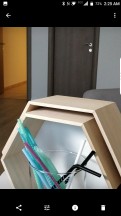
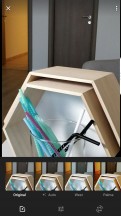
Photo view - BlackBerry Motion review Filters - BlackBerry Motion review Levels - BlackBerry Motion review Crop/Rotate - BlackBerry Motion review
Photo view • Filters • Levels • Crop/Rotate

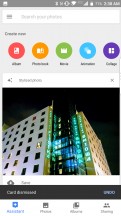
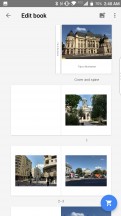
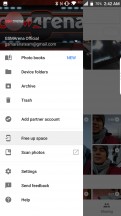
If you do use Google's Photos service, backing up your photos will enable a few cool features. Face recognition and keyword search (it will even recognize your pet), automatically generated collages and video montages, and you can even order a physical photobook directly from Google. Hit the "Free up space" option to clear only the photos and videos already backed up to Google Photos.

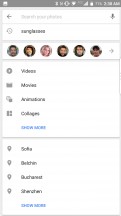
Keyword search - BlackBerry Motion review Person search - BlackBerry Motion review Stylized photo - BlackBerry Motion review Photo book - BlackBerry Motion review Free up space - BlackBerry Motion review
Keyword search • Person search • Stylized photo • Photo book • Free up space

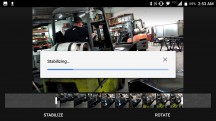
The Video player is very basic. There's only a progress bar, a share button, and a toggle to loop the video. There is no support for subtitles, swipe-to-seek, or playback speed option. You can edit videos taken with the phone, but it's only limited to trimming, rotating, and stabilizing.
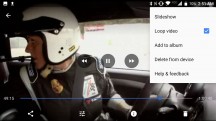
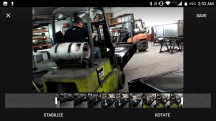
Video options - BlackBerry Motion review Stabilizing a video - BlackBerry Motion review Stabilizing a video - BlackBerry Motion review
Video options • Stabilizing a video

Google Music

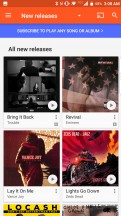
Google's default music player is here as well. Google Play Music offers a large collection of music to stream, or you can upload up to 50,000 of your own MP3 tracks from your computer that you can then stream from anywhere. You can also opt to pay for Google's music subscription that also includes unlimited skips and no ads. YouTube Red also comes bundled in markets where it's available. Aside from no more video ads, you can download videos to watch offline, screen-off playback, and access to YouTube Red's exclusive content.
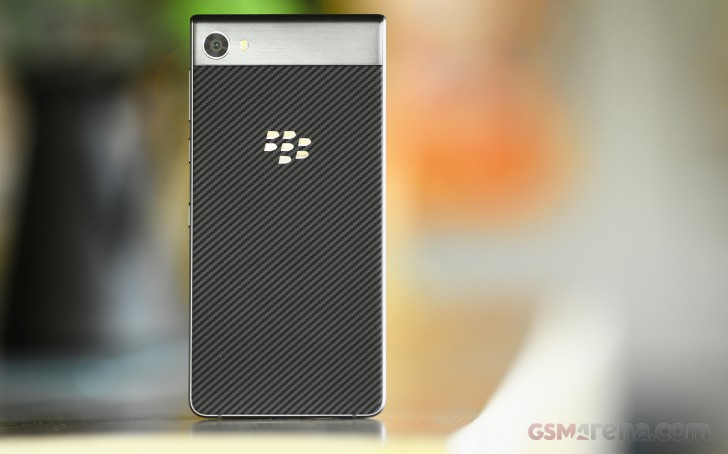
Google Play Music is also contextual and can suggest playlists based on the time of day, location, or day of the week.

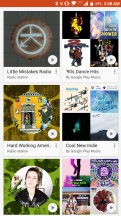
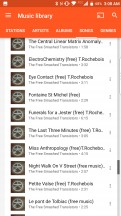
If you don't want to take advantage of Google's Music service (either paid or ad-supported), you can still use it for playback of local audio files. We wish it was a bit easier to navigate, but you have a hamburger menu with plenty of options. You can browse music by playlist, stations, artists, albums, songs, and genres.
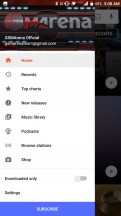
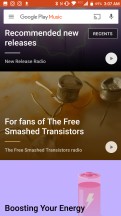
Google Play Music - BlackBerry Motion review Google Play Music - BlackBerry Motion review Google Play Music - BlackBerry Motion review Google Play Music - BlackBerry Motion review Google Play Music - BlackBerry Motion review

Google Play Music

Next Page » 8. Camera
7. Multimedia
  1. 1. Introduction
  2. 2. Unboxing and hardware
  3. 3. Display, connectivity and battery life
  4. 4. User Interface and BlackBerry Apps
  5. 5. Performance
  6. 6. Telephony, loudspeaker, input
  7. 7. Multimedia
  8. 8. Camera
  9. 9. Conclusion
  10.  
  11. BlackBerry Motion specification
  12. User opinions and reviews
  13. Review comments (32)

Reviews BlackBerry Motion reviewPage 7
  • Comments (32)
  • User reviews
  • Motion

Phone finder

  • Samsung
  • Apple
  • Huawei
  • Nokia
  • Sony
  • LG
  • HTC
  • Motorola
  • Lenovo
  • Xiaomi
  • Google
  • Honor
  • Oppo
  • Realme
  • OnePlus
  • Nothing
  • vivo
  • Meizu
  • Ulefone
  • Alcatel
  • ZTE
  • RugOne
  • Umidigi
  • Fairphone
  • Oscal
  • Sharp
  • Micromax
  • Infinix
  • Asus
  • Tecno
  • Doogee
  • Blackview
  • Cubot
  • Oukitel
  • Itel
  • TCL

All brands Rumor mill

ADVERTISEMENT

Popular reviews

Apple iPhone 18 Pro Max review
Apple iPhone 18 Pro review
Galaxy Tab S12 Ultra review
ADVERTISEMENT

ELECTRIC VEHICLES

Volkswagen takes the slow road to hands-off driving in China Volkswagen takes the slow road to hands-off driving in China XPeng sends Mona L05 to customers abroad ahead of Chinese launchAudi announces major restructuring of China operations with brand split
ADVERTISEMENT
Ads by Playwire

Home News Reviews Compare Coverage Glossary FAQ RSS Youtube Instagram TikTok Facebook Twitter

© 2000-2026 GSMArena.com Mobile version Android app Tools Contact us Merch store Privacy Terms of use