Coach class
BlackBerry Curve 9320 review: Coach class
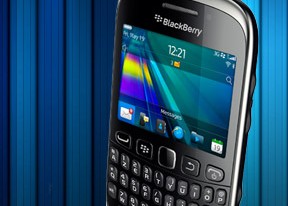
BlackBerry OS 7.1
Version 7.1 is the most recent update to the BlackBerry OS, and was released in the beginning of 2012. It will most likely be the last revision by RIM before the anticipated BB10, which means that the software on the 9320 will likely not receive any major updates and only the occasional bug-fix. .
The Curve 9320 runs on a less-powerful 806MHz processor than the Bold 9900 and the Torch 9860, but it is enough to handle the OS glitch-free. We experienced no slowdowns or freezes while working with the device.
Here is a quick UI video of the BlackBerry Curve 9320:
BlackBerry OS 7.1 doesn't bring any profound changes over 7.0. The Wi-Fi hotspot capability is the biggest - and most welcome - addition. The rest are minor tweaks to functionality that was already there for the most part.
Version 7.1 tries to look like the QNX-based Tablet OS. The UI icons have been updated to mimic the PlayBook, but the rest is pretty much the same - changes to the functionality are kept to a minimum.



BlackBerry OS 7.1 UI
The status area of the homescreen has quick toggles for cellular, Wi-Fi, NFC and Bluetooth radios. It also gives you quick access to the alarm clock and settings menu.

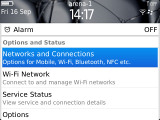
You can manage your wireless connections by selecting the status area and clicking on it
Clicking on the loudspeaker icon underneath lets you change the currently active profile, while the magnifying glass on the other side of the homescreen lets you start a search. BlackBerry OS 7.1 is voice search enabled, too - clicking on a small mic icon next to the Search bar will activate it. Also, on the homescreen you can initiate a search by just typing something on the keyboard.

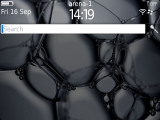
Profiles • The universal search works great
Missed events - SMS, email or missed calls - can be quickly accessed by pressing the bar between the search and profile icons on the default screen.
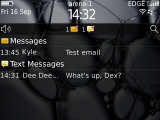
Notifications
Below that is the app tray, which consists of several tabs. The 'All' tab is the default one, which displays all icons. For convenience, you can sort some of your apps to the Favorite tab. The most frequently used apps are auto-generated in yet another tab.

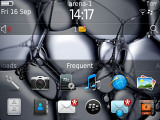

Frequent, Media and All tabs
There are also Media and Download (for the apps you have downloaded yourself) sections for even more ways of sorting your apps.
The Curve 9320 has a menu button located just to the left of the trackpad, which provides additional options which are usually not displayed on the main interface. These include the ability to close a given application, or adjust settings in application-specific contextual menus.
The usual phonebook
Contacts in the phonebook get listed alphabetically by first, last name or company and you can pick which of their recent activities to get displayed when checking out their details. Smart search lets you find a specific contact by typing a part of the name, so navigation is pretty fast.
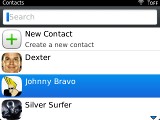
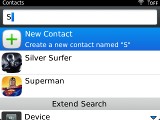
The phonebook
Like previous BlackBerry devices, the Curve 9320 lets you put your contacts in one of two categories - personal and business and then filter your phonebook accordingly. There is also grouping available and you can create as many custom groups as you like.
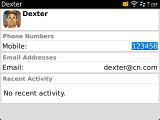
In edit mode, the available contact details are neatly organized. You can replicate some of the fields and add custom ones easily.
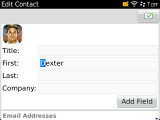
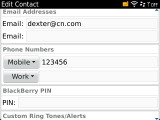
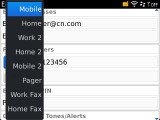
Editing Dexter's contact info


Tip us
2.1m 180k
RSS
EV
Merch
Log in I forgot my password Sign up