The magnificent seven
Asus Google Nexus 7 (2013) review: The magnificent seven
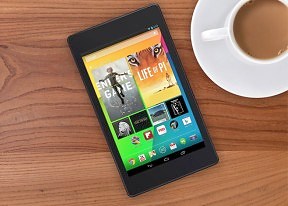
Tons of local connectivity
The Nexus 7 tablet comes in two versions - 16GB/32GB. The version with LTE data connectivity will ship only with 32GB on board. For local connectivity, you get dual-band Wi-Fi a/b/g/n along with Wi-Fi Direct and Bluetooth 4.0.
The Nexus 7 supports NFC along with the latest version of Android Beam. This enables simple transfer of images between two NFC-enabled phones and you can pair a Bluetooth speaker with a simple tap (if it supports NFC, of course).
Wireless charging is also supported out of the box. It uses the popular Qi standard.
The tablet also comes with a built-in A-GPS receiver. User reports have emerged that the tablet would regularly lose GPS signal, though we are yet to experience such an event. Google however, is reportedly investigating the matter so if it's more than an isolated problem, a fix should be around the corner.
The microUSB port handles both charging and computer connections. You should note that there's no mass storage mode available, you'll have to use MTP instead. It works just as well for transferring most files but some files are a problem (e.g. a ZIP file we needed to offload from the device didn't show up in the explorer).
The Nexus 7 supports USB OTG out of the box unlike the previous generation Nexus 7. A standard adapter needed for the feature to work can be purchased separately.
Google Chrome keeps evolving
The tablet version of Google Chrome has tabs on the top - it all looks a lot like the desktop Chrome browser, complete with the new tab button. You can also use sideway swipes to switch between them.
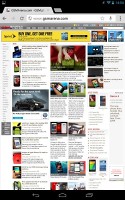
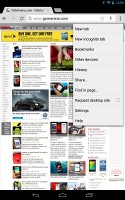
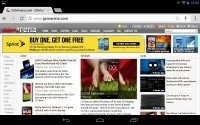
Google Chrome on the Nexus 7
When you open a new tab, you're greeted with a list of the most visited sites. You can also access your bookmarks from here or even tabs you have open on any other device you have Chrome running on (your computer, your phone, even other tablets). Incognito tabs are available.
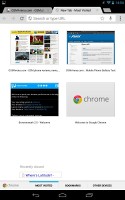
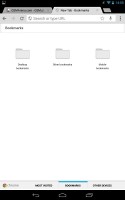
New tab options
The URL bar has a couple of handy shortcuts - one allows you to perform a voice search, which is quicker than typing, and the other is the star, which allows you to add a site to your bookmarks (this one should be familiar from desktop Chrome).
The settings menu includes some really interesting options. For example, you can set your search provider to be Yahoo or Bing or request the desktop version of a site. You can also allow the browser to preload links from search results it's certain you're going to open, but you can also opt for enabling this over Wi-Fi only to preserve your data allowance.
Flash is, of course, not supported but as the web moves towards HTML5, Flash becomes less and less relevant. Still, if it's that important to you, you should know that we manage to side-load the Flash Player and enable it on some of the alternative browsers available at the Play Store. So if Flash is a must, you can have it.


Tip us
2.1m 180k
RSS
EV
Merch
Log in I forgot my password Sign up